Recently the Eclipse Che community has been working to make Eclipse Theia the default web IDE for Eclipse Che 7. We’ve added a plugin model to Eclipse Theia that is compatible with Visual Studio Code (VS Code) extensions. Che 7 users will eventually be able to take advantage of extensions that have been written for VS Code in their cloud-based developer workspaces. It's worth pointing out the popularity of VS Code extensions. Red Hat has contributed extensions covering Java, XML, YAML, OpenShift, and dependency analytics. The Java extension provided by Red Hat has been downloaded over 10 million times!
If you aren't familiar with Eclipse Theia, Che 6 and earlier used a GWT-based IDE. While it is possible to develop and use plugins in that environment, it is cumbersome. Coming from tools like VS Code, developers expect to be able to customize and extend their workspaces at runtime. Eclipse Theia is an extensible open-source framework to develop multi-language IDEs using state-of-the-art web technologies. Moving to Theia as the default IDE for Che 7 provides a foundation to enrich the developer workspaces in Che. See the series of articles by Stevan LeMeur for more information about what's coming in Che 7.
This article explains why we decided to add the new plugin model to Eclipse Theia and the benefits for Eclipse Che 7 developer workspaces. I also cover how the new plugin model differs from the existing Theia extension model.
Drawbacks of the previous GWT-based IDE
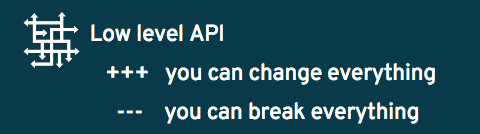
There were a number drawbacks with the GWT-based IDE used in Che 6 and earlier. Adding a plugin requires stopping, recompiling, and reloading the whole IDE. Experiments were tried to dynamically load JavaScript plugins using JS-Interop. The GWT-based IDE provided a low-level API with the advantage that you could change anything, but the disadvantage is any plugin could break anything. Also, it is difficult to understand all of the entry points for the current API.
In the end, we also had to take into consideration that many people dislike GWT and feel it is a technology of the past.
Requirements for extensibility
Based on our experiences, a lot of people wanted to improve the extensibility model for the next major version of Eclipse Che. For Che 7, we came up with the following requirements:
- It should be easy to load plugins at runtime and it should not involve any extra compilation or installation steps. Therefore, plugins should be already compiled. The IDE only needs to load the code.

- A poorly written plugin should not be able to break the whole IDE. If the user loads a plugin that has an error, the user should still be able to continue to use the current IDE.

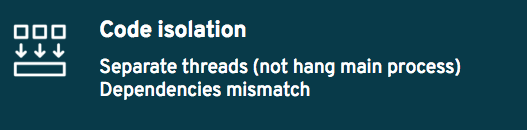
- In Eclipse Che, we wanted to guarantee that a plugin can't block the main functions of the IDE like opening a file or typing. The user should be able to identify whether a problem is caused by a plugin or is an issue with the core product itself. If two plugins have a requirement for different/conflicting versions of a dependency, that should be allowed and shouldn't cause problems. Each plugin should get the specific version of the dependency it requires.
Drawbacks of the Theia extension model
Eclipse Theia was chosen as the alternative IDE for Che 7 and beyond. Theia has an extension model, which we'll refer to as Theia extensions. The problem with the existing extension model was that it was mainly designed to develop custom IDEs. As a result, it has the similar drawbacks when developers try to customize their development workspace at runtime the way they can in VS Code:
- With Eclipse Theia extensions, when a new extension is added, the whole IDE is recompiled. If there are errors introduced by the extension, you may break the whole IDE. So after adding an extension, you could open a Che workspace and wind up with a blank page due to a compilation error instead of the IDE.

- Extensions are retrieved from the
npmjsrepository. While this can be nice becausenpmjshas tons of libraries, when you install an extension it will download all dependencies again and again. If you’ve many dependencies, it may break. Additionally, you aren't able to add a local repository for private extensions.

- Theia extensions allow extension writers to customize the whole IDE. However similar to the GWT-based IDE, any extension can easily break the whole IDE. Diagnosis can be difficult.
- The complexity of the extension model is too challenging for new developers. The Theia extension model has a lot of power that is great for advanced users; however, if you want to write your first extension, you need to master inverify and dependency injection. You also need to know which class is doing what and which interface you need to implement.

Clearly, Theia's extension model was not matching up with our requirements for extensibility.

Introducing Theia plugins
At Red Hat, to meet our extensibility requirements we came up with the Theia Plugin Model. The key aspects are:
- Plugins can be loaded at any time at the runtime without having to restart/refresh the IDE.

- Eclipse Theia plugins are self-contained and packaged into .theia files. They contain all the runtime code for the plugins. There is no need to download anything else at startup.

- Theia plugins have a simple API that is easy to learn. You can use a dependency injection framework, but you don't have to. It's your choice. The model is as simple as importing only one namespace,
@theia/plugin(through thenpmjspackage@theia/plugin), and you can get what you need from this entry point with code completion on this object. You implement the lifecycle of your plugin by implementing thestartandstopfunctions.
Sample code of a Theia plugin
import * as theia from '@theia/plugin';

export function start(context: theia.PluginContext) {
    const informationMessageTestCommand = {
        id: 'hello-world',
        label: "Hello World"
    };
    context.subscriptions.push(theia.commands.registerCommand(informationMessageTestCommand, (...args: any[]) => {
        theia.window.showInformationMessage('Hello World!');
    }));

}

export function stop() {
  // commands automatically unregistered
}
Theia plugin protocol
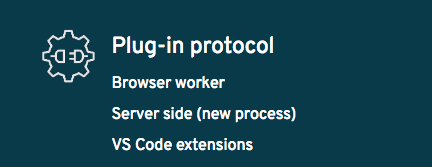
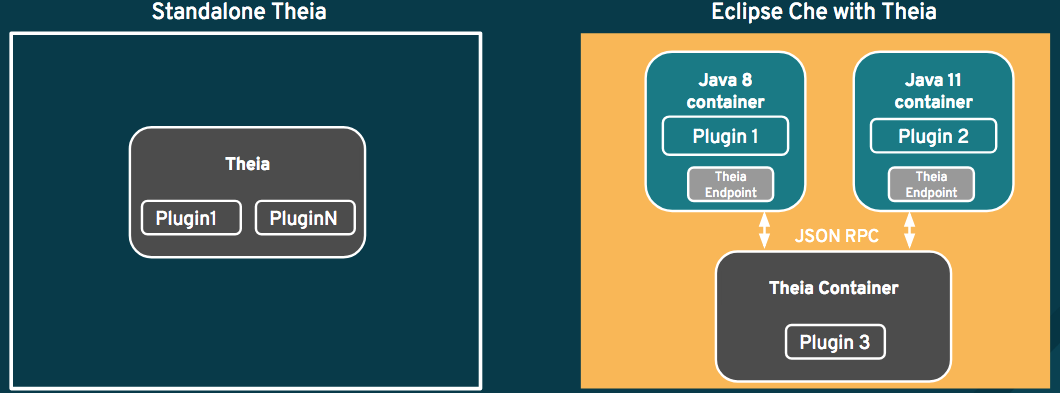
Theia plugins use a protocol, which means you can run plugins anywhere! Some plugins can run in worker threads of the browser (they are called front-end plugins) or they can run on the server side in separate processes (back-end plugins). It’s easy to handle other kinds of namespace, including VS Code extensions.
Hear's an architecture diagram:
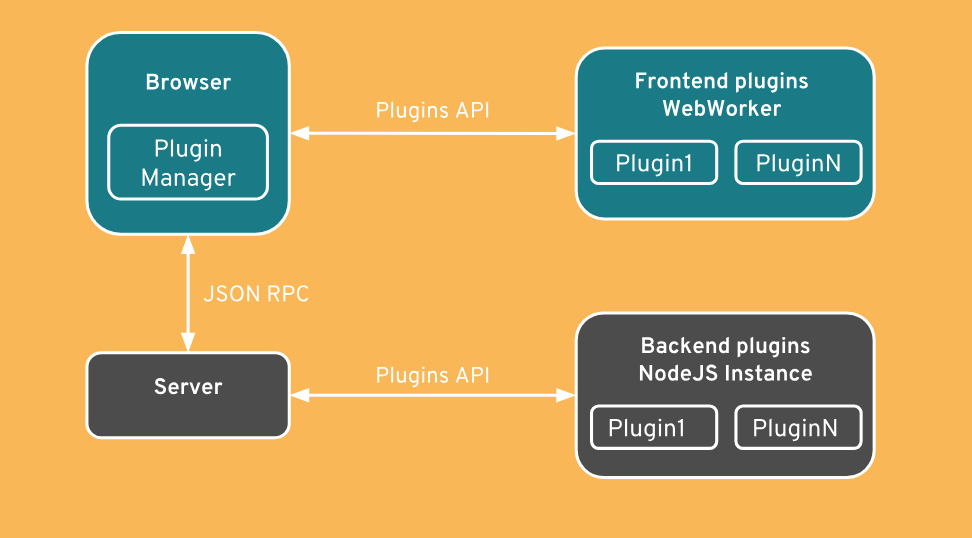
The model is backward-compliant. The plugin model is provided through a TypeScript declaration file. The plugin code could be completely rewritten or Theia classes could be refactored; however, the model will remain unchanged.

The API is a high-level API designed so that plugins can't break the IDE. You might not be able to change everything you could think of in a plugin, but there are nearly unlimited possibilities to provide useful functionality for developers.
Container-ready

Eclipse Che is using containers for developer tools. Theia plugins are written in TypeScript/Javascript and that works well. But sometimes, plugins writers need some dependencies that are not only pure npmjs dependencies. For example, if developers write a language server for Java, this plugin will probably require Java. So it might imply that the container that runs Eclipse Theia should have Java already installed on it.
This is why in Eclipse Che, it’s possible to run each Eclipse Theia plugin in its own container. This allows a plugin to use any system dependency it needs in its own container.
By default, all plugins are executed as a separate process in the Theia container:
VS Code extensions
The Eclipse Theia plugin protocol has been implemented in an extensible fashion and conforms to the VS Code API. This will allow some VS Code extensions to run inside of Theia. The API support will determine which extensions are compatible.
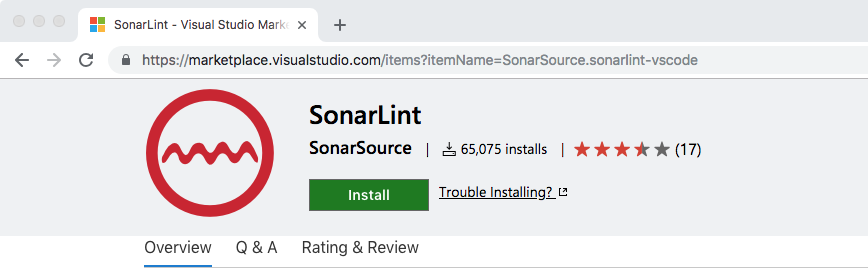
For example, it is currently possible to use the SonarLint VS Code extension from VS Code marketplace:
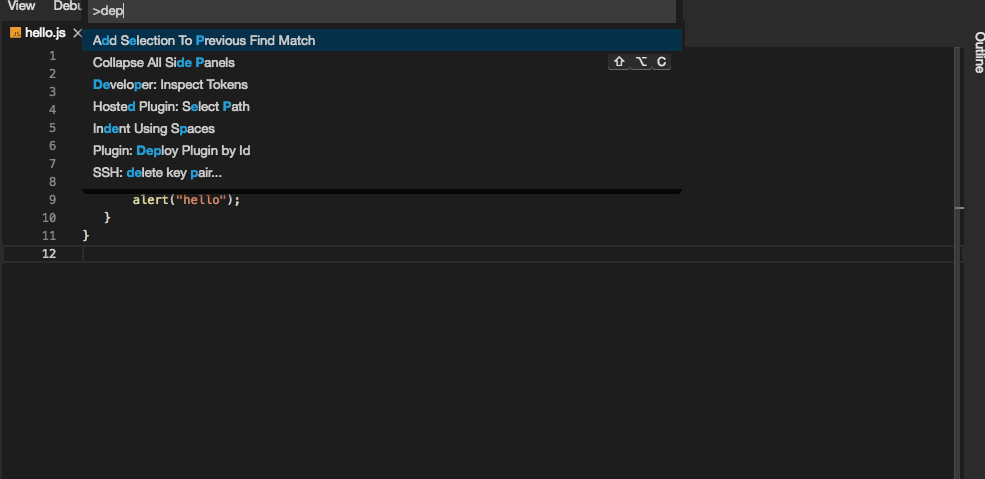
After loading the SonarLint VS Code extension at runtime, you can see the immediate results in a JavaScript source file:
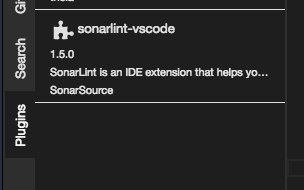
Here is the plugins view in Eclipse Theia after loading the VS Code extension:
Try Eclipse Che 7 now!
Want to try to the new version of Eclipse Che 7? Here’s how:
Click the following factory URL:
che.openshift.io/f?id=factoryvbwekkducozn3jsn
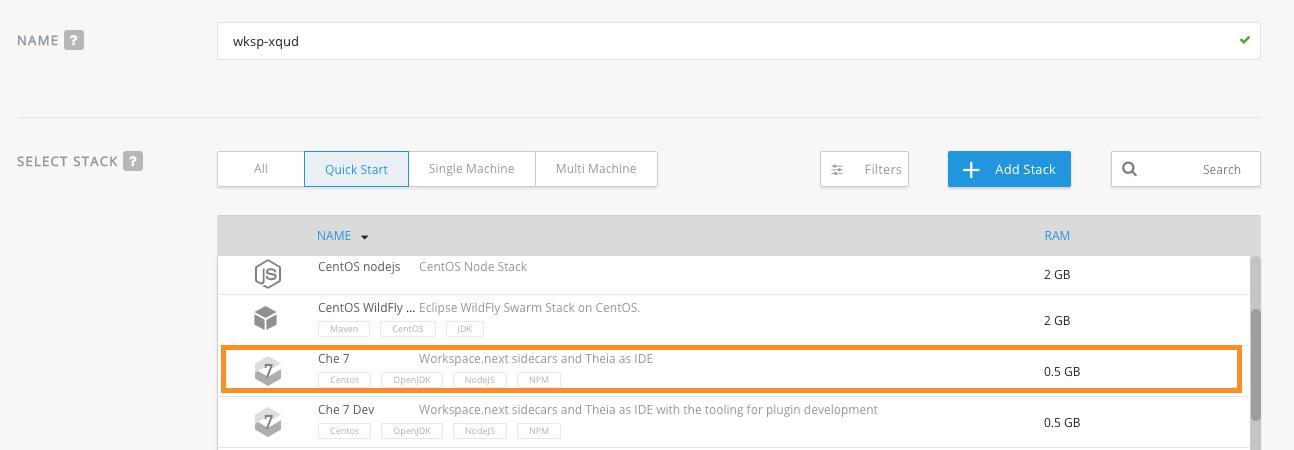
Or, create your account on che.openshift.io, create a new workspace, and select “Che 7” stack.
You can also test on your local machine, by installing the latest version of Eclipse Che. See Quick Start with Eclipse Che.
Want to learn more?
See the Eclipse Che 7 is coming and it's really hot article series:
- Part 1—Eclipse Che 7 overview, and introducing the new IDE
- Part 2—Introducing the plugin model
- Part 3—Kube-native developer workspaces
- Part 4—Functionality for Enterprise Development Teams and schedule
For information about Che running on Red Hat OpenShift, see Red Hat CodeReady WorkSpaces for OpenShift (currently in beta) and Doug Tidwell’s article and videos, CodeReady Workspaces for OpenShift (Beta)–It works on their machines too. Doug covers stacks and workspaces and factories to help you get started with Che.
Last updated: November 9, 2023
