[This article is cross-posted from the Eclipse Che Blog.]
Eclipse Che 6.6 Release Notes
Eclipse Che 6.6 is here! Since the release of Che 6.0, the community has added a number of new capabilities:
- Kubernetes support: Run Che on Kubernetes and deploy it using Helm.
- Hot server updates: Upgrade Che with zero downtime.
- C/C++ support: ClangD Language Server was added.
- Camel LS support: Apache Camel Language Server Protocol (LSP) support was added.
- <strong">Eclipse Java Development Tools (JDT) Language Server (LS): Extended LS capabilities were added for Eclipse Che.
- Faster workspace loading: Images are pulled in parallel with the new UI.
Quick Start
Che is a cloud IDE and containerized workspace server. You can get started with Che by using the following links:
- Deploy to Kubernetes (single-user or multi-user).
- Deploy to Red Hat OpenShift (single-user or multi-user).
- Install on Docker (single-user or multi-user).
Kubernetes Support (#8559)
In the past, Eclipse Che was primarily targeted at Docker. However, with the rise of Kubernetes, we have added OpenShift and native Kubernetes as primary deployment platforms.
Since the 6.0.0 release, we have made a number of changes to ensure that Che works with Kubernetes. These changes were related to volume management for workspaces, routing, service creation, and more.
We have also recently added Helm charts for deploying Che on Kubernetes. Helm is a popular application template system for deploying container applications on Kubernetes. Helm charts were first included in the 6.2.0 release, and support has improved through the 6.3.0 and 6.4.0 releases.
Much of the work to support TLS routes and multiuser Che deployments using Helm was contributed by Guy Daich from SAP. Thank you, Guy!
Learn more about Che on Kubernetes in the documentation.
Highlighted Issues
See the following pull requests (PRs):
- Kubernetes-infra: routing, TLS (rebased) #9329
- Use templates only to deploy Che to OpenShift #9190
- Kubernetes multiuser helm #8973
- Kubernetes-infra: server routing strategies and basic TLS kind/enhancement status/code-review #8822
- Initial support for deploying Che to Kubernetes using Helm charts #8715
- Added Kubernetes infrastructure #8559
Hot Server Updates (#8547)
In recent releases, we steadily improved the ability to upgrade the Che server without having to stop or restart active workspaces. In Che 6.6.0, it is now possible to upgrade the Che server with no downtime for active workspaces, and there is only a short period when you cannot start new workspaces. This was a request from our enterprise users, but it helps teams of all sizes.
You can learn more in the documentation.
Highlighted Issues
See the following PRs:
- Implement interruption of start for OpenShift workspaces #5918
- Implement recovery for OpenShift infrastructure #5919
- Server checkers won’t be started if a workspace is started by another Che Server instance #9502
- Document procedure of rolling hot update #9630
- Adapt ServiceTermination functionality to workspaces recovering #9317
- Server checkers works incorrectly when k8s/os workspaces are recovered #9453
- Add an ability to use distributed cache for storing workspace statuses in WorkspaceRuntimes #9206
- Do not use data volume to store agents on OpenShift/Kubernetes #9040
C/C++ Support with ClangD LS (#7516)
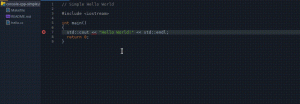
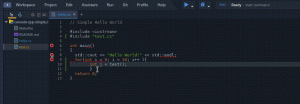
Clang provides a C and C++ language front end for the LLVM compiler suite, and the Clangd LS enables improved support for the C language in Eclipse Che and other LSP-capable IDEs. Many thanks to Hanno Kolvenbach from Silexica for the contribution of this feature.
Apache Camel LSP Support (#8648)

Camel-language-server is a server implementation that provides Camel DSL intelligence. The server adheres to the Language Server Protocol and has been integrated into Eclipse Che. The server utilizes Apache Camel.
Related PRs
See the following PRs:
Eclipse JDT LS (#6157)
The Eclipse JDT LS combines the power of the Eclipse JDT (that powers the Eclipse desktop IDE) with the Language Server Protocol. The JDT LS can be used with any editor that supports the protocol, including Che of course. The server is based on:
- Eclipse LSP4J, the Java binding for LSP
- Eclipse JDT, which provides Java support (code completion, references, diagnostics, and so on) in Eclipse IDE
- M2Eclipse, which provides Maven support
- Buildship, which provides Gradle support
Eclipse Che will soon switch its Java support to use the JDT LS. In order to support this transition, we’ve been working hard on supporting extended LS capabilities. Java is one of the most used languages by Che users, and we are going to bring even more capabilities thanks to the JDT LS. Once the switch is done, you can expect more Java versions to be supported, as well as Maven and Gradle support!
Highlighted Issues
See the following PRs:
- Commands do not work when jdt.ls not started #8673
- Allow custom notifications eclipse/eclipse.jdt.ls#522
- Support formatter options eclipse/eclipse.jdt.ls#623
- Update Che doc for jdt.ls use #8880
- Implement
textDocument/onTypeFormattingsupport eclipse/eclipse.jdt.ls#569 - Only return jdt:// URLs if clients support it eclipse/eclipse.jdt.ls#649
- Update lsp4j to 0.4.0 eclipse/eclipse.jdt.ls#653
- Autocompletion should return Javadoc in Markdown eclipse/eclipse.jdt.ls#654
- Enable annotation processing eclipse/eclipse.jdt.ls#128
Faster Workspace Loading (#8748)
In version 6.2.0, we introduced the ability for Che to pull multiple images in parallel through the SPI. This way, when you are working on a multi-container based application, your workspace’s container images are instantiated more quickly.
Highlighted Issues
See the following PR:
- Che should pull images in parallel (#7102)
Coming Soon
You can keep track of our future plans for Eclipse Che on the project roadmap page. In coming releases, you can expect further improvements to the extensibility of the platform, including an Eclipse Che plugins framework, support for a debug adapter protocol to improve debugging capabilities in the IDE, integration of more cloud-native technologies into workspace management, and scalability and reliability work to make Eclipse Che even more suitable for large enterprise users.
The community is working hard on those different aspects, and we will be speaking about this more extensively in the following weeks. If you are interested in learning more and want to eventually engage, don’t forget to join the bi-weekly community call.
Getting Started
Get started on Kubernetes, OpenShift, or Docker.
Learn more in our documentation and start using a shared Che server or a local instance today.
The Eclipse Che project is always looking for user feedback and new contributors! Find out how you can get involved and help make Che even better.
Last updated: February 24, 2024