Red Hat OpenShift Dev Spaces
Cloud development environments for enterprise developers and AI agents. Built on the open source Eclipse Che project.

On-demand cloud developer environments
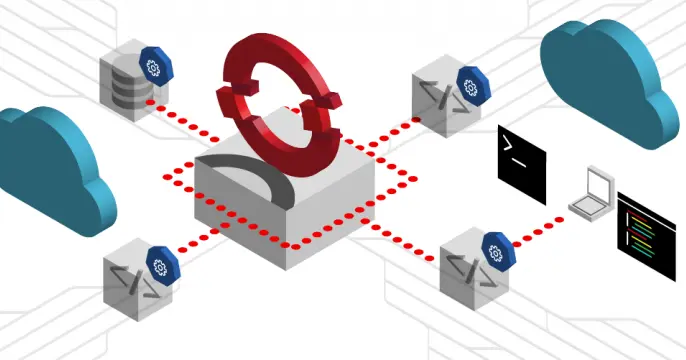
Red Hat® OpenShift® Dev Spaces eliminates time spent configuring local environments, keeps source code and sensitive data within enterprise-controlled infrastructure, and enables AI-driven development with centralized governance.
- Ready-to-code, consistent environments. Launch preconfigured workspaces with source code, tools, dependencies, and AI assistants ready to use. Developers can start coding in minutes, switch between projects easily, and avoid configuration drift and “works on my machine” issues.
- Enterprise security and governance. Run isolated development workspaces on Red Hat OpenShift, keeping code and development activity within enterprise boundaries while centrally managing access, policies, compute, and integrations with the application platform.
- Isolated execution environment for AI coding agents. Give AI agents on-demand compute and isolated workspaces where they can autonomously edit code, build, run tests, and execute development tasks—without elevated permissions.
Define the development environment once for each codebase, so developers can launch consistent, ready-to-use workspaces on demand.
OpenShift Dev Spaces is included with a Red Hat OpenShift subscription and is available in the Red Hat OpenShift OperatorHub. Try it at no cost in the Developer Sandbox.
Success stories
Delta Air Lines scaled AI-native development across 1,200 engineers
When Delta Air Lines set out to modernize its developer experience for 1,200 engineers, it solved more than slow onboarding, time lost on local setup, and environment drift. The cloud development platform they built on Red Hat OpenShift Dev Spaces turned out to be exactly what their teams needed as AI-native development took hold — handling compute-heavy AI agents, tightening security around LLM integrations, and keeping workflows consistent at scale. Read how Delta went from weeks-long setup times to minutes, and why their platform-first approach is paying off as AI reshapes how their engineers build software.
German government simplifies digital services with Capgemini and OpenShift Dev Spaces
Capgemini is a global business and technology transformation partner whose clients wanted their software developers to work with more agility and the newest tools. Using Red Hat OpenShift Dev Spaces, Capgemini used centrally managed workspaces and automated configurations to then accelerate their key processes and modernize their operations.
Streamlining administrative services posed an immense challenge for the German government, particularly with the lengthy onboarding process for developers. Each laptop required individual setup and stringent security measures, slowing down the progress. However, through a strategic partnership with Capgemini and Red Hat, innovative solutions like Dev Spaces were implemented, reducing onboarding time from 8 weeks to just 24 hours. Now, developers can swiftly deploy digital solutions, ensuring faster access to essential services for all German citizens.

Dell Technologies modernizes the developer experience with Red Hat OpenShift DevSpaces
Dell Technologies wanted to modernize development environments and provide a consistent workspace for their teams. By adopting Red Hat OpenShift DevSpaces, they transitioned to a standardized, cloud-native environment, providing developers with accelerated onboarding and immediate access to pre-configured tools on Day 1.
To achieve this, they used a “golden image” strategy to create a uniform experience while giving developers the flexibility to customize their individual workspaces. The transition to Red Hat OpenShift DevSpaces also improved their security posture by keeping all source code within the cluster, helping developers stay focused on productivity.
University of Gothenburg adopts application platform for data science
Sweden’s University of Gothenburg is one of Northern Europe’s largest and oldest universities, dating back to 1891. When it decided to build a new website in 2020, it realized its virtual machine (VM) environment would slow development. Today, Red Hat OpenShift provides the foundation for the new website and various research projects. The application platform requires minimal management, freeing up IT staff to focus on higher-value work. Self-service capabilities also mean research projects can progress faster. Red Hat OpenShift Virtualization, included as an operator with Red Hat OpenShift, allows the university to run VMs alongside containers so it can containerize legacy applications with ease and consistency. Additionally, the university was able to create an MLOps platform for testing and learning using Open Data Hub, OpenShift Virtualization, and Red Hat OpenShift Dev Spaces.
Modern development workflow






Featured OpenShift Dev Spaces articles & learning paths

Explore the pros and cons of on-premises and cloud-based language learning...

Explore how user namespaces can enable nested containers in OpenShift Dev...

Get an overview of key security best practices for Red Hat OpenShift Dev...
OpenShift Dev Spaces in the community
Red Hat OpenShift Dev Spaces is a great product for building applications. But what if you find something that needs fixing or have a new feature to suggest? By getting involved with the community you can give feedback, improve the docs, review code, and discuss and propose new features whenever they're needed. Answering user questions or taking part in development discussions is also a great way to build a reputation for collaboration and expertise in your field.
For more information on the upstream Eclipse Che project, see eclipse.org/che. Take a look at the project README page in GitHub as well.
No matter what your skill level, contributing to the project can be very rewarding and a great learning experience. You'll meet lots of smart, passionate developers who are all driven to create the best development tooling possible in open source! You don't have to be an expert to get involved and it doesn't have to take a lot of time.


