When organizations reach scale, management and discoverability of software become problematic. Each team within the organization may have a catalog of their inner workings, but discoverability across verticals can suffer as teams grow and look inward for all their needs. Additionally, each team may have their own process for creating new projects, if any process is defined at all. Developer portals and platform engineering help with the sprawl of enterprises and assist in organizing ownership and software. Learn how Red Hat Developer Hub simplifies software management and empowers developer self-service.
Backstage background
Backstage is an open source software framework for building developer portals. Backstage provides Software Catalog to track software in your organization and Software Templates which allow quick bootstrapping of new components and actions. Backstage is extensive, and with this comes complexity. Red Hat Developer Hub (RHDH) simplifies the installation and management of Backstage by providing a commercially supported distribution. Developer Hub enables you to focus on improving your developer experience, and eliminates complex Backstage build processes, dependency updates, and worrying about plug-in support. This allows teams to focus on developing value through the ecosystem of Backstage to successfully create a functioning developer portal.
Understanding the Backstage Software Catalog
The Software Catalog is a core component of Backstage, keeping track of ownership and metadata for all software in your ecosystem. It does this by using YAML metadata files which the catalog ingests and interprets. Backstage uses these entities to visualize your applications and services in a form users can understand and discover.
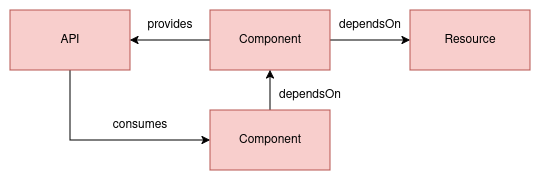
Three core entities model software in Backstage: components, APIs, and resources.
Components
A component entity describes a single piece of software in the system. Components are usually linked closely with source code, but can represent other services or software. Each component should be a distinct deployable or artifact. They can optionally implement APIs for other components to consume or consume APIs from other services. Additionally, they can directly depend on other components or resources to provide a clear dependency view. The manifest for a component may commonly be located at the root level of the source code repository.
The following is an example component from a Quarkus application.
apiVersion: backstage.io/v1alpha1
kind: Component
metadata:
  name: quarkus-app-openshift
  title: quarkus-app-openshift
  annotations:
    github.com/project-slug: rhdh-beginners-guide/quarkus-app-openshift
    backstage.io/kubernetes-id: quarkus-app-openshift
    argocd/app-name: quarkus-app-openshift-rhdh
  tags:
    - quarkus
    - java
    - maven
spec:
  type: service
  owner: superusers
  lifecycle: experimental
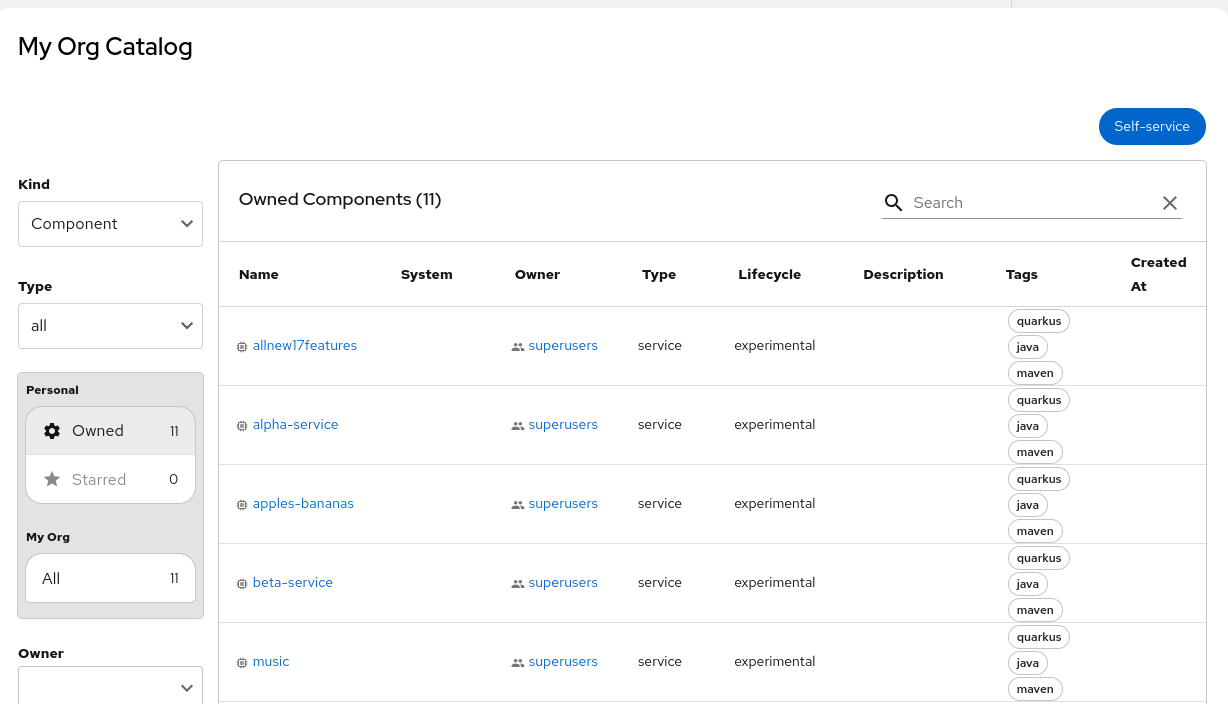
Components are displayed on Backstage under Catalog (Figure 1). Component entities give users details on the software makeup of a component, dependent services, ownership information, links to source code and/or tech docs, and much more with plug-ins such as continuous delivery (CD) status with Argo CD (or other supported providers).
APIs
APIs are an important way to discover functionality in the Backstage Ecosystem. APIs describe an interface that can be exposed by a component and denotes the boundaries and dependencies for components. This entity supports common format definitions such as OpenAPI, AsyncAPI, gRPC, and others.
Resources
Resources describe infrastructure a system needs to operate such as databases, S3 buckets, CDNs, or other requirements. Modeling these components allows Backstage to model out full graphs of dependencies for applications to visualize the high-level footprint and create tooling around them.
The big picture
With these three entity types, we can tie together all requisite parts of an application and show the relationships between them. This gives us the ability to see the big picture of our software and how it relates to other entities in our enterprise (Figure 2). You can see an overview of this process in the System Model documentation.
Understanding Software Templates
Software Templates (formerly Golden Paths) in Backstage are tools that can help create components or run actions. Software Templates provide the basic capabilities to load skeletons of code, templatize variables, and push code to Git repositories. This tooling allows for powerful integrations creating opportunities for self-service across the enterprise. Further validated plug-ins available in Developer Hub allow access to ArgoCD, provide deeper integration into GitHub and GitLab, or many other integrations. The Software Template definition describes both the input parameters that are rendered in the frontend of the scaffolding wizard and the steps that are executed when scaffolding that component.
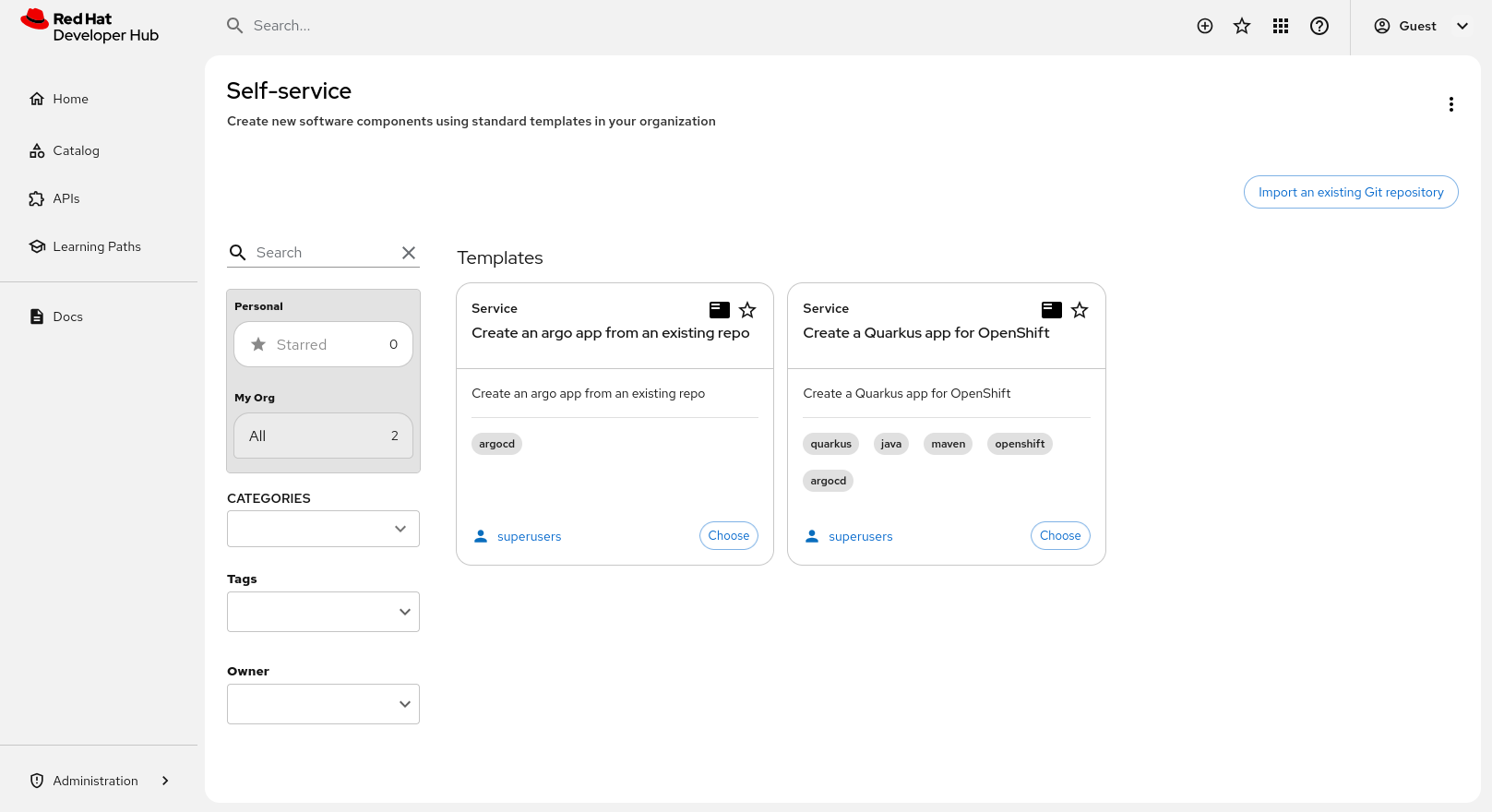
Users will be provided with a list of templates available at their access level as a self-service portal (Figure 3).
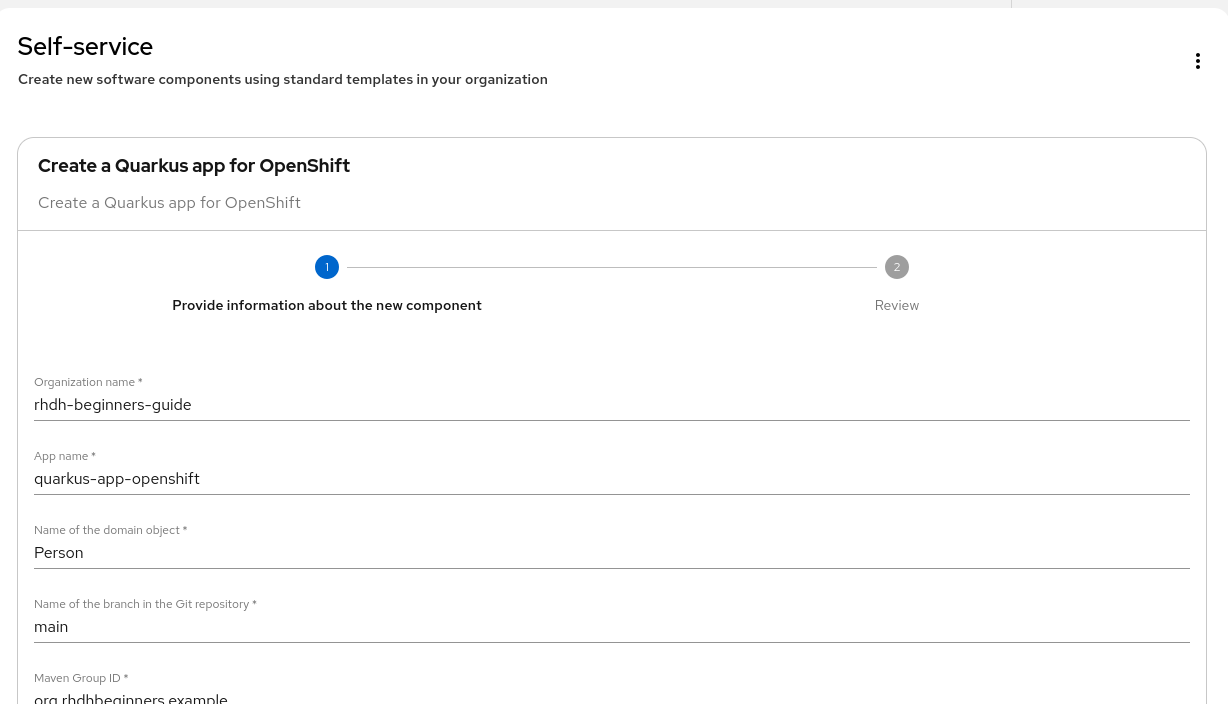
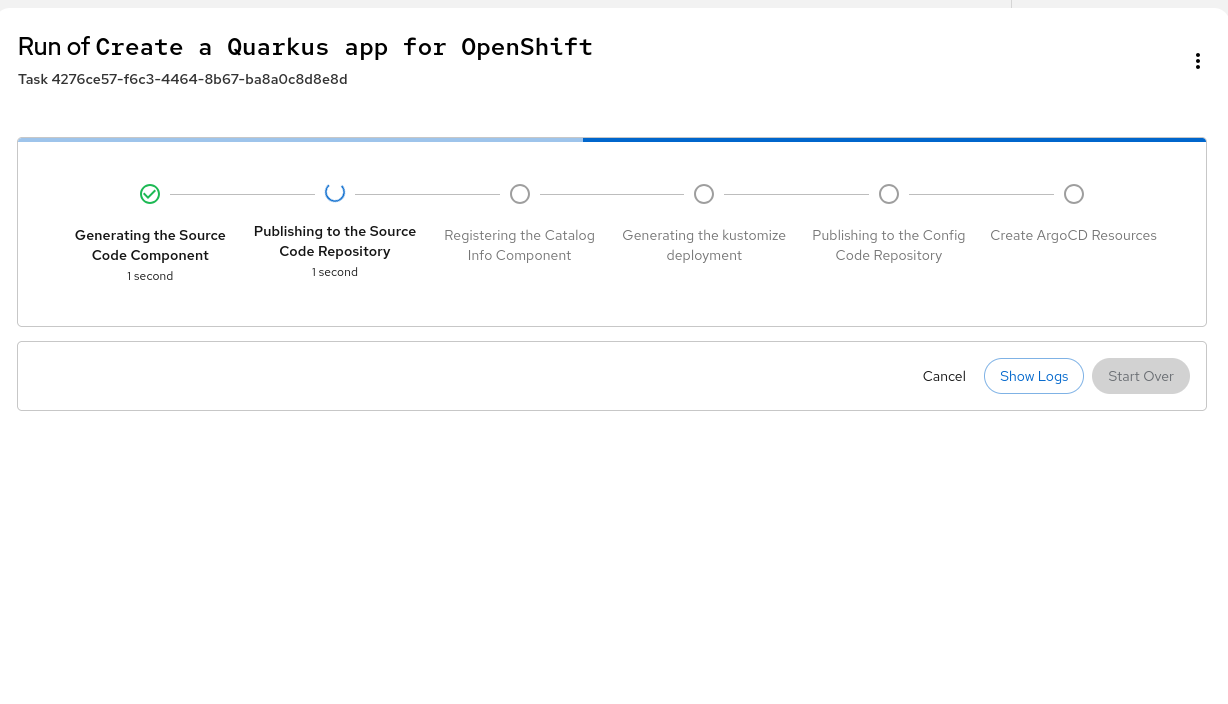
When a user chooses a template, they will be asked for any input variables required by the chosen template. These variables are used during the run of the steps defined in the template (Figure 4). Each step executes an action, such as fetching a base template or skeleton, publishing code to a Git repository, creating resources in an external integration, or much more.
After reviewing their parameters, users can run the template to create the software components defined by the template. This will run the steps defined in the template with the provided variables and show outputs (Figure 5). Outputs can be links to source code, infrastructure as code (IaC) repositories, or output from any of the steps.
For more information, refer to the Red Hat Developer Hub documentation and see an example on GitHub.
Final thoughts
We have seen at a high level how Red Hat Developer Hub uses a Software Catalog consisting of components, services, and APIs to map out enterprise software. We have also described how you can use Software Templates to create new components allowing developer self-service.
In a future article, we will describe how these components are created through manifests and how Developer Hub uses those to organize and allow discoverability of your enterprise components. Take advantage of the trial at no cost to explore Red Hat Developer Hub today.

