Redhat Developers  Logo
  • Products

    Platforms

    • Red Hat Enterprise Linux
      Red Hat Enterprise Linux Icon
    • Red Hat AI
      Red Hat AI
    • Red Hat OpenShift
      Openshift icon
    • Red Hat Ansible Automation Platform
      Ansible icon
    • See all Red Hat products

    Featured

    • Red Hat build of OpenJDK
    • Red Hat Developer Hub
    • Red Hat JBoss Enterprise Application Platform
    • Red Hat OpenShift Dev Spaces
    • Red Hat OpenShift Local
    • Red Hat Developer Sandbox

      Try Red Hat products and technologies without setup or configuration fees for 30 days with this shared Red Hat OpenShift and Kubernetes cluster.
    • Try at no cost
  • Technologies

    Featured

    • AI/ML
      AI/ML Icon
    • Linux
      Linux Icon
    • Kubernetes
      Cloud icon
    • Automation
      Automation Icon showing arrows moving in a circle around a gear
    • See all technologies
    • Programming languages & frameworks

      • Java
      • Python
      • JavaScript
    • System design & architecture

      • Red Hat architecture and design patterns
      • Microservices
      • Event-Driven Architecture
      • Databases
    • Developer experience

      • Productivity
      • Tools
      • GitOps
    • Automated data processing

      • AI/ML
      • Data science
      • Apache Kafka on Kubernetes
    • Platform engineering

      • DevOps
      • DevSecOps
      • Red Hat Ansible Automation Platform for applications and services
    • Secure development & architectures

      • Security
      • Secure coding
  • Learn

    Featured

    • Kubernetes & cloud native
      Openshift icon
    • Linux
      Rhel icon
    • Automation
      Ansible cloud icon
    • AI/ML
      AI/ML Icon
    • See all learning resources

    E-books

    • GitOps cookbook
    • Podman in action
    • Kubernetes operators
    • The path to GitOps
    • See all e-books

    Cheat sheets

    • Linux commands
    • Bash commands
    • Git
    • systemd commands
    • See all cheat sheets

    Documentation

    • Product documentation
    • API catalog
    • Legacy documentation
  • Developer Sandbox

    Developer Sandbox

    • Access Red Hat’s products and technologies without setup or configuration, and start developing quicker than ever before with our new, no-cost sandbox environments.
    • Explore the Developer Sandbox

    Featured Developer Sandbox activities

    • Get started with your Developer Sandbox
    • OpenShift virtualization and application modernization using the Developer Sandbox
    • Explore all Developer Sandbox activities

    Ready to start developing apps?

    • Try at no cost
  • Blog
  • Events
  • Videos

Unlocking UBI to Red Hat Enterprise Linux container images

March 16, 2026
Louis Imershein
Related topics:
Containers
Related products:
Red Hat Enterprise LinuxRHEL UBI

    Building a container for production requires more than a base image. It requires a stack that's reliable and supported from that start. While the Red Hat Universal Base Image (UBI) provides a redistributable foundation, it does not include every package. To access more content today, you can use a no-cost Red Hat Developer subscription to gain full access to Red Hat Enterprise Linux (RHEL) for container development and testing.

    UBI packages: What you are missing

    One of the advantages of UBI is that it is lean and easy to share. However, it only includes a subset of the full RHEL package set. If you build modern workloads, you might find that essential tools and libraries are not in UBI-only repositories.

    With RHEL, you gain access to a much larger library of packages including databases like PostgreSQL, MySQL, and MariaDB, included in the package repositories for RHEL along with additional runtimes, tools, and libraries available in Red Hat's AppStream, Supplementary, Extensions, and CodeReady Linux Builder repositories. You also gain access to older package versions compared to UBI, which only ships the latest version. A full RHEL subscription allows you to roll back or pin specific older dependencies.

    Self-service developer access

    Whether you're learning on your own or doing work for a business, you can obtain a no-cost subscription, giving you access to RHEL software content and online services through developers.redhat.com.

    • Red Hat Developer Subscription for Individuals is for personal projects and individual learning. It provides a full RHEL environment with up to 16 entitlements at no cost.
    • RHEL for Business Developers is for developing business workloads for an organization. It allows you to build on a platform with up to 25 entitlements that matches your production environment.

    Subscription by inheritance

    You can enable RHEL content access either automatically through a Linux host, or through Podman Desktop.

    From a Linux host

    If you develop on a subscribed RHEL system (or Fedora Linux or CentOS Stream host) that you've subscribed to using the subscription-manager package, then your containers use that subscription. A dnf install command inside your UBI container recognizes the host's keys to access full RHEL repositories.

    On Fedora or CentOS Stream, you can install the subscription-manager command using dnf:

    sudo dnf install subscription-manager

    Use the subscription-manager command to be prompted to provide credentials to your no-cost developer subscription for RHEL:

    sudo subscription-manager register

    From Podman Desktop

    You can use Podman Desktop on Windows, Mac, or a Linux distribution along with the Red Hat Account extension. To set this up, launch Podman Desktop and click the Settings icon and select Registries.

    In the Registries pane (shown in Figure 1), enter your credentials to enable the Red Hat Container Registry registry.redhat.io.
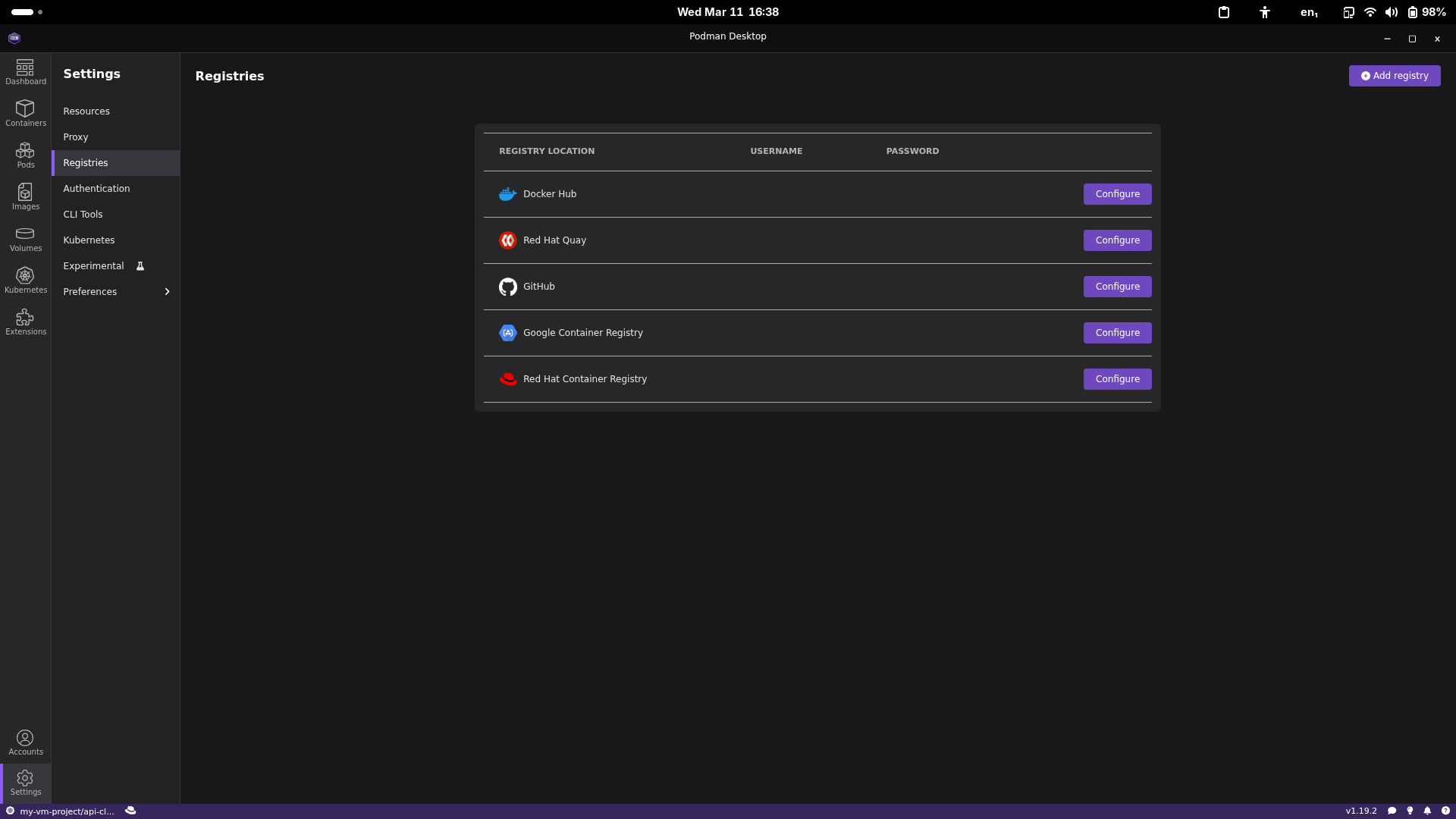
    Registries in Podman Desktop.
    Figure 1: The Registries pane of Podman Desktop displays available container registries.

    Next, click the Accounts icon and select Manage Authentication. Click the Sign in button, as shown in Figure 2.
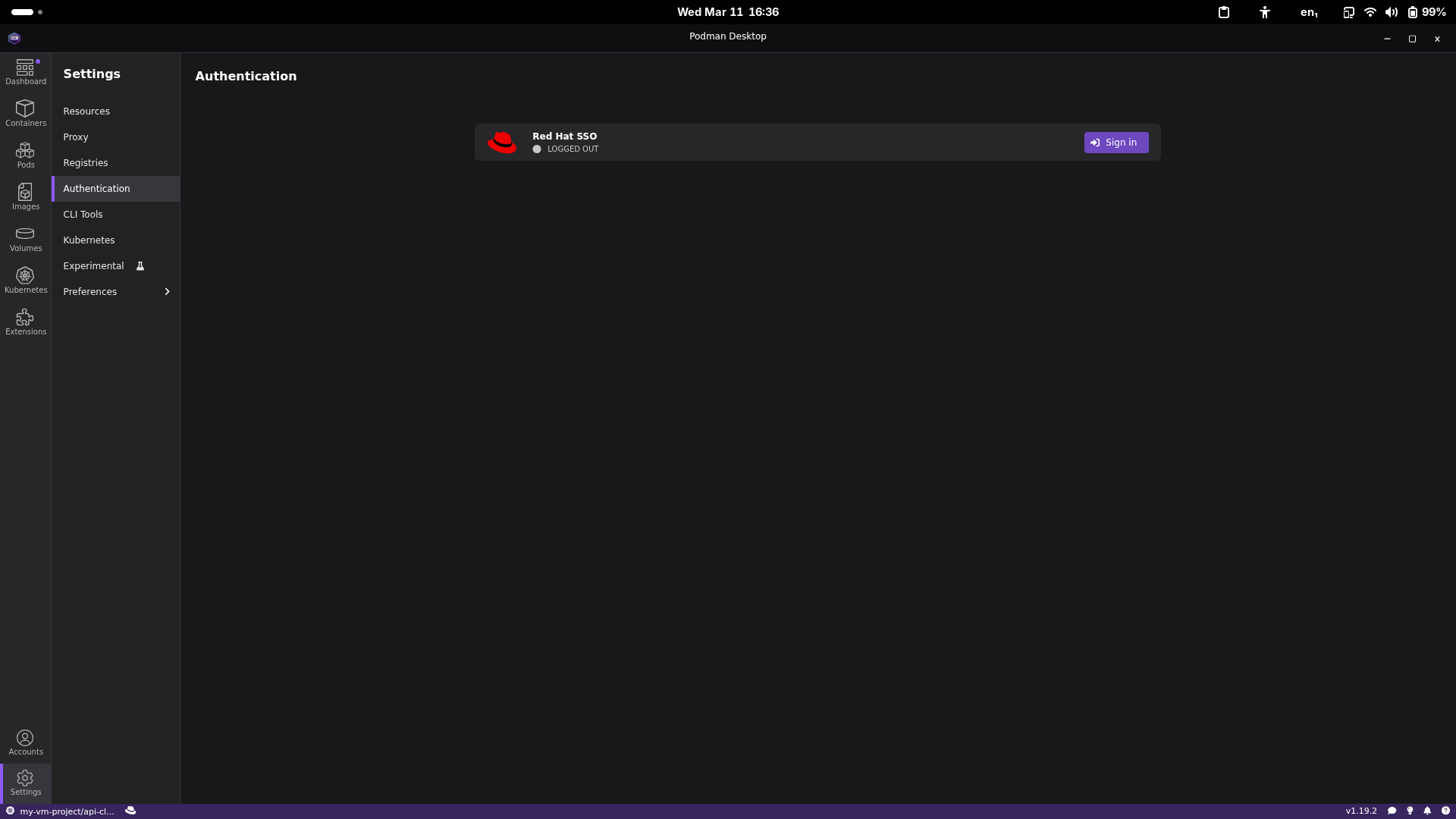
    Sign in to your Red Hat subscription in Podman Desktop.
    Figure 2: Sign in to your Red Hat subscription in Podman Desktop.

    This launches your browser, which allows you to sign in to your Red Hat Developer account, as shown in Figure 3.
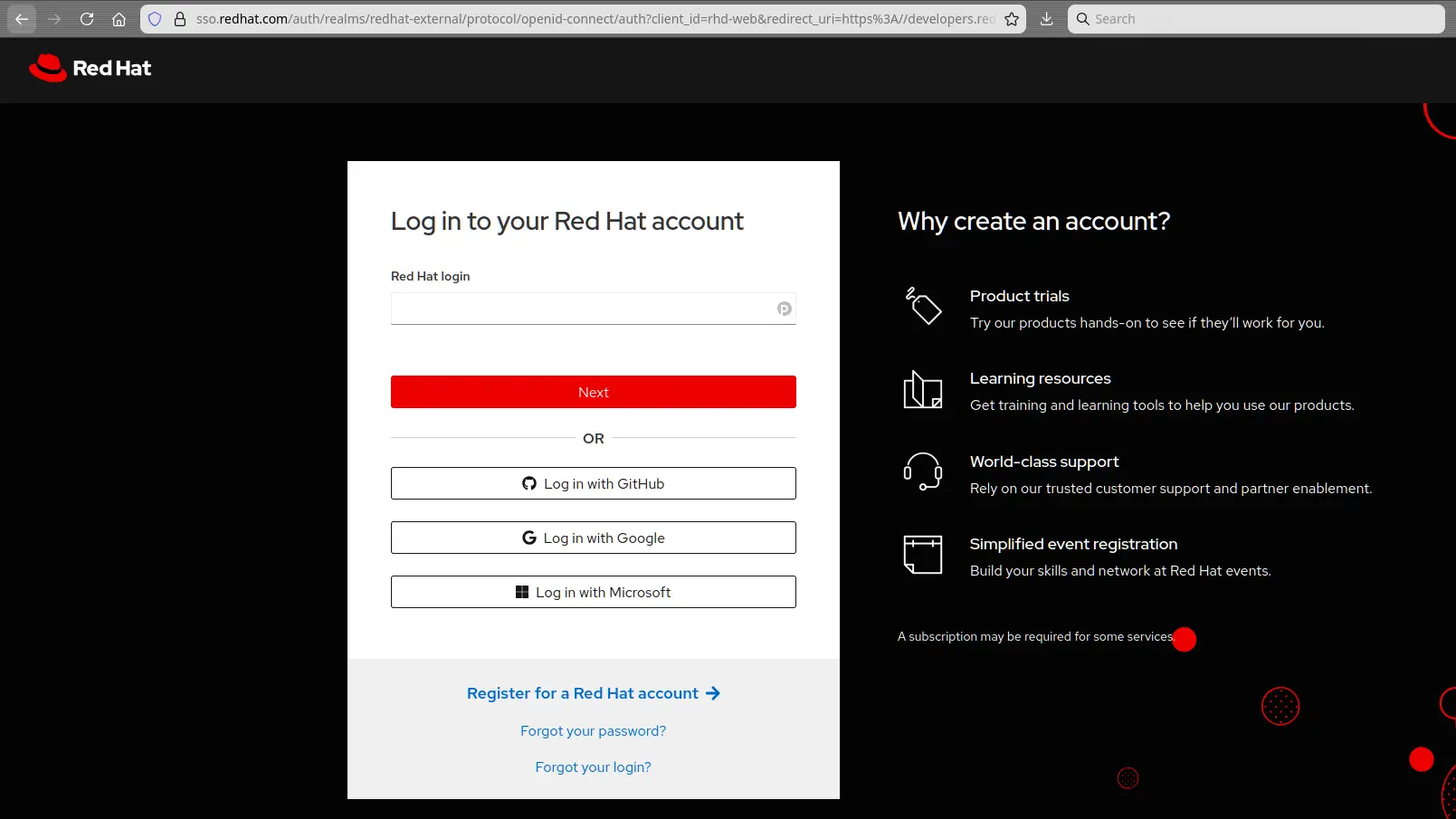
    Log in to your Red Hat Developer account through your web browser to complete the authentication process.
    Figure 3: Log in to your Red Hat Developer account through your web browser to complete authentication.

    Once configured, your local environment is registered. Your container has access to Red Hat repositories while you build the image.

    Testing your subscription

    You can test that your subscription is working by building a simple container that uses a package not available in the UBI repository. For this article, I use a UBI10 container and install MariaDB, which is only available from the standard RHEL AppStream repository and not the UBI one.

    Create a file named Containerfile with the following contents:

    # Grab a UBI 10 image
    FROM registry.redhat.io/ubi10/ubi:latest
    
    # Install mariadb 
    RUN dnf install mariadb-server && dnf clean all

    Now test it with:

    podman build -t rhel_subscriptions -f Containerfile .

    If you don't have a subscription, your build fails with the following messages:

    Updating Subscription Management repositories.
    Unable to read consumer identity
    
    This system is not registered with an entitlement server. You can use subscription-manager to register.
    
    Red Hat Universal Base Image 10 (RPMs) - BaseOS 173 kB/s | 183 kB     00:01    
    Red Hat Universal Base Image 10 (RPMs) - AppStr 355 kB/s | 387 kB     00:01    
    Red Hat Universal Base Image 10 (RPMs) - CodeRe  22 kB/s |  18 kB     00:00    
    No match for argument: mariadb-server
    Error: Unable to find a match: mariadb-server
    Error: building at STEP "RUN dnf install mariadb-server && dnf clean all": while running runtime: exit status 1

    Once you've established a subscription successfully, the same process succeeds, and you see the image upgrade to RHEL repositories during the install process:

    Updating Subscription Management repositories.
    subscription-manager is operating in container mode.
    Red Hat Enterprise Linux 10 for x86_64-AppStr 4.1 MB/s | 4.3 MB 
    Red Hat Enterprise Linux 10 for x86_64-BaseOS 7.5 MB/s |  47 MB    
    Red Hat Universal Base Image 10 (RPMs)-BaseOS 499 kB/s | 183 kB    
    Red Hat Universal Base Image 10 (RPMs)-AppStr 917 kB/s | 387 kB
    Red Hat Universal Base Image 10 (RPMs)-CodeRe  74 kB/s |  18 kB
    Dependencies resolved.

    Get a subscription and start using RHEL images

    Using a subscribed RHEL container image early reduces issues when you build and manage container-based applications. When you run these containers in RHEL or Red Hat OpenShift, you gain enhanced security monitoring through Red Hat Lightspeed for Red Hat Enterprise Linux and full compatibility with your production environment.

    Sign up and start building with the full RHEL catalog with one of our no-cost subscriptions:

    • Red Hat Developer for Individuals subscription
    • RHEL for Business Developers subscription

    Related Posts

    • How to manage RHEL virtual machines with Podman Desktop

    • How to simplify your multi-repo workflow with Podman

    • Build container images in OpenShift using Podman as a GitLab runner

    • From Podman Desktop to containers in production

    • Announcing self-service access to Red Hat Enterprise Linux for Business Developers

    • Red Hat Universal Base Image and Docker Hub: Why should developers care?

    Recent Posts

    • Unlocking UBI to Red Hat Enterprise Linux container images

    • What's new in Red Hat Developer Hub 1.9?

    • Zero trust GitOps: Build a secure, secretless GitOps pipeline

    • How to manage Red Hat OpenShift AI dependencies with Kustomize and Argo CD

    • How to develop agentic workflows in a CI pipeline with cicaddy

    What’s up next?

    Learning Path Bootable-Container-images-LP-feature-image

    Build and run a bootable container image with image mode for RHEL and Podman Desktop

    Learn how to locally build and run a bootable container (bootc) image in...
    Red Hat Developers logo LinkedIn YouTube Twitter Facebook

    Platforms

    • Red Hat AI
    • Red Hat Enterprise Linux
    • Red Hat OpenShift
    • Red Hat Ansible Automation Platform
    • See all products

    Build

    • Developer Sandbox
    • Developer tools
    • Interactive tutorials
    • API catalog

    Quicklinks

    • Learning resources
    • E-books
    • Cheat sheets
    • Blog
    • Events
    • Newsletter

    Communicate

    • About us
    • Contact sales
    • Find a partner
    • Report a website issue
    • Site status dashboard
    • Report a security problem

    RED HAT DEVELOPER

    Build here. Go anywhere.

    We serve the builders. The problem solvers who create careers with code.

    Join us if you’re a developer, software engineer, web designer, front-end designer, UX designer, computer scientist, architect, tester, product manager, project manager or team lead.

    Sign me up

    Red Hat legal and privacy links

    • About Red Hat
    • Jobs
    • Events
    • Locations
    • Contact Red Hat
    • Red Hat Blog
    • Inclusion at Red Hat
    • Cool Stuff Store
    • Red Hat Summit
    © 2026 Red Hat

    Red Hat legal and privacy links

    • Privacy statement
    • Terms of use
    • All policies and guidelines
    • Digital accessibility

    Report a website issue