Redhat Developers  Logo
  • AI

    Get started with AI

    • Red Hat AI
      Accelerate the development and deployment of enterprise AI solutions.
    • AI learning hub
      Explore learning materials and tools, organized by task.
    • AI interactive demos
      Click through scenarios with Red Hat AI, including training LLMs and more.
    • AI/ML learning paths
      Expand your OpenShift AI knowledge using these learning resources.
    • AI quickstarts
      Focused AI use cases designed for fast deployment on Red Hat AI platforms.
    • No-cost AI training
      Foundational Red Hat AI training.

    Featured resources

    • OpenShift AI learning
    • Open source AI for developers
    • AI product application development
    • Open source-powered AI/ML for hybrid cloud
    • AI and Node.js cheat sheet

    Red Hat AI Factory with NVIDIA

    • Red Hat AI Factory with NVIDIA is a co-engineered, enterprise-grade AI solution for building, deploying, and managing AI at scale across hybrid cloud environments.
    • Explore the solution
  • Learn

    Self-guided

    • Documentation
      Find answers, get step-by-step guidance, and learn how to use Red Hat products.
    • Learning paths
      Explore curated walkthroughs for common development tasks.
    • Guided learning
      Receive custom learning paths powered by our AI assistant.
    • See all learning

    Hands-on

    • Developer Sandbox
      Spin up Red Hat's products and technologies without setup or configuration.
    • Interactive labs
      Learn by doing in these hands-on, browser-based experiences.
    • Interactive demos
      Click through product features in these guided tours.

    Browse by topic

    • AI/ML
    • Automation
    • Java
    • Kubernetes
    • Linux
    • See all topics

    Training & certifications

    • Courses and exams
    • Certifications
    • Skills assessments
    • Red Hat Academy
    • Learning subscription
    • Explore training
  • Build

    Get started

    • Red Hat build of Podman Desktop
      A downloadable, local development hub to experiment with our products and builds.
    • Developer Sandbox
      Spin up Red Hat's products and technologies without setup or configuration.

    Download products

    • Access product downloads to start building and testing right away.
    • Red Hat Enterprise Linux
    • Red Hat AI
    • Red Hat OpenShift
    • Red Hat Ansible Automation Platform
    • See all products

    Featured

    • Red Hat build of OpenJDK
    • Red Hat JBoss Enterprise Application Platform
    • Red Hat OpenShift Dev Spaces
    • Red Hat Developer Toolset

    References

    • E-books
    • Documentation
    • Cheat sheets
    • Architecture center
  • Community

    Get involved

    • Events
    • Live AI events
    • Red Hat Summit
    • Red Hat Accelerators
    • Community discussions

    Follow along

    • Articles & blogs
    • Developer newsletter
    • Videos
    • Github

    Get help

    • Customer service
    • Customer support
    • Regional contacts
    • Find a partner

    Join the Red Hat Developer program

    • Download Red Hat products and project builds, access support documentation, learning content, and more.
    • Explore the benefits

Announcing v3.10 of the Red Hat Mobile Application Platform including Swift 2.1 and WFM

<p>&nbsp;</p> <quillbot-extension-portal></quillbot-extension-portal>

May 12, 2016
Conor O'Neill
Related products:
Developer Toolset

    We have just completed the deployment of the Red Hat Mobile Application Platform v3.10 to all our actively updated grids.

    The main features of this release are:

    • iOS SDK now has full Swift 2.1 support
    • First Tech Preview release of our Field Workforce Management (WFM) modules
    • Forms performance improvements, bug fixes and import/export

    Swift SDK

    Our iOS SDK now has full Swift 2.1 support. You can learn how to use it by following these links:

    • Swift SDK Docs, with links to SDK and Sample App
    • All API Docs including code snippets

    The following project templates now have Swift App options:

      • Blank - Minimal starting point
      • Hello World - Simple Client and Cloud
      • Push - Push Notifications
      • Data Sync - Offline and Data Sync
      • SAML- Starting point for your SAML integrations

    Both the Data Sync Framework and the Unified Push Server are now fully supported in Swift.

    The Build Farm is using Xcode 7.2 and Swift 2.1. Note that some whilst most Swift 2.2 syntax will work, some 2.2 syntax not work on our Build Farm and we will update to Xcode 7.3 in a later release to support full 2.2.

    IMPORTANT NOTE: Customers who use their own Enterprise Certificates  to build Swift applications will have to check if the certificate has the Organizational Unit field within the subject name section. This is not the same as “Organization”. You will have to revoke and reissue a new Apple enterprise certificate for distribution. See Apple documentation around this.

    WFM Modules - Tech Preview

    Red Hat Mobile WFM modules are a set of more than 20 reusable npm modules (JavaScript and Node.js) for building field mobile workforce management solutions.

    These modules cover the top features for a field workforce management multi-platform mobile solution and include integration with the Red Hat Mobile Application Platform (RHMAP) Forms Builder, where apps can easily use forms built within RHMAP.

    Some of the modules include:

    • fh-wfm-workorder - For work orders
    • fh-wfm-sync - For data synchronization
    • fh-wfm-schedule - For job scheduling
    • fh-wfm-vehicle-inspection - For vehicle inspections
    • fh-wfm-mediator - An implementation of the mediator pattern

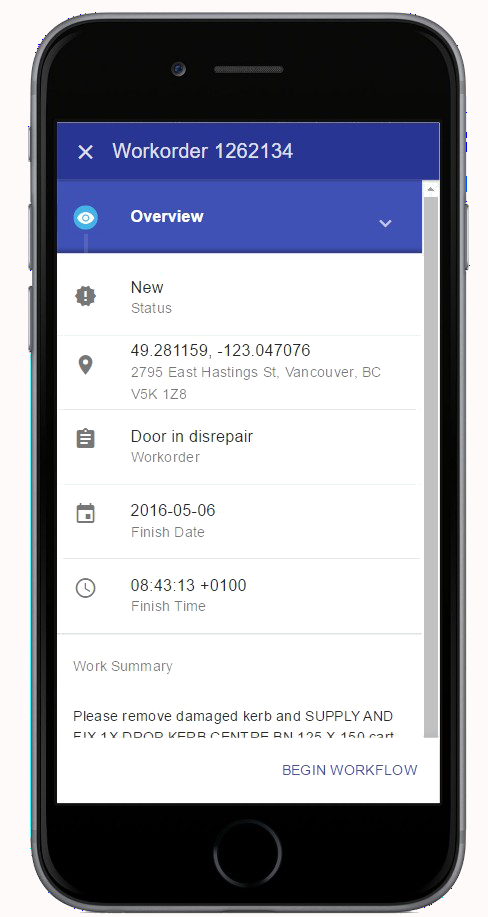
    The modules come with a sample mobile application and web portal based on Angular.js, using Material Design,  which you can use to quickly bootstrap your own developments and create solutions like this:
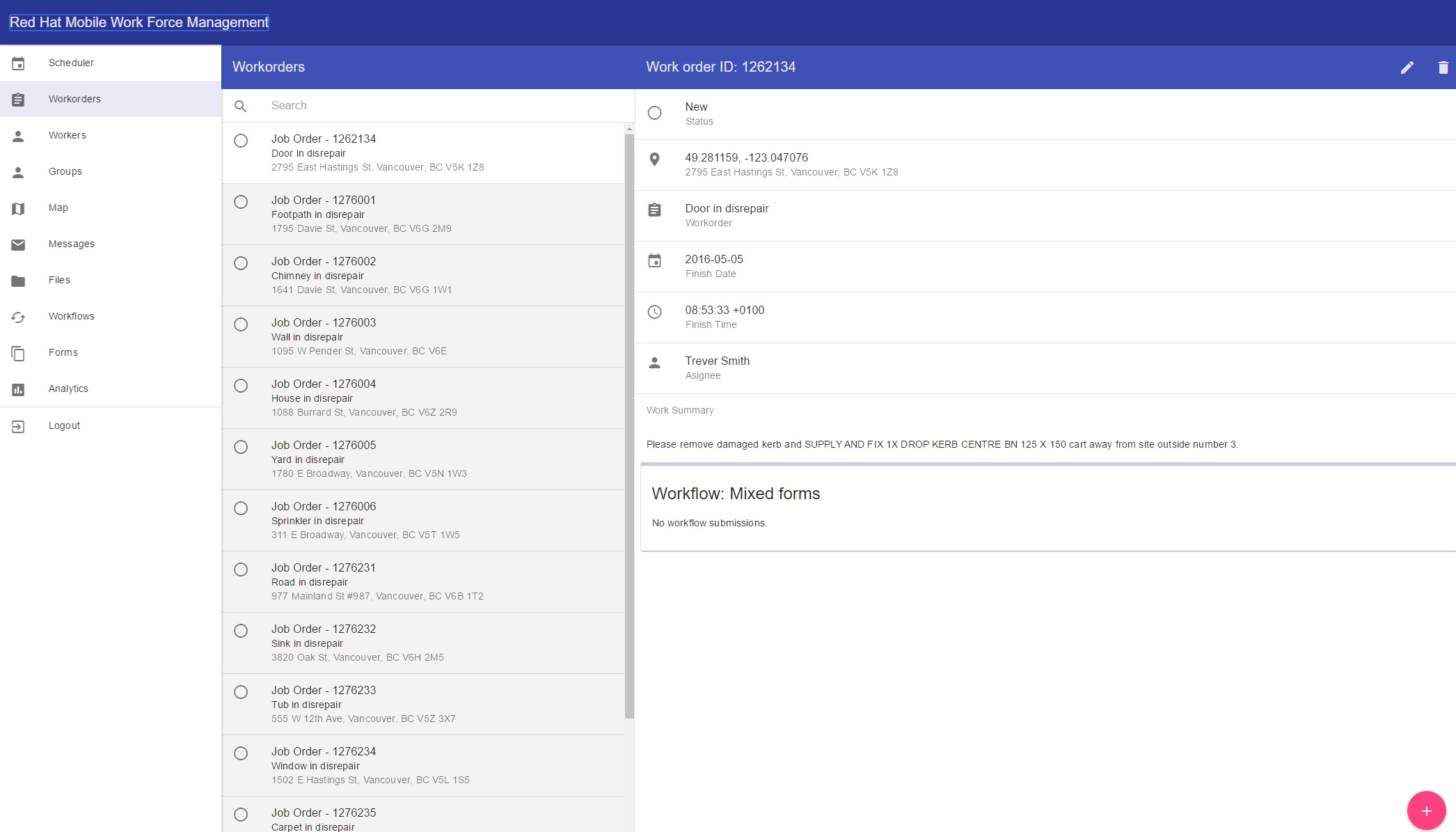
     

    Our Getting Started Guide explains how to setup and use the sample application.

    You can see the full set of modules on NPM here. Each one can be installed as usual via the npm command line.

    As this is a Tech Preview, we will be iterating the functionality and documentation with your feedback and input. You can expect to see more blog posts and videos about WFM shortly. You can read the current release notes here.

    Forms Builder

    • Import/Export buttons for Forms
    • FHC Command to import/export forms
    • Performance improvements on Forms Submission viewing with large number of submissions
    • Performance improvements on Rules Engine for complex Forms


    Last updated: February 6, 2024

    Recent Posts

    • Every layer counts: Defense in depth for AI agents with Red Hat AI

    • Fun in the RUN instruction: Why container builds with distroless images can surprise you

    • Trusted software factory: Building trust in the agentic AI era

    • Build a zero trust AI pipeline with OpenShift and RHEL CVMs

    • Red Hat Hardened Images: Top 5 benefits for software developers

    Red Hat Developers logo LinkedIn YouTube Twitter Facebook

    Platforms

    • Red Hat AI
    • Red Hat Enterprise Linux
    • Red Hat OpenShift
    • Red Hat Ansible Automation Platform
    • See all products

    Build

    • Developer Sandbox
    • Developer tools
    • Interactive tutorials
    • API catalog

    Quicklinks

    • Learning resources
    • E-books
    • Cheat sheets
    • Blog
    • Events
    • Newsletter

    Communicate

    • About us
    • Contact sales
    • Find a partner
    • Report a website issue
    • Site status dashboard
    • Report a security problem

    RED HAT DEVELOPER

    Build here. Go anywhere.

    We serve the builders. The problem solvers who create careers with code.

    Join us if you’re a developer, software engineer, web designer, front-end designer, UX designer, computer scientist, architect, tester, product manager, project manager or team lead.

    Sign me up

    Red Hat legal and privacy links

    • About Red Hat
    • Jobs
    • Events
    • Locations
    • Contact Red Hat
    • Red Hat Blog
    • Inclusion at Red Hat
    • Cool Stuff Store
    • Red Hat Summit
    © 2026 Red Hat

    Red Hat legal and privacy links

    • Privacy statement
    • Terms of use
    • All policies and guidelines
    • Digital accessibility

    Chat Support

    Please log in with your Red Hat account to access chat support.