The LLM Compressor 0.9.0 release introduces a new set of features and strengthens existing ones. These include attention quantization support with extended KV cache quantization functionality, a new model_free_ptq pathway, a new AutoRound quantization modifier, and experimental support for MXFP4 quantization.
This release also builds on existing compression functionality by adding batched calibration support for improved runtime. The AWQModifier was also updated to work with quantization schemes beyond W4A16.
LLM Compressor 0.9.0 includes the following updates, explored in detail below:
- Refactored and expanded attention and KV cache quantization
- Quantize any model to FP8 using
model_free_ptq - New
AutoRoundModifier - Experimental MXFP4 support
- Batched calibration support
- AWQ updates and other enhancements
Refactored and expanded attention and KV cache quantization
A major part of this release involved refactoring KV cache quantization. The previous logic was limited to FP8 per-tensor quantization. This section covers the new capabilities and design details behind the refactor.
In LLM Compressor 0.9.0, you can:
- Apply arbitrary KV cache quantization to models (FP4, INT8, FP8, per channel, etc.)
- Apply arbitrary attention quantization to models (FP4, INT8, FP8, per channel, etc.)
- Apply SpinQuant-style R3 rotations to attention for accuracy improvement
- Run KV cache/attention quantized models using Compressed Tensor’s integration with Hugging Face
Important note
vLLM does not support all KV cache and attention quantization schemes. Refer to the vLLM quantized KV cache documentation for the latest support information.
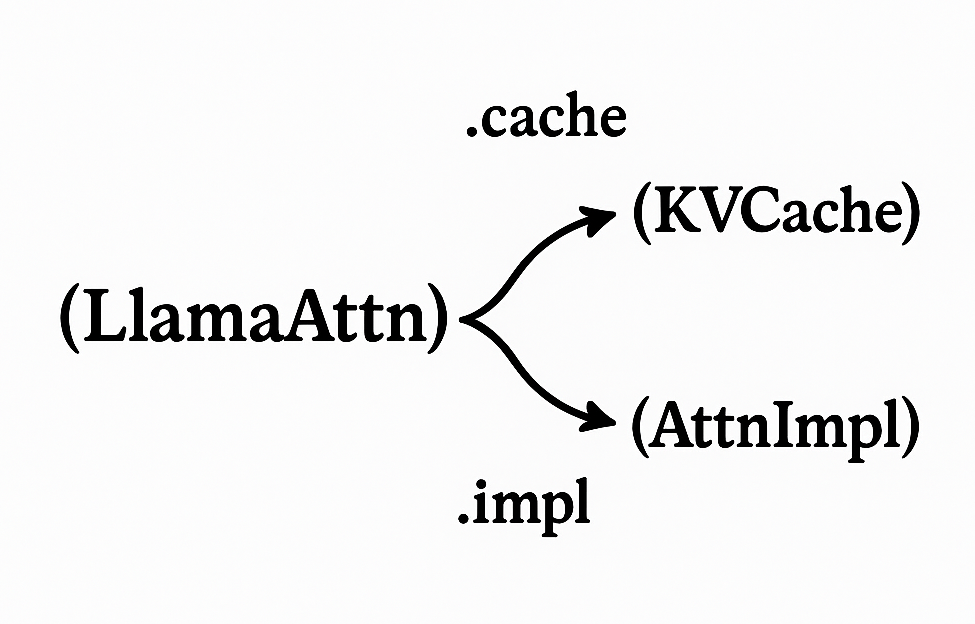
Core to the redesign of KV cache and attention quantization was, instead of treating Q/K/V quantization as separate implementations of calibration and quantization, treating Q/K/V as locations where calibration and quantization can be applied.
This manifests in newly added hook functions:
register_query_hookregister_key_hookregister_value_hook
Two new submodules, QuantizedKVCache and QuantizedAttentionImpl, manage these hooks. QuantizedKVCache acts as a wrapper around Hugging Face's DynamicCache class, while QuantizedAttentionImpl inserts itself using Hugging Face's AttentionInterface. These classes work with existing Hugging Face abstractions. Moving these definitions from LLM Compressor to compressed-tensors lets QKV quantized models run directly with Hugging Face model definitions.
from transformers import AutoModelForCausalLM, AutoTokenizer
model = AutoModelForCausalLM.from_pretrained("nm-testing/Llama-3.2-1B-Instruct-attention-fp8-head")
tokenizer = AutoTokenizer.from_pretrained("nm-testing/Llama-3.2-1B-Instruct-attention-fp8-head")
model.generate(**tokenizer("Attention quantization is awesome"))
For more information and examples, see the following links:
- LLM Compressor: [Quantization] Attention/ KV cache refactor
- compressed-tensors: [Transform] Attention/Cache transforms
- LLM Compressor's Attention examples
Quantize any model to FP8 using model_free_ptq
Using LLM Compressor usually involves calling the oneshot function with a transformers model definition supplied by the user. However, if a model definition is not available, you can now use model_free_ptq to quantize models directly from safetensors files without loading the model through transformers. This pathway is:
- Ideal for models that lack a Python model class (such as community or experimental releases), very large models like Kimi-K2, or cases where oneshot fails.
- Capable of data-free quantization, such as FP8 and NVFP4A16, enabling lightweight quantization without calibration datasets.
- Used in practice for models like Mistral Large 3 models.
LLM Compressor Observers are directly applied to the model checkpoint, removing the requirement for a model definition. This addition makes it easier to bring compressed models into production regardless of their source format.
Example: Quantize Kimi-K2-Thinking to FP8 Block.
from llmcompressor import model_free_ptq
MODEL_ID = "unsloth/Kimi-K2-Thinking-BF16"
SAVE_DIR = MODEL_ID.rstrip("/").split("/")[-1] + "-FP8-BLOCK"
# Apply FP8-Block to the model
# Once quantized, the model is saved
# using compressed-tensors to the SAVE_DIR.
# Unlike oneshot, we pass in the model stub directly
model_free_ptq(
    model_stub=MODEL_ID,
    save_directory=SAVE_DIR,
    scheme="FP8_BLOCK",
    ignore=[
        "re:.*gate$",
        "lm_head",
        "re:.*kv_a_proj_with_mqa$",
        "re:.*q_a_proj$",
        "model.embed_tokens",
    ],
    max_workers=15,
    device="cuda:0",
)
See the LLM Compressor examples for scripts on how to quantize other models using the model_free_ptq.
Introducing the AutoRoundModifier
LLM Compressor now supports Intel's AutoRound algorithm through the addition of the AutoRoundModifier, an advanced quantization method designed for high-accuracy, low-bit compression. AutoRound quantized models are fully compatible with compressed-tensors and can be served directly using vLLM.
The technique introduces three trainable parameters—V, α, and β—that optimize rounding decisions and clipping ranges during quantization (see Figure 2). It processes each decoder layer sequentially, using block-wise output reconstruction error as the training objective to fine-tune these parameters. By combining efficient post-training quantization with adaptive parameter tuning, AutoRound delivers robust compression for large language models while maintaining inference performance.
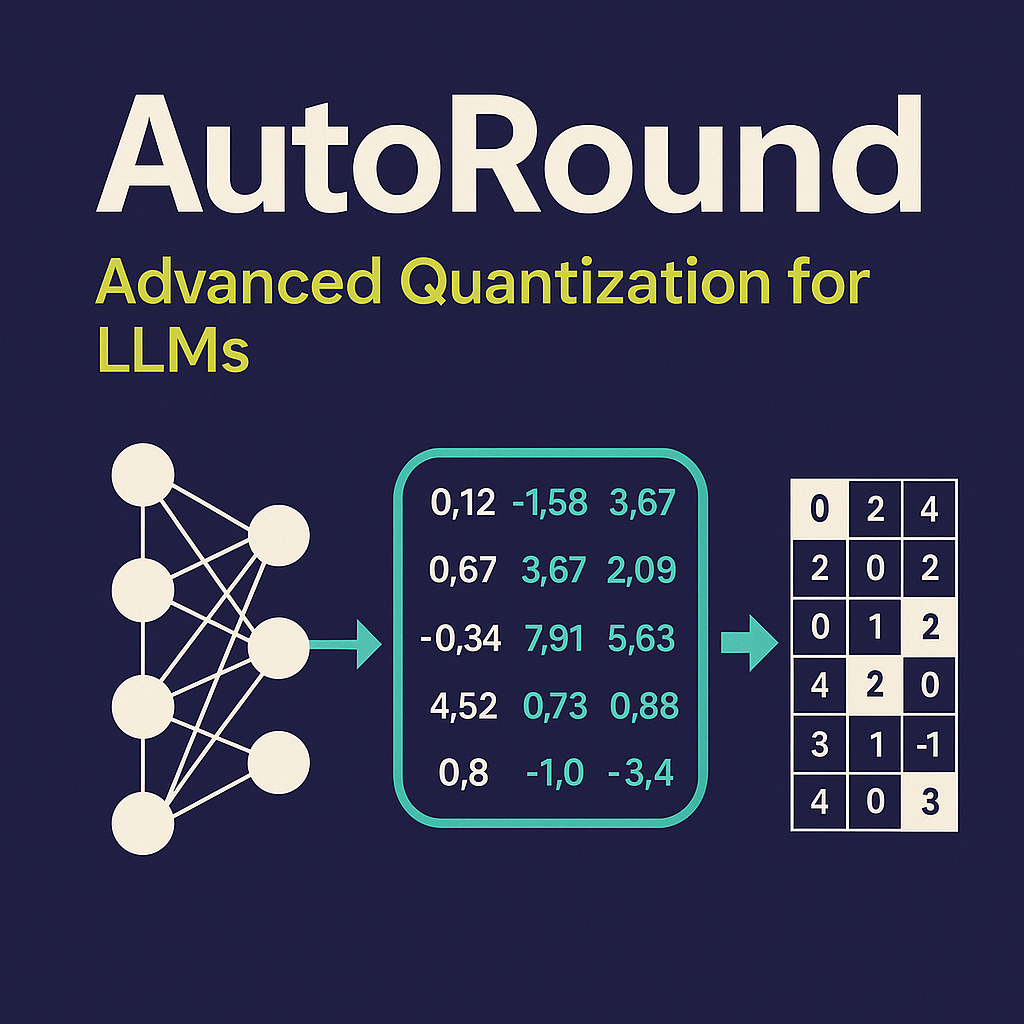
For examples and comparisons with other PTQ algorithms, see the examples folder. Additional details can also be found in the AutoRound x LLM Compressor collaboration blog.
Experimental MXFP4 support
LLM Compressor now includes experimental support for MXFP4 quantization. This update enables MXFP4 weight quantization as well as calibration and compression of MXFP4 scaling factors. MXFP4 quantization can be applied using the new MXFP4 preset quantization scheme. Once quantized, models can be compressed and serialized with the MXFP4PackedCompressor, which packs both weights and scales as uint8 tensors. This approach reduces storage overhead while preserving the data required for dequantization at inference time. MXFP4 support is currently experimental and pending validation with vLLM.
This release also expands the QuantizationArgs API to offer more control over how quantization parameters are stored, specifically for advanced and mixed-precision schemes.
Two new fields have been introduced.
scale_dtype controls how quantization scales are serialized:
- When set to
None, scales are stored using the default dense data type. - When explicitly specified, scales are compressed using the provided data type.
- For example, NVFP4 stores scales in
float8_e4m3fn, while MXFP4 stores scales asuint8. - The chosen data type is persisted in the model configuration, ensuring correctness during loading and inference.
zp_dtype specifies the data type used to store zero-point values:
- Set to
Nonefor symmetric quantization schemes. - Required for asymmetric quantization, where zero-points must be explicitly saved.
- This allows consistent handling of asymmetric models while minimizing storage overhead.
Example: NVFP4 weights.
"weights": {
  "actorder": null,
  "block_structure": null,
  "dynamic": false,
  "group_size": 16,
  "num_bits": 4,
  "observer": "static_minmax",
  "observer_kwargs": {},
  "scale_dtype": "torch.float8_e4m3fn",
  "strategy": "tensor_group",
  "symmetric": true,
  "type": "float",
  "zp_dtype": null
}
Example: MXFP4 weights.
"weights": {
  "actorder": null,
  "block_structure": null,
  "dynamic": false,
  "group_size": 32,
  "num_bits": 4,
  "observer": "minmax",
  "observer_kwargs": {},
  "scale_dtype": "torch.uint8",
  "strategy": "group",
  "symmetric": true,
  "type": "float",
  "zp_dtype": null
}
Together, these additions make quantization behavior more explicit, configurable, and extensible—laying the groundwork for supporting new low-precision formats while maintaining compatibility with existing runtimes and tooling. Experimental examples can be found under the experimental folder.
Batched calibration support
As a precursor to LLM Compressor's next release which will be focused on performance improvements, LLM Compressor 0.9.0 also saw the introduction of batched calibration as a means of faster calibration and quantization.
Batching samples is known to yield higher throughput during inference, primarily due to better cache locality during computations. The same principle applies during model calibration, as well as during optimization for algorithms such as AWQ and AutoRound which perform their own forward passes through the model.
Previously, batching samples was difficult because large batch sizes lead to large model outputs, which can exceed available VRAM.
(batch_size = 64) * (seq_len = 2048) * (vocab_size = 128K) ~= 16Gb of extra VRAM
This issue is unique to the LM head. Because LLM Compressor algorithms do not require these outputs, we allocate them on the PyTorch meta device instead of VRAM to save memory.
Using batch_size=32 can yield a 3x speedup on large models for algorithms that rely on many onloaded forward passes, such as AWQ, and a smaller ~15% speedup for algorithms like GPTQ.
AWQ updates and other improvements
LLM Compressor 0.9.0 includes a series of improvements to the AWQModifier.
Generalized scheme support
The AWQModifier now supports additional quantization schemes beyond W4A16. The previous implementation used one-off quantization logic that limited supported configurations. By adopting existing LLM Compressor abstractions, the code is simpler and supports new quantization schemes including INT8, FP8, and mixed schemes within a single model.
Matching improvements
The AWQModifier and SmoothQuantModifier previously used suboptimal mapping logic. SmoothQuant did not support MoE models, and AWQ had errors in skip-layer behavior. Both struggled with certain parent contexts.
Other updates and improvements
We also updated several other components, including observers, activation quantization, and expert model calibration.
Expanded observer types
We simplified our observer tools and added several new types:
memoryless_minmax: Real-time min/max, recommended for PTQ weight quantization.static_minmax: Absolute min/max across all observations, recommended for PTQ activation quantization. This is now the default forNVFP4activations.memoryless_mse: Reduces quantization error by minimizing MSE per observation. This is recommended for PTQ weights. Future releases will usememoryless_minmaxfor weights andstatic_minmaxfor activations.
New activation quantization support
In addition to dynamic-per-token activation quantization, LLM Compressor now supports group and channel activation quantization.
Updated MoE calibration support
We improved MoE calibration with a new MoECalibrationModule and an updated calibration context so that expert layers calibrate correctly. This update guarantees all experts receive data during forward passes and allows for the quantization of Qwen3 VL and Qwen3 MoE models using data-dependent schemes such as NVFP4, W4A16, and static activation quantization.
Conclusion
The LLM Compressor 0.9.0 release advances quantization capabilities by introducing a refactored attention and KV cache system. It also includes the model_free_ptq pathway for quantizing models without transformer definitions and the AutoRoundModifier for high-accuracy compression.
These updates, along with experimental MXFP4 support, batched calibration for up to 3x faster runtimes, and generalized AWQ support, expand the tools available for tuning large-scale models. With better support for complex architectures like Kimi-K2 and Qwen3 MoE, this release offers the flexibility and performance needed for modern LLM deployment.
Explore the latest features, updated documentation, and experimental examples in the LLM Compressor repository.

