In a multi-tenant Red Hat OpenShift environment, managing application backups and restores traditionally presents a classic operational challenge. How do you empower development teams to protect their applications without granting them cluster-level administrative privileges? Requiring platform administrators to handle every backup and restore request creates a bottleneck, slowing down development cycles and CI/CD pipelines.
The OpenShift APIs for Data Protection operator provides an elegant solution with its non-administrator self-service backup and restore feature (currently a technology preview). This capability is designed to delegate granular backup and restore permissions directly to developers and application owners, allowing them to operate autonomously within the secure confines of their own namespaces. This guide will walk you through the necessary steps for a cluster administrator to enable this feature and demonstrate the workflow for an application team to consume it.
Key custom resources
At its core, the feature introduces a set of dedicated, namespace-scoped custom resources, including but not limited to: NonAdminBackupStorageLocation, NonAdminBackup and NonAdminRestore. The workflow is based on a clear separation of duties.
The self-service feature is built on a separation of duties, enforced through different custom resources (CRs) with distinct access scopes and roles.
A cluster administrator first enables the self-service capability at a global level by configuring the primary DataProtectionApplication resource. This initial setup establishes the guardrails for the feature, such as defining the available backup storage locations.
A developer (with specific rights to their own namespace) must first create a namespace-scoped NonAdminBackupStorageLocation (NABSL). Then they can create NonAdminBackup (NAB) and NonAdminRestore (NAR) objects within their project when needed. We will demonstrate this later.
The operator's non-admin-controller validates these requests and translates them into standard Velero operations, all without the developer ever needing direct access to the openshift-adp namespace or other privileged resources.
For technical teams, this approach provides the best of both worlds. It grants developers the agility to manage their application lifecycle independently while enforcing the principle of least privilege, ensuring that a user in one namespace cannot see, modify, or restore data from another.
Getting started
This guide is a simple demonstration in a home lab (with single node OpenShift v4.20) using Red Hat OpenShift Data Foundation, connected to an external Ceph cluster. This demonstrates a very basic use-case of OpenShift APIs for Data Protection self services.
This guide is not:
- A replacement for official documentation.
- It does not cover more sophisticated namespaces with different types of storage.
- It does not cover how to install single-node OpenShift, or OpenShift Data Foundation.
- It does not factor in appropriate SSL/TLS configuration.
- A guide to use OpenShift APIs for Data Protection with the Velero CLI.
Prerequisites:
Prior to installing OpenShift APIs for Data Protection, ensure you have the following:
- OpenShift cluster configured: We will use single-node OpenShift v4.20 for this demo.
- oc OpenShift client CLI
- An S3 compatible bucket for storing the resources. We will use OpenShift Data Foundation connected to the external ceph for this demo, which includes Noobaa, providing S3 compatible object bucket storage.
- A CSI compatible storage.
Operator installation
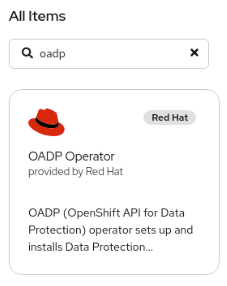
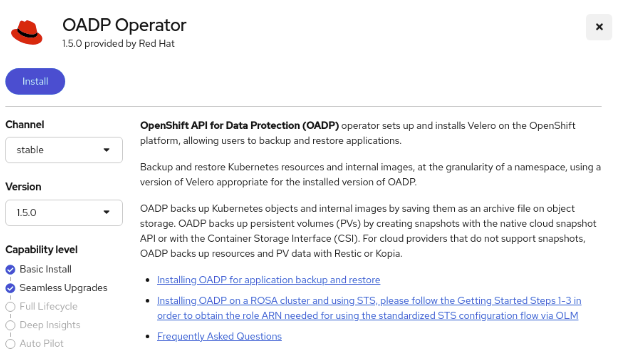
A crucial requirement for the successful operation and utilization of the OpenShift API for Data Protection framework is the installation of the most current and stable version. Select the latest version of OpenShift APIs for Data Protection 1.5 or newer (Figure 1).
In this demonstration, we will use version 1.5 as shown in Figure 2.
Set up a default backing store (admin)
Prior to setting up a default backing store, OpenShift APIs for Data Protection requires a storage location. Since we have ODF set up with Noobaa, we will create the following S3 compatible object store.
We use the following YAML file to create our object bucket:
cat > ./oadp_noobaa_objectbucket.yaml << EOF
apiVersion: objectbucket.io/v1alpha1
kind: ObjectBucketClaim
metadata:
  labels:
    app: noobaa
    bucket-provisioner: openshift-storage.noobaa.io-obc
    noobaa-domain: openshift-storage.noobaa.io
  name: mys3bucket
  namespace: openshift-adp
spec:
  additionalConfig:
    bucketclass: noobaa-default-bucket-class
  bucketName: mys3bucket-mydemo-10000000
  generateBucketName: mys3bucket
  objectBucketName: obc-openshift-adp-mys3bucket
  storageClassName: openshift-storage.noobaa.io
EOF
$ oc apply -f ./oadp_noobaa_objectbucket.yaml
objectbucketclaim.objectbucket.io/mys3bucket created
Verify the bucket is created:

$ oc get obc
NAME         STORAGE-CLASS                 PHASE   AGE
mys3bucket   openshift-storage.noobaa.io   Bound   25s
If the bucket is not bound yet, the STORAGE-CLASS field will not be populated.
Use the noobaa CLI:
$ noobaa obc list
NAMESPACE       NAME         BUCKET-NAME                  STORAGE-CLASS                 BUCKET-CLASS                  PHASE
openshift-adp   mys3bucket   mys3bucket-mydemo-10000000   openshift-storage.noobaa.io   noobaa-default-bucket-class   Bound
To allow OpenShift APIs for Data Protection to access this bucket, we need to extract the access id and keys for this bucket.
Obtain the access key ID:
$ oc get secret mys3bucket -o json | jq -r .data.AWS_ACCESS_KEY_ID | base64 -d
mY_aCceS_kEy
Obtain the secret access key:
$ oc get secret mys3bucket -o json | jq -r .data.AWS_SECRET_ACCESS_KEY | base64 -d
mY_sEcRet_kEy
Create a file with these credentials in the following format:
$ cat << EOF > ./credentials-velero
[default]
aws_access_key_id=mY_aCceS_kEy
aws_secret_access_key=mY_sEcRet_kEy
EOF
Create the credentials based on the previous file:
$ oc create secret generic cloud-credentials -n openshift-adp --from-file cloud=credentials-velero
secret/cloud-credentials created
Install the DataProtectionApplication
To enable DPA with non-admin controller, use a similar process for the “admin only” OpenShift APIs for Data Protection, but add the following lines:
spec:
  nonAdmin:
    enable: true
    enforceBackupSpecs:
      snapshotVolumes: false
    requireApprovalForBSL: false # set to true if you want approvals by admins
So, the complete file looks like this:
$ cat mys3backuplocation.yaml

apiVersion: oadp.openshift.io/v1alpha1
kind: DataProtectionApplication
metadata:
  namespace: openshift-adp
  name: maindpa
spec:
  nonAdmin:
    enable: true
    enforceBackupSpecs:
      snapshotVolumes: false
    requireApprovalForBSL: false
  configuration:
    velero:
      defaultPlugins:
      - openshift
      - aws
      - csi
  backupLocations:
    - name: default
      velero:
        provider: aws
        objectStorage:
          bucket: mys3bucket-mydemo-10000000
          prefix: velero
        config:
          profile: default # should be same as the cloud-credentials/cloud
          region: noobaa
          s3ForcePathStyle: "true"
          # from oc get route -n openshift-storage s3
          s3Url: https://s3-openshift-storage.apps.sno1.local.momolab.io
          insecureSkipTLSVerify: "true"
        credential:
          name: cloud-credentials
          key: cloud
        default: true
Before applying this file, create a secret first that has credentials to access the S3 bucket you are setting as default backingStorageLocation:
$ oc create secret generic cloud-credentials -n openshift-adp --from-file cloud=credentials-velero $ oc create -f mys3backuplocation.yaml
dataprotectionapplication.oadp.openshift.io/maindpa configuredCheck the status:
$ oc get dpa -n openshift-adp
NAME       RECONCILED    AGE
maindpa    True          3h28m
$ oc get bsl -n openshift-adp
NAME       PHASE        LAST VALIDATED    AGE      DEFAULT
default    Available    54s               3h16m    true
You should no see a non-admin controller running in your openshift-adp namespace:
$ oc get pods -n openshift-adp
NAME                                             READY    STATUS   RESTARTS   AGE
non-admin-controller-678f4cf5cd-8w9d9            1/1      Running  0          3h17m
openshift-adp-controller-manager-67b47885-25gdh  1/1      Running  0          3h33m
velero-757db454c5-jb248                          1/1      Running  0          3h17m
Check the cluster roles:
$  oc get clusterroles -A |grep oadp | awk '{print $1}'
cloudstorages.oadp.openshift.io-v1alpha1-admin
cloudstorages.oadp.openshift.io-v1alpha1-crdview
cloudstorages.oadp.openshift.io-v1alpha1-edit
cloudstorages.oadp.openshift.io-v1alpha1-view
dataprotectionapplications.oadp.openshift.io-v1alpha1-admin
dataprotectionapplications.oadp.openshift.io-v1alpha1-crdview
dataprotectionapplications.oadp.openshift.io-v1alpha1-edit
dataprotectionapplications.oadp.openshift.io-v1alpha1-view
dataprotectiontests.oadp.openshift.io-v1alpha1-admin
dataprotectiontests.oadp.openshift.io-v1alpha1-crdview
dataprotectiontests.oadp.openshift.io-v1alpha1-edit
dataprotectiontests.oadp.openshift.io-v1alpha1-view
nonadminbackups.oadp.openshift.io-v1alpha1-admin
nonadminbackups.oadp.openshift.io-v1alpha1-crdview
nonadminbackups.oadp.openshift.io-v1alpha1-edit
nonadminbackups.oadp.openshift.io-v1alpha1-view
nonadminbackupstoragelocationrequests.oadp.openshift.io-v1alpha1-admin
nonadminbackupstoragelocationrequests.oadp.openshift.io-v1alpha1-crdview
nonadminbackupstoragelocationrequests.oadp.openshift.io-v1alpha1-edit
nonadminbackupstoragelocationrequests.oadp.openshift.io-v1alpha1-view
nonadminbackupstoragelocations.oadp.openshift.io-v1alpha1-admin
nonadminbackupstoragelocations.oadp.openshift.io-v1alpha1-crdview
nonadminbackupstoragelocations.oadp.openshift.io-v1alpha1-edit
nonadminbackupstoragelocations.oadp.openshift.io-v1alpha1-view
nonadmindownloadrequests.oadp.openshift.io-v1alpha1-admin
nonadmindownloadrequests.oadp.openshift.io-v1alpha1-crdview
nonadmindownloadrequests.oadp.openshift.io-v1alpha1-edit
nonadmindownloadrequests.oadp.openshift.io-v1alpha1-view
nonadminrestores.oadp.openshift.io-v1alpha1-admin
nonadminrestores.oadp.openshift.io-v1alpha1-crdview
nonadminrestores.oadp.openshift.io-v1alpha1-edit
nonadminrestores.oadp.openshift.io-v1alpha1-view
oadp-operator.v1.5.0-2nEONdPCp6WG9ZPpIaQPNZwSOv5bFhmLMNuKJr
oadp-operator.v1.5.0-3teGc1lwhzkD4kyZI0j3KSqiRDj6rk8D6e8PwU
oadp-operator.v1.5.0-5f3an7vRj9O929Jur1v1WKPE9uBpKmqMEZWaWP
Check the CRDS:
$ oc get crds |grep oadp | awk '{print $1}'
cloudstorages.oadp.openshift.io
dataprotectionapplications.oadp.openshift.io
dataprotectiontests.oadp.openshift.io
nonadminbackups.oadp.openshift.io
nonadminbackupstoragelocationrequests.oadp.openshift.io nonadminbackupstoragelocations.oadp.openshift.io
nonadmindownloadrequests.oadp.openshift.io
nonadminrestores.oadp.openshift.io
This means we are ready to test a non-admin backup and restore.
Non-admin backup and restore test
Create a non-admin user, namespace, and grant required access. Set up the htpasswd authentication.
In this case, any non-admin user will work. The htpasswd authentication is straightforward and will suffice for this demonstration.
$ htpasswd -c -B -b ./ocp_htpaswd_users developer mysecretpasswordwinkwink
Adding password for user developer
$ oc create secret generic htpass-secret --from-file=htpasswd=./ocp_htpaswd_users -n openshift-config
$ oc edit oauth cluster
Ensure it looks like this:
apiVersion: config.openshift.io/v1
kind: OAuth
metadata:
  name: cluster
spec:
  identityProviders:
  - name: htpasswd_users
    mappingMethod: claim
    type: HTPasswd
    htpasswd:
      fileData:
        name: htpass-secret
Be sure you log in once:
oc login --username=developer --password=mysecretpasswordwinkwink https://api.sno1.local.momolab.io:6443 --insecure-skip-tls-verify=falseCreate a namespace (as non-admin) and give momo access to it (as admin).
$ oc new-project momos-mysqlCheck cluster roles and add permissions for the developer user (OpenShift APIs for Data Protection roles, namespace admin and self-provisioner):
$ oc get clusterroles -A |grep nonadmin | grep edit | awk '{print $1}'
nonadminbackups.oadp.openshift.io-v1alpha1-edit
nonadminbackupstoragelocationrequests.oadp.openshift.io-v1alpha1-edit
nonadminbackupstoragelocations.oadp.openshift.io-v1alpha1-edit
nonadmindownloadrequest-editor-role
nonadmindownloadrequests.oadp.openshift.io-v1alpha1-edit
nonadminrestores.oadp.openshift.io-v1alpha1-edit
$ oc adm policy add-cluster-role-to-user nonadminbackups.oadp.openshift.io-v1alpha1-edit  developer -n momos-mysql
clusterrole.rbac.authorization.k8s.io/nonadminbackups.oadp.openshift.io-v1alpha1-edit added: "developer"
$ oc adm policy add-cluster-role-to-user nonadminrestores.oadp.openshift.io-v1alpha1-edit   developer -n momos-mysql
clusterrole.rbac.authorization.k8s.io/nonadminrestores.oadp.openshift.io-v1alpha1-edit added: "developer"
$ oc adm policy add-cluster-role-to-user admin   developer -n momos-mysql
clusterrole.rbac.authorization.k8s.io/admin added: "developer"
$ oc adm policy add-cluster-role-to-user self-provisioner developer -n momos-mysql
clusterrole.rbac.authorization.k8s.io/self-provisioner added: "developer"
Deploy the application in a developer namespace.
The application chosen is the same application used to test OpenShift APIs for Data Protection with cluster-admin privileges.
$ curl -sL https://raw.githubusercontent.com/openshift/oadp-operator/master/tests/e2e/sample-applications/mysql-persistent/mysql-persistent.yaml |sed 's/mysql-persistent/momos-mysql/g' > mysql-modified.yaml
$ oc create -f mysql-modified.yaml
serviceaccount/momos-mysql-sa created
persistentvolumeclaim/mysql created
service/mysql created
deployment.apps/mysql created
service/todolist created
Warning: apps.openshift.io/v1 DeploymentConfig is deprecated in v4.14+, unavailable in v4.10000+
deploymentconfig.apps.openshift.io/todolist created
route.route.openshift.io/todolist-route created
Error from server (Forbidden): error when creating "mysql-modified.yaml": namespaces is forbidden: User "momo" cannot create resource "namespaces" in API group "" at the cluster scope
Error from server (Forbidden): error when creating "mysql-modified.yaml": securitycontextconstraints.security.openshift.io is forbidden: User "momo" cannot create resource "securitycontextconstraints" in API group "security.openshift.io" at the cluster scope
Check the application.
$ oc get all
Warning: apps.openshift.io/v1 DeploymentConfig is deprecated in v4.14+, unavailable in v4.10000+
NAME                            READY   STATUS    RESTARTS   AGE
pod/mysql-86bf7f57cf-xrr6z      2/2     Running   0          11m
pod/todolist-79ff45dd6c-7qdhj   1/1     Running   0          18m
NAME               TYPE        CLUSTER-IP      EXTERNAL-IP   PORT(S)    AGE
service/mysql      ClusterIP   171.30.224.12   <none>        3306/TCP   18m
service/todolist   ClusterIP   171.30.82.61    <none>        8000/TCP   18m
NAME                       READY   UP-TO-DATE   AVAILABLE   AGE
deployment.apps/mysql      1/1     1            1           18m
deployment.apps/todolist   1/1     1            1           18m
NAME                                  DESIRED   CURRENT   READY   AGE
replicaset.apps/mysql-86bf7f57cf      1         1         1       18m
replicaset.apps/todolist-79ff45dd6c   1         1         1       18m
NAME                                      HOST/PORT                                               PATH   SERVICES   PORT    TERMINATION   WILDCARD
route.route.openshift.io/todolist-route   todolist-route-momos-mysql.apps.sno1.local.momolab.io   /      todolist   <all>                 None
By default this user won't be able to create sccs or create namespaces, these can be safely ignored. Without custom sccs, the application still runs because OpenShift automatically assigned your pods to a default, pre-existing SCC (likely restricted-v2) that they were eligible for.
Wait for the application to become available.
Create a non-admin backup storage location
Create another S3 Noobaa bucket for non-admin backups of momos-mysql. Each non-admin team would have their own buckets.
cat > ./oadp_developer_objectbucket.yaml << EOF
apiVersion: objectbucket.io/v1alpha1
kind: ObjectBucketClaim
metadata:
  labels:
    app: noobaa
    bucket-provisioner: openshift-storage.noobaa.io-obc
    noobaa-domain: openshift-storage.noobaa.io
  name: devs3bucket
  namespace: momos-mysql
spec:
  additionalConfig:
    bucketclass: noobaa-default-bucket-class
  bucketName: devs3bucket-mydemo-10000000
  generateBucketName: devs3bucket
  objectBucketName: obc-openshift-adp-devs3bucket
  storageClassName: openshift-storage.noobaa.io
EOF
Create and check it:
$ oc create -f oadp_developer_objectbucket.yaml
objectbucketclaim.objectbucket.io/devs3bucket created
$ oc get obc
NAME          STORAGE-CLASS                 PHASE   AGE
devs3bucket   openshift-storage.noobaa.io   Bound   5s
# As admin
$ noobaa obc list
NAMESPACE       NAME          BUCKET-NAME                   STORAGE-CLASS                 BUCKET-CLASS                  PHASE
momos-mysql     devs3bucket   devs3bucket-mydemo-10000000   openshift-storage.noobaa.io   noobaa-default-bucket-class   Bound
openshift-adp   mys3bucket    mys3bucket-mydemo-10000000    openshift-storage.noobaa.io   noobaa-default-bucket-class   Bound
Obtain the access key ID:
$ oc get secret devs3bucket -o json | jq -r .data.AWS_ACCESS_KEY_ID | base64 -d
mY_aCceS_kEy
Obtain the secret access key:
$ oc get secret devs3bucket -o json | jq -r .data.AWS_SECRET_ACCESS_KEY | base64 -d
mY_sEcRet_kEy
Create a file with these credentials in the following format:
$ cat << EOF > ./credentials-velero
[default]
aws_access_key_id=mY_aCceS_kEy
aws_secret_access_key=mY_sEcRet_kEy
EOF
Create credentials to access the Noobaa S3 bucket:
$ oc create secret generic cloud-credentials -n momos-mysql --from-file cloud=credentials-velero
secret/cloud-credentials created
Create non-admin BSL (NonAdminBackupStorageLocation):
$ cat non-admin-bsl.yaml
apiVersion: oadp.openshift.io/v1alpha1
kind: NonAdminBackupStorageLocation
metadata:
  name: bsl-momo-mysql
  namespace: momos-mysql
spec:
  backupStorageLocationSpec:
    objectStorage:
      bucket: devs3bucket-mydemo-10000000
      prefix: nabsl-sno1
    provider: aws
    config:
      profile: default # should be same as the cloud-credentials/cloud
      region: noobaa
      s3ForcePathStyle: "true"
      # from oc get route -n openshift-storage s3
      s3Url: https://s3-openshift-storage.apps.sno1.local.momolab.io
      insecureSkipTLSVerify: "true"
    credential:
      name: cloud-credentials
      key: cloud
    default: true
$ oc create -f non-admin-bsl.yaml
nonadminbackupstoragelocation.oadp.openshift.io/bsl-momo-mysql created
$ oc get nabsl
NAME             REQUEST-APPROVED   REQUEST-PHASE   VELERO-PHASE   AGE
bsl-momo-mysql   True               Created         Available      16s
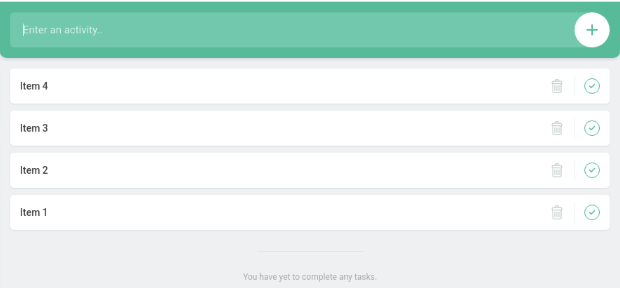
Populate the application with data (Figure 3).
Visit the URL previously identified https://todolist-route-momos-mysql.apps.sno1.local.momolab.io.

Create a non-admin backup.
$ cat non-admin-backup.yaml
# non-admin-backup.yaml
apiVersion: oadp.openshift.io/v1alpha1
kind: NonAdminBackup
metadata:
  name: mysql-backup-momos-mysql
  namespace: momos-mysql
spec:
  backupSpec:
    # The namespace to back up. This must match the metadata.namespace.
    includedNamespaces:
    - momos-mysql
    storageLocation: bsl-momo-mysql
$ oc create -f non-admin-backup.yaml
nonadminbackup.oadp.openshift.io/mysql-backup-momos-mysql created
Check the status:
$ oc get nab
NAME                       REQUEST-PHASE   VELERO-PHASE                 AGE
mysql-backup-momos-mysql   Created         WaitingForPluginOperations   42s
$ oc get nab
NAME                       REQUEST-PHASE   VELERO-PHASE   AGE
mysql-backup-momos-mysql   Created         Completed      84s
$ oc describe nab mysql-backup-momos-mysql
Name:         mysql-backup-momos-mysql
Namespace:    momos-mysql
Labels:       <none>
Annotations:  <none>
API Version:  oadp.openshift.io/v1alpha1
Kind:         NonAdminBackup
Metadata:
  Creation Timestamp:  2025-07-15T01:19:31Z
  Finalizers:
    nonadminbackup.oadp.openshift.io/finalizer
  Generation:        2
  Resource Version:  434941
  UID:               5cae763b-a703-4cf3-bb91-fabd1f7fd094
Spec:
  Backup Spec:
    Csi Snapshot Timeout:  0s
    Hooks:
    Included Namespaces:
      momos-mysql
    Item Operation Timeout:  0s
    Metadata:
    Storage Location:  bsl-momo-mysql
    Ttl:               0s
Status:
  Conditions:
    Last Transition Time:  2025-07-15T01:19:31Z
    Message:               backup accepted
    Reason:                BackupAccepted
    Status:                True
    Type:                  Accepted
    Last Transition Time:  2025-07-15T01:19:31Z
    Message:               Created Velero Backup object
    Reason:                BackupScheduled
    Status:                True
    Type:                  Queued
  Data Mover Data Uploads:
  File System Pod Volume Backups:
  Phase:  Created
  Queue Info:
    Estimated Queue Position:  1
  Velero Backup:
    Nacuuid:    momos-mysql-mysql-backup-m-b1208e00-3a19-41ad-839d-f092ad459942
    Name:       momos-mysql-mysql-backup-m-b1208e00-3a19-41ad-839d-f092ad459942
    Namespace:  openshift-adp
    Spec:
      Csi Snapshot Timeout:          10m0s
      Default Volumes To Fs Backup:  false
      Excluded Resources:
        nonadminbackups
        nonadminrestores
        nonadminbackupstoragelocations
        securitycontextconstraints
        clusterroles
        clusterrolebindings
        priorityclasses
        customresourcedefinitions
        virtualmachineclusterinstancetypes
        virtualmachineclusterpreferences
      Hooks:
      Included Namespaces:
        momos-mysql
      Item Operation Timeout:  4h0m0s
      Metadata:
      Snapshot Move Data:  false
      Storage Location:    momos-mysql-bsl-momo-mysql-4e56d8b5-76d9-4ddc-b035-25f3682c2dcd
      Ttl:                 720h0m0s
    Status:
      Backup Item Operations Attempted:  1
      Csi Volume Snapshots Attempted:    1
      Expiration:                        2025-08-14T01:19:31Z
      Format Version:                    1.1.0
      Hook Status:
      Phase:  WaitingForPluginOperations
      Progress:
        Items Backed Up:  71
        Total Items:      71
      Start Timestamp:    2025-07-15T01:19:31Z
      Version:            1
Events:                   <none>
$ oc get nab
NAME                       REQUEST-PHASE   VELERO-PHASE   AGE
mysql-backup-momos-mysql   Created         Completed      49s
Check the non-admin bucket content, verifying the backup exists.
$ cat > ./setup_alias.sh << EOF
export NOOBAA_S3_ENDPOINT=https://s3-openshift-storage.apps.sno1.local.momolab.io
export NOOBAA_ACCESS_KEY=mY_aCceS_kEy
export NOOBAA_SECRET_KEY=mY_sEcRet_kEy
alias s3='AWS_ACCESS_KEY_ID=$NOOBAA_ACCESS_KEY AWS_SECRET_ACCESS_KEY=$NOOBAA_SECRET_KEY aws --endpoint $NOOBAA_S3_ENDPOINT --no-verify-ssl s3'
EOF
$ source ./setup_alias.sh
$ s3 ls s3://devs3bucket-mydemo-10000000 --recursive
/usr/lib/python3.11/site-packages/urllib3/connectionpool.py:1061: InsecureRequestWarning: Unverified HTTPS request is being made to host 's3-openshift-storage.apps.sno1.local.momolab.io'. Adding certificate verification is strongly advised. See: https://urllib3.readthedocs.io/en/1.26.x/advanced-usage.html#ssl-warnings
  warnings.warn(
2025-12-15 16:34:12        479 momos-mysql/nabsl-sno1/backups/momos-mysql-mysql-backup-m-b1aff577-159d-4c29-84fe-2d42c40bbe24/momos-mysql-mysql-backup-m-b1aff577-159d-4c29-84fe-2d42c40bbe24-csi-volumesnapshotclasses.json.gz
2025-12-15 16:34:12        863 momos-mysql/nabsl-sno1/backups/momos-mysql-mysql-backup-m-b1aff577-159d-4c29-84fe-2d42c40bbe24/momos-mysql-mysql-backup-m-b1aff577-159d-4c29-84fe-2d42c40bbe24-csi-volumesnapshotcontents.json.gz
2025-12-15 16:34:11        797 momos-mysql/nabsl-sno1/backups/momos-mysql-mysql-backup-m-b1aff577-159d-4c29-84fe-2d42c40bbe24/momos-mysql-mysql-backup-m-b1aff577-159d-4c29-84fe-2d42c40bbe24-csi-volumesnapshots.json.gz
2025-12-15 16:34:12        385 momos-mysql/nabsl-sno1/backups/momos-mysql-mysql-backup-m-b1aff577-159d-4c29-84fe-2d42c40bbe24/momos-mysql-mysql-backup-m-b1aff577-159d-4c29-84fe-2d42c40bbe24-itemoperations.json.gz
2025-12-15 16:34:11      16540 momos-mysql/nabsl-sno1/backups/momos-mysql-mysql-backup-m-b1aff577-159d-4c29-84fe-2d42c40bbe24/momos-mysql-mysql-backup-m-b1aff577-159d-4c29-84fe-2d42c40bbe24-logs.gz
2025-12-15 16:34:11         29 momos-mysql/nabsl-sno1/backups/momos-mysql-mysql-backup-m-b1aff577-159d-4c29-84fe-2d42c40bbe24/momos-mysql-mysql-backup-m-b1aff577-159d-4c29-84fe-2d42c40bbe24-podvolumebackups.json.gz
2025-12-15 16:34:12        957 momos-mysql/nabsl-sno1/backups/momos-mysql-mysql-backup-m-b1aff577-159d-4c29-84fe-2d42c40bbe24/momos-mysql-mysql-backup-m-b1aff577-159d-4c29-84fe-2d42c40bbe24-resource-list.json.gz
2025-12-15 16:34:12         49 momos-mysql/nabsl-sno1/backups/momos-mysql-mysql-backup-m-b1aff577-159d-4c29-84fe-2d42c40bbe24/momos-mysql-mysql-backup-m-b1aff577-159d-4c29-84fe-2d42c40bbe24-results.gz
2025-12-15 16:34:14        442 momos-mysql/nabsl-sno1/backups/momos-mysql-mysql-backup-m-b1aff577-159d-4c29-84fe-2d42c40bbe24/momos-mysql-mysql-backup-m-b1aff577-159d-4c29-84fe-2d42c40bbe24-volumeinfo.json.gz
2025-12-15 16:34:13         29 momos-mysql/nabsl-sno1/backups/momos-mysql-mysql-backup-m-b1aff577-159d-4c29-84fe-2d42c40bbe24/momos-mysql-mysql-backup-m-b1aff577-159d-4c29-84fe-2d42c40bbe24-volumesnapshots.json.gz
2025-12-15 16:34:14      28797 momos-mysql/nabsl-sno1/backups/momos-mysql-mysql-backup-m-b1aff577-159d-4c29-84fe-2d42c40bbe24/momos-mysql-mysql-backup-m-b1aff577-159d-4c29-84fe-2d42c40bbe24.tar.gz
2025-12-15 16:34:14       4591 momos-mysql/nabsl-sno1/backups/momos-mysql-mysql-backup-m-b1aff577-159d-4c29-84fe-2d42c40bbe24/velero-backup.json
Delete the application:
$ for MYRESOURCE in $(oc get all | grep -Ev 'NAME|^$' | awk '{print $1}'); do oc delete $MYRESOURCE; done
Warning: apps.openshift.io/v1 DeploymentConfig is deprecated in v4.14+, unavailable in v4.10000+
pod "mysql-58548d5b5b-dhxkk" deleted
pod "todolist-1-5r5qg" deleted
pod "todolist-1-deploy" deleted
replicationcontroller "todolist-1" deleted
service "mysql" deleted
service "todolist" deleted
deployment.apps "mysql" deleted
Error from server (NotFound): replicasets.apps "mysql-58548d5b5b" not found
Warning: apps.openshift.io/v1 DeploymentConfig is deprecated in v4.14+, unavailable in v4.10000+
deploymentconfig.apps.openshift.io "todolist" deleted
route.route.openshift.io "todolist-route" deleted
$ oc delete pvc mysql
persistentvolumeclaim "mysql" deleted
Create a non-admin restore:
$ cat non-admin-restore.yaml
apiVersion: oadp.openshift.io/v1alpha1
kind: NonAdminRestore
metadata:
  name: mysql-restore-momos-mysql
  namespace: momos-mysql  # Must be the namespace where you want the resources restored
spec:
  restoreSpec:
    backupName: mysql-backup-momos-mysql
$ oc create -f non-admin-restore.yaml
nonadminrestore.oadp.openshift.io/mysql-restore-momos-mysql created
$ oc get nar
NAME                        REQUEST-PHASE   VELERO-PHASE   AGE
mysql-restore-momos-mysql   Created         Completed      24s
$ oc describe nar mysql-restore-momos-mysql
Name:         mysql-restore-momos-mysql
Namespace:    momos-mysql
Labels:       <none>
Annotations:  <none>
API Version:  oadp.openshift.io/v1alpha1
Kind:         NonAdminRestore
Metadata:
  Creation Timestamp:  2025-12-15T05:55:58Z
  Finalizers:
    nonadminrestore.oadp.openshift.io/finalizer
  Generation:        3
  Resource Version:  1310844
  UID:               593012a8-1b62-4084-b6db-ecfaff319355
Spec:
  Restore Spec:
    Backup Name:  mysql-backup-momos-mysql
    Hooks:
    Item Operation Timeout:  0s
Status:
  Conditions:
    Last Transition Time:  2025-12-15T05:56:42Z
    Message:               restore accepted
    Reason:                RestoreAccepted
    Status:                True
    Type:                  Accepted
    Last Transition Time:  2025-12-15T05:56:42Z
    Message:               Created Velero Restore object
    Reason:                RestoreScheduled
    Status:                True
    Type:                  Queued
  Data Mover Data Downloads:
  File System Pod Volume Restores:
  Phase:  Created
  Queue Info:
    Estimated Queue Position:  0
  Velero Restore:
    Nacuuid:    momos-mysql-mysql-restore--45baad63-a0b7-4c0a-9d12-7dcca1d299cc
    Name:       momos-mysql-mysql-restore--45baad63-a0b7-4c0a-9d12-7dcca1d299cc
    Namespace:  openshift-adp
    Status:
      Completion Timestamp:  2025-12-15T05:56:49Z
      Hook Status:
      Phase:  Completed
      Progress:
        Items Restored:  34
        Total Items:     34
      Start Timestamp:   2025-12-15T05:56:42Z
      Warnings:          1
Events:                  <none>
Confirm the application is restored:
$ oc get pods
NAME                        READY   STATUS    RESTARTS   AGE
mysql-86bf7f57cf-xrr6z      2/2     Running   0          83s
todolist-79ff45dd6c-5l9xm   1/1     Running   0          82s
$ oc get pvc
NAME    STATUS   VOLUME                                     CAPACITY   ACCESS MODES   STORAGECLASS                           VOLUMEATTRIBUTESCLASS   AGE
mysql   Bound    pvc-aeb398d2-6b2e-4ecc-8911-d6294ed5d453   1Gi        RWO            ocs-external-storagecluster-ceph-rbd   <unset>                 97s
Verify the web interface (Figure 4):
Wrap up
The OpenShift APIs for Data Protection non-administrator self-service feature elegantly resolves the classic operational challenge of delegating application backup and restore capabilities in a multi-tenant OpenShift environment. By establishing a clear separation of duties, the cluster administrator sets up the necessary guardrails via the primary DataProtectionApplication resource, which defines global settings like available backup storage locations. This foundation allows developers with admin rights to their own namespace to manage their application's lifecycle autonomously by creating NonAdminBackup and NonAdminRestore objects.
This demonstration underscores the core benefit of this feature, granting developers the agility to manage their protection needs independently while strictly enforcing the principle of least privilege. The non-admin controller abstracts the complexity of Velero operations, ensuring users remain within their namespace confines and do not require privileged access to the central openshift-adp namespace.
Check out these additional resources:

