Red Hat Hybrid Cloud Console
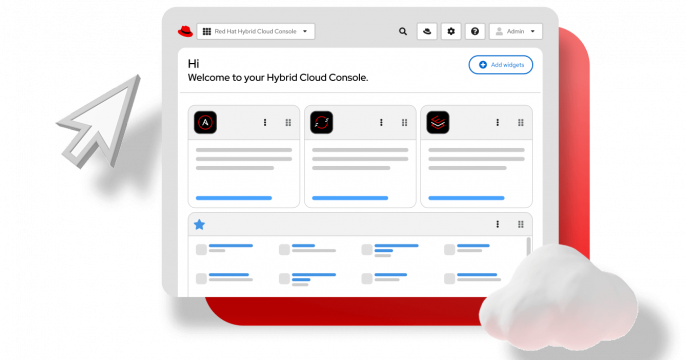
A dashboard for authenticated customers to connect and manage Red Hat platforms and infrastructure across your entire estate—bare-metal, virtual clusters, or cloud instances.

One console for your Red Hat stack
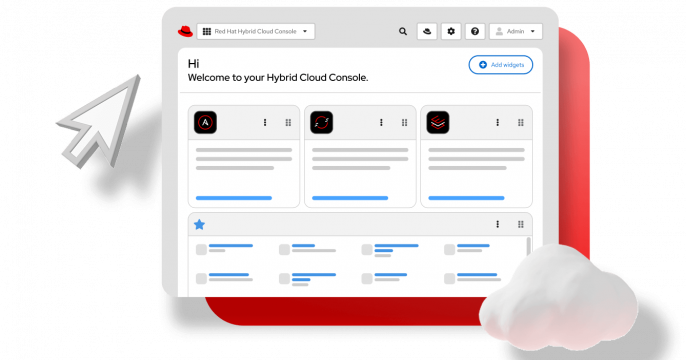
The Red Hat® Hybrid Cloud Console is a web interface that unifies your Red Hat Enterprise Linux® (RHEL), Red Hat OpenShift®, and Red Hat Ansible® Automation Platform instances across local, virtual, and cloud infrastructure. Connect your Red Hat products and official project builds—including those from your no-cost developer subscription or official trial—to use built-in tools like Red Hat Lightspeed, automation analytics, the automation hub, vulnerability services, and a cloud image builder. You can even launch our pre-configured Developer Sandbox to test apps—all at no additional cost.

Use your developer subscription to access the console
Your Red Hat Developer Subscription unlocks access to the Red Hat Hybrid Cloud Console, which serves as the control panel for your entire Red Hat stack. Each developer account is automatically enabled for Simple Content Access (SCA), so you don't need to manually juggle or attach specific subscriptions to your systems. You can also connect your cloud infrastructure from AWS, Google Cloud, Microsoft Azure, IBM Cloud, or other support providers under integrations. The image builder can push custom RHEL images to your cloud registries.

This guide provides an overview of and basic instructions for using the Red...


Discover how Red Hat optimized for human maintainability and significantly...

Learn how to streamline Red Hat Enterprise Linux image creation and...
Learn how to deploy single node OpenShift on a physical bare metal node using...


Learn how to convert a CentOS 7 system to Red Hat Enterprise Linux using Red...
Learn how we replaced an entire React application while keeping the original...

Learn how to configure Red Hat Satellite for deploying virtual machines to...
Discover how to automate management operations using Red Hat Satellite...
Streamline RHEL user access with new admin, operator, and viewer roles....
Learn how to extend the Red Hat Lightspeed client to execute your custom...
Learn how Red Hat Hybrid Cloud Console uses a single data layer to serve the...
Learn how Red Hat made Storybook a verification engine for the access...

Learn how to build a standard operating environment (SOE) for RHEL using Red...

Build and deploy a bootable Red Hat Enterprise Linux image with image builder...
Leverage Red Hat's no-cost developer subscription to create and deploy custom...
Learn how to use Red Hat Lightspeed image builder to create images that are...

Explore our guide to setting up and using Red Hat Lightspeed Model Context...

Learn how to integrate instances into an organization's identity domain using...
Connect, secure, and protect your distributed Kubernetes services with...
Learn how to use Satellite automation to schedule and perform repetitive...
This article offers a reference implementation to help you deploy Red Hat...
Explore the image builder feature for Red Hat Enterprise Linux, which lets...

Learn how to register IdM deployment with RHEL domain join feature (part 2 of...
Learn how resource optimization for Red Hat OpenShift gives you specific,...
Learn how to enable Red Hat Lightspeed in disconnected environments with Red...


Discover what’s new in VMware vSphere on RHEL image builder, including...
Ready for supported production use?
Take your deployment to the next level. Transitioning to a subscription-backed production environment brings expert support, enhanced security, and strategic agility. Our dedicated team is here to ensure a smooth migration and to help with any questions you may have.


