Consistent image builds, or golden images are an important part of any standard operating environment (SOE). You need to guarantee that the software in the image remains consistent from build to build until you update your approved package set. Beyond the image, you need to be sure that your running systems are receiving the same updates as your image, so that you can maintain consistency throughout your environment. Red Hat Enterprise Linux image builder, hosted on the Red Hat Hybrid Cloud Console, and content templates can help you achieve that consistent environment.
What is Red Hat Enterprise Linux image builder?
Red Hat Enterprise Linux image builder is a hosted service that allows you to assemble customized images optimized for your specific target platforms. It enables you to standardize and streamline your deployments by applying customizations at build time.
What are Red Hat Lightspeed content templates?
Red Hat Lightspeed content templates define the packages that are allowed in your RHEL environment. Content templates are useful for consistent patching of your RHEL systems and for building standardized images. The Red Hat Lightspeed content service provides pre-configured snapshots for popular RHEL and extra packages for Enterprise Linux (EPEL) package repositories. You can configure additional RHEL or third-party repositories or upload custom-built packages for your environment.
Consistent builds lead to consistent operations
Red Hat image builder and content templates help you achieve consistency from build time through operations in four easy steps. For this example, we will build and deploy a RHEL 10 for x86_64 system with the packages and updates published through March 31, 2026.
Step 1: Create a content template
To create a content template, visit the Templates page in the Hybrid Cloud Console and click the Create template button. In the creation wizard, select your RHEL operating system version and architecture, and then select your package repositories. For our example, we are creating a basic image with only the BaseOS and AppStream repositories.
Read about additional custom content options in our article: How to use content templates in Red Hat Lightspeed.
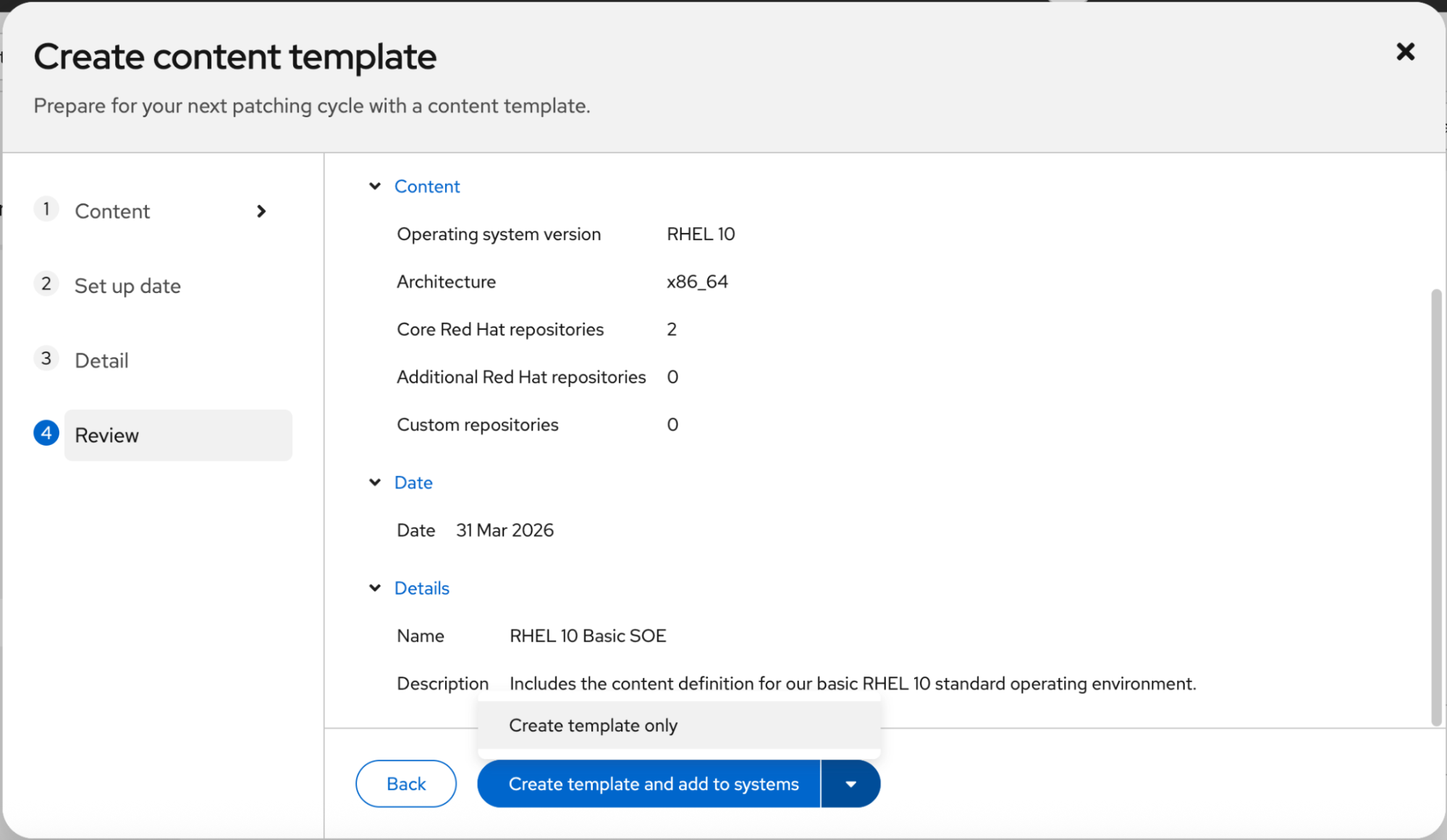
Next, enter the date that matches your SOE definition, give your template a name and description, and proceed to the final review. Make sure everything looks as you expect and then click the arrow on the create button to select the Create template only option (Figure 1).
Step 2: Build an image blueprint with a content template
An image blueprint is the configuration file that the image builder service uses to create the image artifact. The image blueprint includes basic metadata, definitions of package content, system customizations, and first boot scripts.
To get started, visit image builder in the Hybrid Cloud Console and click the Create image blueprint button to launch the image blueprint creation wizard. First, define the image output with a RHEL version and architecture that matches your content template, and select where you plan to deploy the image.
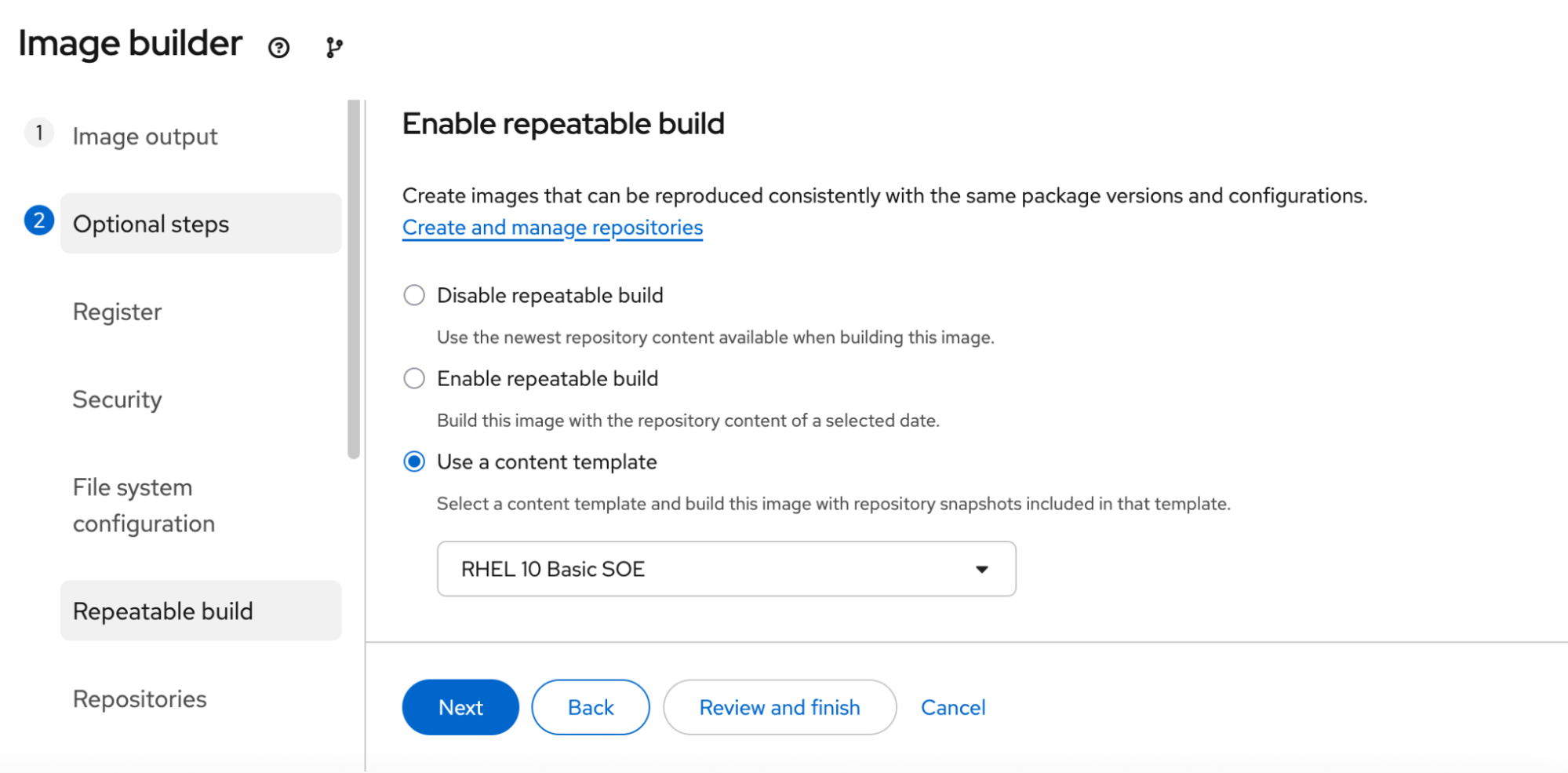
For our example, choose RHEL 10, x86_64, and Virtualization - Guest image (.qcow2). Then proceed through the configuration options, setting values that match your needs, such as automatically registering the system with an activation key. On the repeatable build step, select Use a content template and choose the template that defines the content for this image blueprint (Figure 2).
Proceed through the rest of the steps and choose the Create blueprint and build image(s) option.
Step 3: Deploy a system from the image
Next, download the built image and deploy a running system. Because we embedded an activation key in our image and built it from a content template, our system automatically registers to the Hybrid Cloud Console with the content template applied. From the moment the system launches, the installed packages and updates are controlled by our SOE definition in the content template, without running any commands.
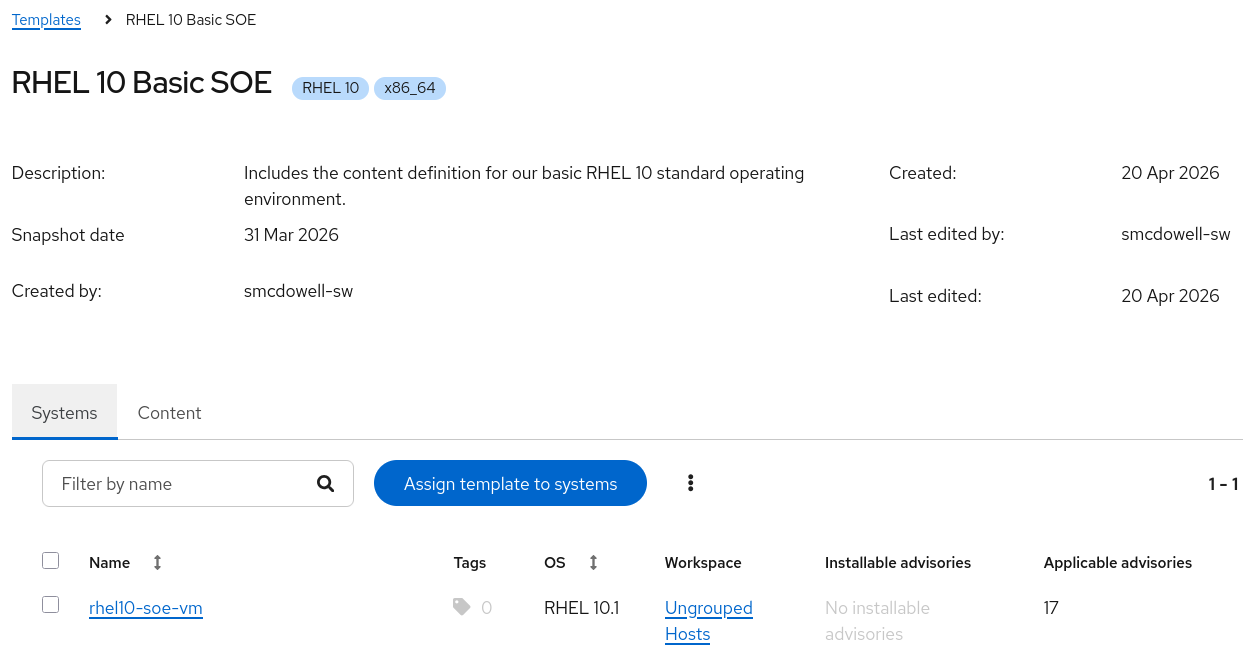
After deploying the virtualization image into our virtualization platform, the system appears on the Hybrid Cloud Console, is associated with the content template, and shows that there are no installable advisories. The 17 applicable advisories are updates that impact this system, but published after March 31.
Figure 3 is a content template showing one system with no installable advisories and 17 applicable advisories.
We can see the impact of the content template on our running system by logging into the system console and running sudo dnf update, which shows that there are no updates to install.
[rhel10-soe@rhel10-soe-vm ~]$ sudo dnf update
Updating Subscription Management repositories.
Last metadata expiration check: 0:04:17 ago on Wed Apr 22 21:01:22 2026.
Dependencies resolved.
Nothing to do.
Complete!
[rhel10-soe@rhel10-soe-vm ~]$
Step 4: Update the template and patch or build a new image
When your next patching cycle arrives, update the content template to match your new approved date for package updates. Any systems associated with the content template will have these new patches available immediately and when you rebuild the image from the blueprint, you will have the patches included.
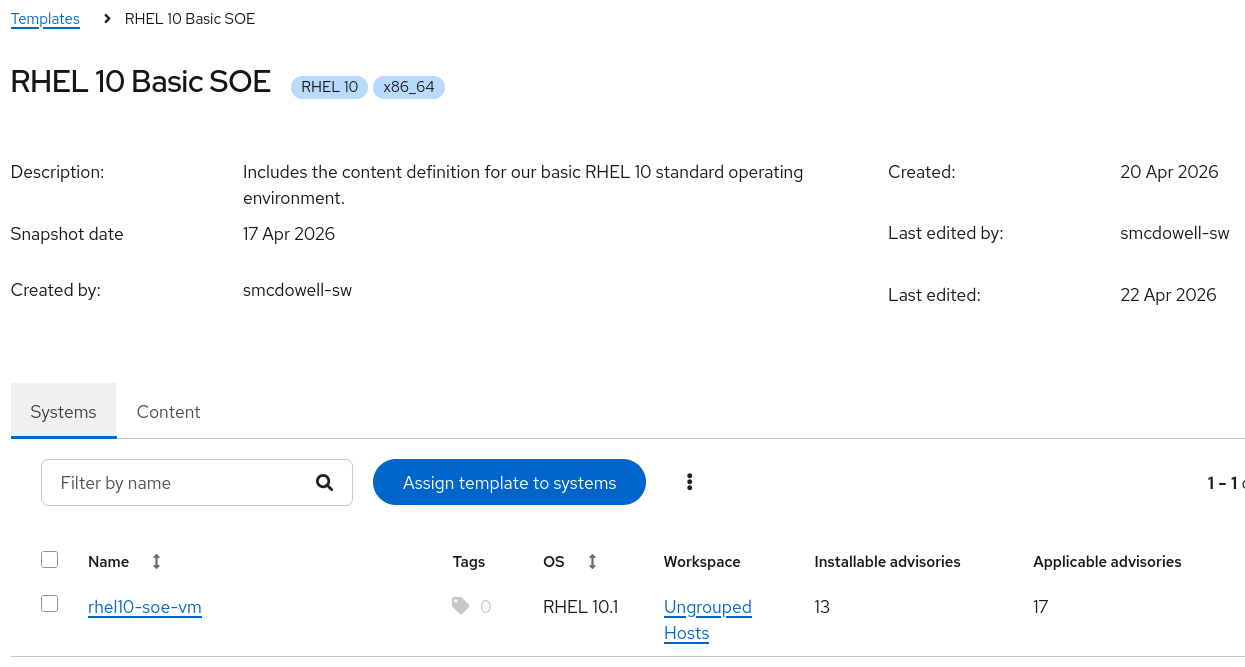
For our example, the new approved date for package updates is April 17. After updating the RHEL 10 Basic SOE template with this date, we can see that there are thirteen installable advisories for our system.
Figure 4 is a content template showing one system with 13 installable advisories and 17 applicable advisories.
We can see the impact of the content template on our running system by logging into the system console. This time we will run sudo dnf updateinfo, which shows that there are 13 updates to install, including 10 security advisories.
[rhel10-soe@rhel10-soe-vm ~]$ sudo dnf updateinfo
Updating Subscription Management repositories.
Last metadata expiration check: 0:01:43 ago on Wed Apr 22 21:17:18 2026.
Updates Information Summary: available
    10 Security notice(s)
        1 Critical Security notice(s)
        6 Important Security notice(s)
        3 Moderate Security notice(s)
     3 Bugfix notice(s)
[rhel10-soe@rhel10-soe-vm ~]$
Any new system you deploy for your rebuilt image and any existing system you patch will include the same package versions, resulting in consistent and predictable operations across your environment.
Get started
Red Hat Enterprise Linux image builder and content templates help you achieve consistency from build time through operations, creating predictable environments that save time on troubleshooting. Our example included a virtual machine deployed on local virtualization, but you can follow the same workflow for your local data center, the public cloud, or Red Hat OpenShift Virtualization. Get started with your first content template and image blueprint now.
Want to learn more? Read about the image builder service powered by Red Hat Lightspeed.

