Article
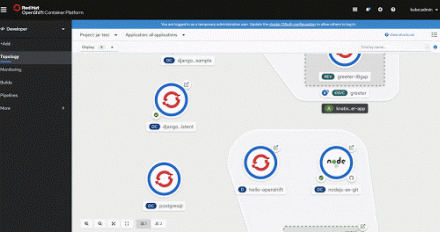
OpenShift 4.4: Finding components in the Topology view
Explore the new find feature available in OpenShift 4.4's Topology view, along with a couple of options for viewing matches.
Explore the new find feature available in OpenShift 4.4's Topology view, along with a couple of options for viewing matches.

Explore Red Hat OpenShift Container Platform 4.4's new web console, which includes a new Monitoring section with a metrics-based dashboard.

Explore the new Pipeline Buillder that comes with OpenShift Container Platform 4.4: Steps, Tasks, Pipelines, Resources, and PipelineRuns.
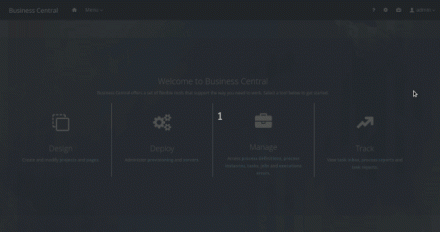
Explore the new business process automation features, improvements, and previews released in Red Hat Process Automation 7.7.

Learn how to install and run Kubeflow directly on Red Hat OpenShift Service Mesh, as a convenient alternative to the native Kubeflow Istio installation.

In this second of two articles, explore smaller improvements in JBoss Tools 4.14.0: updating Hibernate Tools and the JDTs for Java 13, and updating the UI.

Learn to build images from scratch or existing base images using buildah and...
Learn to use RHEL tuned profiles with tuned-adm, and explore its connection to...
Learn to deploy and control an already defined container image.
Learn to make smart decisions when choosing software packages enabled on a...

Learn how to use Red Hat Universal Base Images (UBIs) with Docker from a non-Red Hat system, such as a Windows or Mac workstation.

Explore the tech preview of OpenShift's memory-based horizontal pod autoscaling feature and how it autoscales your pods if the demands on memory increase.

In the second part of this series, we walk you through customizing Fedora CoreOS and making use of its immutable and atomic nature.

Learn how Fedora CoreOS helps you create an immutable, atomically-managed infrastructure, and then set up your own instance.

Now, application developers in the Red Hat Partner program can build their container apps and redeploy from the full set of Red Hat Enterprise Linux (RHEL) user space packages (non-kernel).

Learn how to store credentials using Kubernetes secrets for connector configuration with Kafka Connect deployed using Strimzi or Red Hat AMQ Streams.

See how podman-machine (mostly) lets you run Buildah, Podman, and skopeo on your Mac without having to build your own Linux VM.

We preview the updates from Open Data Hub project that enable Kubeflow to run on Red Hat OpenShift.

Learn how to test OpenShift 4.2 setup on OpenStack 13, and take advantage of OpenStack's programmatic API-driven approach.

Use OpenShift's projectRequestTemplate to add default controls for the resources that a project is allowed to consume.

We look at the OVN unidling issue and how the Controller_Event table can be used to forward events to a CMS, such as OpenStack Platform or OpenShift.

We introduce helpful, common tips for managing reliable builds and deployments on Red Hat OpenShift.

This article examines Kubernetes internals and Operator patterns by using a REST API example.

We provide a step-by-step visual tutorial describing how to create a simple virtual database using Red Hat Integration's data virtualization Operator.

We take a look at user flow improvements for deploying applications in Red Hat OpenShift 4.3's Developer perspective.

Build here. Go anywhere.
We serve the builders. The problem solvers who create careers with code.
Join us if you’re a developer, software engineer, web designer, front-end designer, UX designer, computer scientist, architect, tester, product manager, project manager or team lead.
 Ask AI