A MicroProfile-based microservice on OpenShift Container Platform - Part 1
Scott McCarty shares how containers can help in the DevOps world, but pay attention to 3 items.
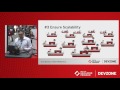
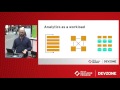
Analytics and Data Science on OpenShift with Apache Spark, by Will Benton
This lightning talk was delivered at Red Hat Summit 2017.
Hugo delivered this lightning talk at Red Hat Summit 2017 and explains containers and the Red Hat container certification services for Red Hat software partners.
Charlotte delivered this lightning talk at Red Hat Summit 2017.
Marek delivered this lightning talk at Red Hat Summit 2017 in Boston.
In this small screencast we'll show you how to get started with OpenShift using JBoss Tools. We'll show you how to create an new OpenShift application and import it to your Eclipse workspace. We'll then show you how to change the starter-application in your workspace, and push those changes to OpenShift.
Follow me at: http://twitter.com/lincolnthree In order to follow this tutorial, please make sure that you have installed JBoss Forge (at least Beta3): http://jboss.org/forge You will also need to install Git for your operating system: http://git-scm.com/ Be ready to follow the steps in the tutorial by signing up for a free account at http://openshift.com, and making sure that your SSH keys are configured correctly via the OpenShift quick-start guide. -------------------------------------------------------------- ++ Set up our OpenShift Project ++ 1. new-project --named forge-openshift-demo --topLevelPackage org.jboss.forge.openshift 2. forge install-plugin openshift-express 3. rhc-express setup --app forge 4. servlet setup 5. git add pom.xml src/ 6. rhc-express deploy ++ Add JPA and the Scaffold ++ 7. persistence setup --provider HIBERNATE --container JBOSS_AS7 8. scaffold setup 9. entity --named User 10. field string --named name 11. field int --named rating 12. scaffold from-entity 13. rest setup 14. rest endpoint-from-entity 15. git add pom.xml src/ 16. rhc-express deploy
Are you ready for BPM in the Cloud? The fully cloud enabled JBoss BPM Suite is now available on OpenShift as a bpmPaaS cartridge. We have not been idle in the background as this was developed and have put together some automated cartridge installation projects that kick start you with pre-loaded demo projects. Here we provide a video walkthrough covering the creation of your bpmPaaS instance on OpenShift and quick tour of how to run the Generic Loan demo project, all in just over 6 minutes.
Here is a fully automated cartridge installation for JBoss BRMS Cool Store in the OpenShift Cloud that will allow you to kick start a pre-loaded demo project in the OpenShift bpmPaaS based on JBoss BRMS. Get up and running in just minutes.