Stack Clash Mitigation in GCC -- Background
Hugo delivered this lightning talk at Red Hat Summit 2017 and explains containers and the Red Hat container certification services for Red Hat software partners.
Andy presented this lightning talk at Red Hat Summit 2017.
A lightning talk from Red Hat Summit 2017. Here is the transcription:
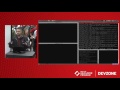
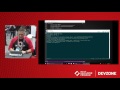
[00:11] I have a VM here. Let me just run the .NET command to show you. It's not there, so we're going to install .NET on RHEL. The first thing I'm going to do is become Super User, otherwise I have to type pseudo for every command and that's just a hassle.
[00:33] I'm just going to copy and paste the commands here. The point isn't that I type out every command, the point is that you see it's only a couple of commands to get it installed. The first thing I'll do is get my subscription manager attached to the correct pool of RPMs, that's the packages I pulled down.
[00:49] When you install .NET on RHEL you're getting the package from Red Hat. You're not getting it from Microsoft. We get the source code from Microsoft and then we build it to run on RHEL. Red Hat packages are, I like to say vetted. That is, we test them and make sure they work really well so you're not just pulling down software and hoping it works.
[01:12] Now I'm going to enable the repo. I've attached to it and now I have to enable it. Notice at the end where it says, "RHEL 7 Server..." There's also a work station, and there's also one for an HP [high performance] special computing thing that I'm not really familiar with. The point is you're probably going to use a RHEL server to install .NET.
[01:26] One of the cool things about the new .NET core as opposed to the old one is the new .NET is much smaller. Whereas before, when you installed .NET, you would drop in a DVD, or a CD, and wait forever for it install, and you would get 4 gigabytes of .NET. Now it's just a couple hundred megabytes.
[01:49] I'm going to YUM install this scl utils. It doesn't matter what they do. They just enable installation. Let's just leave it at that. There's nothing to do because I've done that before, but that's OK. It's better to have nothing to do than to skip the step.
[02:08] Now here's the actual install itself. I want you to notice it's just a command line and it's a YUM installed .NET core 1.1, which is version 1.1. It's going to go up to the inner webs and pull down everything it needs to install it.
[02:17] Your limiting factor here is going to be your Internet speed. Other than that, that's it for installing .NET. It really is that small and that fast. After it's installed, you have to enable it to be available in Bash. Once that's done, we'll bring it up and we'll see .NET.
[02:36] One final step here. In just a few minutes we went from not having .NET...I don't know if I can copy and paste here, bear with me.
[02:47] It's enabled. Now we should have .NET command available. There it is. We'll do a .NET new which will create a new program. The first time you do a .NET new it's going to run this little expand. That might be considered the final step of installing .NET, that's it. That's all you have to do to install .NET, that's it.
Thank you.
S-RAMP is an emerging OASIS standard for a Service Oriented Architecture repository (and accompanying protocol for accessing that repository).
Andrew Lee Rubinger, Principle Software Engineer, Red Hat, Lalatendu Mohanty, Sr. Software Engineer, Red Hat share inights in the breakout session from Red Hat Summit 2017. Red Hat Container Development Kit (CDK) provides a ready-to-use development environment for developing microservices on Red Hat OpenShift Container Platform. In this session, we will design a small microservices application using Angular2 served through Eclipse Vert.x for front-end environments and REST over HTTP and Java API for RESTful Web Services (JAX-RS) via WildFly Swarm for back-end environments. We’ll also bootstrap the environment using CDK. This live-coding experience will walk you through setting up a new containerized environment from scratch and using it to develop a functional application in 50 minutes. Learn more: https://www.redhat.com/en/summit/2017/agenda/sessions
In this session, Mark Wagner reviews enhancements in Red Hat Enterprise Linux 6 and show attendees how to take advantage of them in their environments. Mark uses test results from Red Hat's performance lab to highlight the various differences, advantages, and tradeoffs for many technologies, including Kernel-based Virtual Machine (KVM) virtualization technology, 10Gbit Ethernet, Infiniband, FCoE, Packet Flow Control, and RDMA. Mark also presents guidelines and tools for planning and tuning network configurations for low latency and high throughput. He covers the differences between tuning for baremetal, a KVM guest, a Red Hat Storage file system, and NFS. He also touches upon some tricks developers can use when writing network-based applications.
In this two-hour session, Douglas Shakshober (Shak) and Larry Woodman will explore the system performance analysis and tuning necessary to maximize the performance of systems running Red Hat Enterprise Linux 5 and 6. They will focus on large systems that run the most common applications such as database servers, Internet servers, and various financial applications on a variety of the common hardware platforms.