
Principal Architect
Ramakrishna Yekulla
Ramakrishna Reddy Yekulla ("Ramky") serves as a Principal Architect within the Application Developer Business Unit at Red Hat. In this role, he focuses on creating distinctive platform features that enhance developer efficiency, streamline data and application connections, and empower customers with the knowledge and resources to prioritize software supply chain security, minimize technical obligations, and achieve compliance goals. His interests lies in System Design, Functional Programming and Observability.
Ramakrishna Yekulla's contributions
Learning path
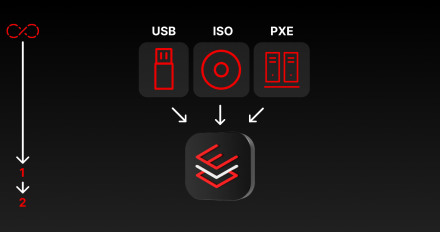
Install image mode for Red Hat Enterprise Linux using Kickstart
Deploy image mode for Red Hat Enterprise Linux step-by-step using Kickstart, a
Learning path
Introduction to OpenShift AI
Learn how to use Red Hat OpenShift AI to quickly develop, train, and deploy

Learning path
Extract live data collection from images and logs
Explore the complete machine learning operations (MLOps) pipeline utilizing Red
Learning path
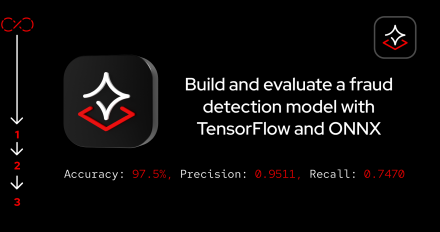
Build and evaluate a fraud detection model with TensorFlow and ONNX
Learn how to deploy a trained model with Red Hat OpenShift AI and use its

Learning path
Build your AI application with an AI Lab extension in Podman Desktop
Discover how you can use the Podman AI Lab extension for Podman Desktop to work
Learning path
Classify interactive images with Jupyter Notebook on Red Hat OpenShift AI
Jupyter Notebook works with OpenShift AI to interactively classify images. In
Learning path
Automate ML pipelines with OpenShift AI
Dive into the end-to-end process of building and managing machine learning (ML)

Install image mode for Red Hat Enterprise Linux using Kickstart
Deploy image mode for Red Hat Enterprise Linux step-by-step using Kickstart, a

Introduction to OpenShift AI
Learn how to use Red Hat OpenShift AI to quickly develop, train, and deploy

Extract live data collection from images and logs
Explore the complete machine learning operations (MLOps) pipeline utilizing Red

Build and evaluate a fraud detection model with TensorFlow and ONNX
Learn how to deploy a trained model with Red Hat OpenShift AI and use its

Build your AI application with an AI Lab extension in Podman Desktop
Discover how you can use the Podman AI Lab extension for Podman Desktop to work

Classify interactive images with Jupyter Notebook on Red Hat OpenShift AI
Jupyter Notebook works with OpenShift AI to interactively classify images. In

Automate ML pipelines with OpenShift AI
Dive into the end-to-end process of building and managing machine learning (ML)

