As developers build agents that do more than just talk, they increasingly rely on tools like the Model Context Protocol (MCP) and agent skills—portable packages of markdown and scripts that provide LLMs with on-demand procedural knowledge.
While MCP and Skills provide the standardized framework for these agents, developers still lack a unified way to distribute and version them.
Lola fixes this problem by acting as a universal package manager for AI context. By using Lola, you can treat your AI context as versioned, auditable code.
Lola includes two major components: modules and marketplaces.
Lola modules
A Lola module, or lolas for short, is a portable package of AI context that you can distribute and install across various AI assistants. Instead of managing disparate files, a module bundles skills, command files, agent instructions (like AGENTS.md), and MCP servers into a single cohesive group. This approach allows you to package everything required for a specialized AI agent in one place.
Lola marketplaces
A Lola marketplace (or Lola market) is a curated catalog of modules. It allows you to search and install AI context modules without manually hunting for individual repositories. For enterprises, these marketplaces act as a centralized registry to share and distribute agent instructions at scale while maintaining control over the content.
Demo workflow
This guide follows a complete end-to-end workflow using Lola. We will:
- Install a custom marketplace containing plugins and skills sourced from the official Claude Code and Cursor marketplaces.
- Register the marketplace with Lola and inspect the available modules.
- Install the modules into target AI assistants.
- Verify that the new skills and context are ready for use in the assistant's environment.
Install Lola
Run the following command to install Lola using uv, the recommended method for managing agentic dependencies:
$ uv tool install git+https://github.com/RedHatProductSecurity/lolaOnce installed, verify the version to ensure the lola CLI is ready:
$ lola --version
lola 0.4.2
Add the Lola marketplace
For this demo, we have prepared a marketplace containing existing plugins from Claude and Cursor. First, add the demo marketplace using the following command:
$ lola market add demo https://raw.githubusercontent.com/dmartinol/lola-demo/main/demo.yamlAfter adding the marketplace, you can view the available modules:
$ lola market ls demo
demo (enabled)
  Demo marketplace with curated community plugins
  Version 0.1.0
  claude-md-management  v1.0.0
    Tools to maintain and improve CLAUDE.md files - audit quality,
    capture session learnings, and keep project memory current.
    Tags: claude-md, project-memory, maintenance, documentation
  teaching  v1.0.0
    Teaching workflows: skill mapping, practice plans, and feedback
    loops with personalized learning roadmaps and retrospectives.
    Tags: teaching, learning, education, cursor
Install the modules
Use the lola install command to add selected modules to your target assistants:
$ lola install claude-md-management
Found 'claude-md-management' in 'demo'
Repository: https://github.com/anthropics/claude-plugins-official.git
Added claude-md-management
? Select assistants to install to (Space to toggle, Enter to confirm): ['claude-code', 'cursor']
Installing claude-md-management -> /private/tmp/lola-demo
  claude-code (1 skill, 1 command)
  cursor (1 skill, 1 command)
Installed to 2 assistants
$ lola install teaching
Found 'teaching' in 'demo'
Repository: https://github.com/cursor/plugins.git
Added teaching
? Select assistants to install to (Space to toggle, Enter to confirm): ['claude-code', 'cursor']
Installing teaching -> /private/tmp/lola-demo
  claude-code (2 skills)
  cursor (2 skills)
Installed to 2 assistants
The lola list command inspects the installed modules for each target assistant:
$ lola list
Installed (2 modules)
claude-plugins-official
- scope: project
  path: "/private/tmp/lola-demo"
  assistants: [claude-code, cursor]
plugins
- scope: project
  path: "/private/tmp/lola-demo"
  assistants: [claude-code, cursor]
Validate the installation
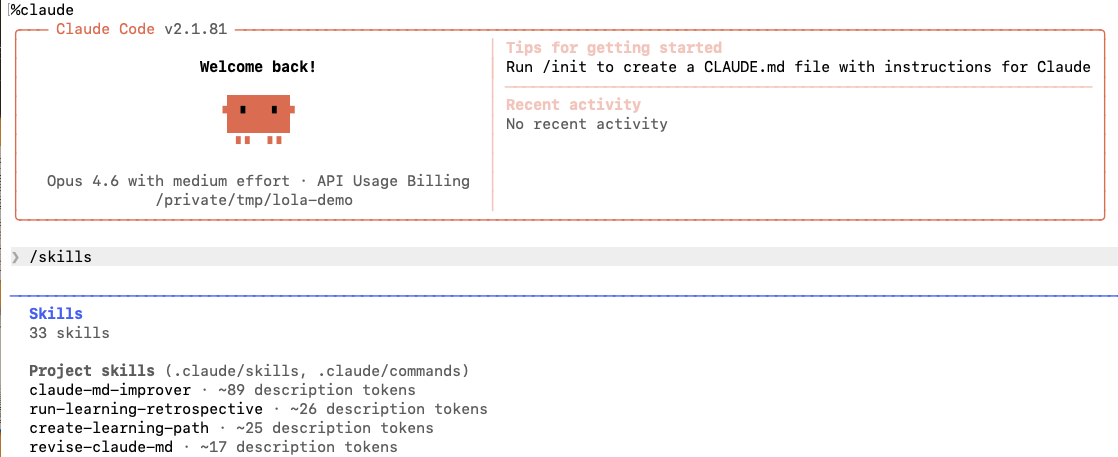
Once you have launched Claude from your current folder, verify that your project skills are correctly installed and functional by running the /skills command, as shown in Figure 1.
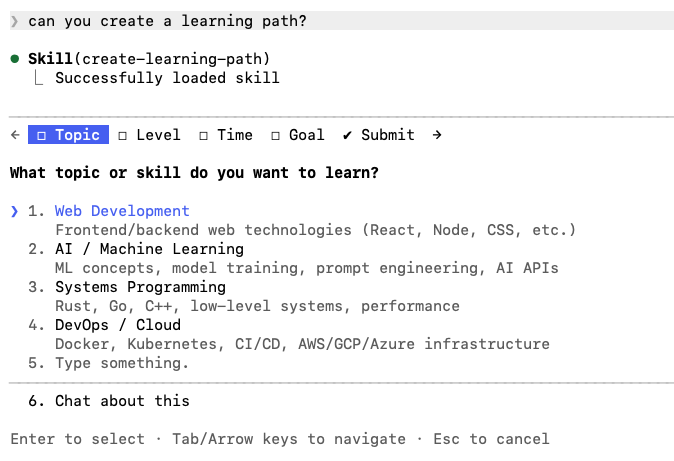
Then, trigger the create-learning-path skill with a prompt matching its metadata, as shown in Figure 2.
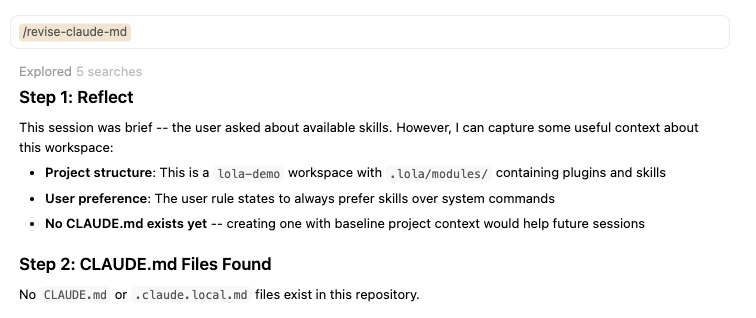
After launching Cursor from the same folder, you can run the equivalent validations. First, verify that the revise-claude-md command is available, as shown in Figure 3.
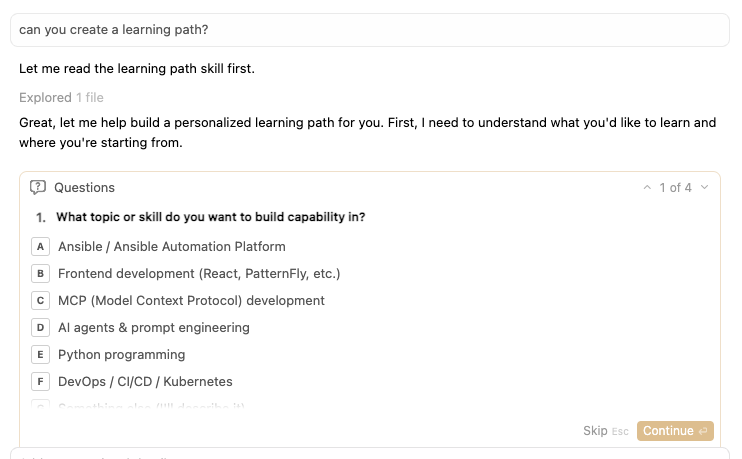
Then, trigger the learning skill again with a matching prompt, shown in Figure 4.
Uninstall the modules
As a package installer, Lola manages the full lifecycle of your skills and context modules. After you finish your work, you can remove a module using the uninstall command.
$ lola uninstall claude-md-managementWe will cover more options, such as updates and custom skill bootstraps, in a future post. For now, we have introduced the primary commands for managing AI packages with Lola.
Get involved
Lola provides a way to bring auditable, versioned AI skills to your workflow without vendor lock-in. The project is open source under the GPL-2.0-or-later license. You can explore the code and contribute your own modules at the Red Hat Product Security Lola GitHub repository.
Next steps for your versioned AI context
We've shown how Lola separates concerns by using a custom marketplace and modules. As an author, you can curate and version AI context in a central repository. As a developer, you can use those capabilities through a standardized interface—regardless of the assistant you use.
Now that you have organized your AI context locally with Lola, you can deploy your agents to Red Hat OpenShift to reliably execute these versioned skills in a production environment. Learn more about hosting and scaling your AI models:
- Red Hat OpenShift AI documentation: Infrastructure for hosting and serving agents
- Integrate Claude Code with Red Hat AI inference server on OpenShift: Connect your local AI assistants to production-ready, locally hosted models
- Deploy an LLM inference service on OpenShift AI: Learn how to scale the models that power your agents

