Following our review of the two-tower architecture and training pipeline in part 2, we're ready to wrap up our series. In this final part, we explore how the recommender uses generative AI to summarize product reviews and walk through the user registration process.
AI-generated product review summaries
User-provided product ratings and reviews are expected features on most online retail sites. To keep reviews useful as site volume scales up, software engineers use several strategies to distill information into a form users can quickly process. A few years ago, techniques like tag clouds were the preferred choice. Today, AI-enabled applications use LLM-generated summaries, which is the approach our AI quickstart takes.
From the user's landing page (shown in Figure 1) or search results page, you can select a product to navigate to the product details page shown in Figure 2.


From here, you can select AI Summarize to generate a real-time summary of all the product's reviews (see Figure 3). The Red Hat inference server, KServe, and the Llama 3.1 model come together to provide this functionality. In its most basic form, this is straightforward to implement by submitting the product's reviews along with a prompt that specifies the expected summary format to the LLM. You can deploy LLMs to the OpenShift cluster using the OpenShift AI Deploy Model screen or custom resource definitions (CRDs) provided by KServe.

Model source locations
You can deploy models directly from external registries, like the Red Hat AI repository of validated models on Hugging Face, from S3-compatible storage, or from OCI-compliant container registries (known as Modelcars).
A popular choice is to create a simple workbench in OpenShift AI that pulls the model from an external registry to a registry managed by your organization (either within or outside your OpenShift cluster). This approach lets you evaluate the model's performance on sample data. See the README.md file under backend/llm-model for instructions and a sample workbench notebook you can use to upload your model to an in-cluster MinIO instance.
From here, you can evaluate the model and explore the different quantization techniques offered by Red Hat's inference server. Quantization trades a small amount of model accuracy for storage and computation gains. Some quantization techniques can be applied in flight during model deployment, while others require training data and a workbench environment.
LLMs and limited context windows
One challenge when using LLMs to generate summaries is the limited context window (the number of tokens the model can process with each request). While the theoretical maximum length for many LLMs is large (for example, the maximum for the Llama 3.1 8B model is 128,000 tokens), this upper limit is constrained by factors such as context rot (the distracting effect of a large volume of input tokens on the LLM's ability to generate accurate responses) and non-uniform attention processing. (LLMs typically focus more on the beginning and ending of their context, leaving details in the middle neglected).
Practically speaking, VRAM capacity (the memory available on the hardware accelerator) is often the limiting factor. For example, once the Llama 3.1 8B model is deployed on an NVIDIA-A10G GPU with 24 GB of VRAM, roughly 7 GB of VRAM remains for the context window. The majority of the space is required to store the model's weights. At approximately 0.5 MB per 1,000 tokens, this deployment can support roughly 14,000 tokens. Because embedding models decompose words into multiple tokens (for example, preconfigure might require the two tokens: pre and configure), we are left with support for roughly 10,500 words. To determine how to map our 7 GB token budget to a word budget, we can apply a general rule of thumb (number of tokens * 0.75) or find a safe limit experimentally. We recommend this approach because the ratio depends on how well the model's learned vocabulary covers the data in the target domain.
Bottom line
In summary, it's a matter of scale. As the number of reviews per product grows, it quickly becomes infeasible to generate summaries by submitting each product's reviews to the LLM at once. In practice, you can use several techniques to make the best use of this limited context window, such as aspect-guided summarization (which works by building a list of aspects or characteristics that apply to each product and then generating a summary from a representative subset of reviews for each aspect). Characteristics are typically domain specific, such as input voltage, amperage and mounting orientation for attic fans.
Another approach first uses an LLM to generate questions from each review. It then uses these questions to check whether the running summary provides enough information to answer them. Both approaches ensure the final summaries capture the most important information without processing all the reviews at once
Our AI quickstart uses a technique similar to the aspect-guided approach, using the review's rating as the guiding aspect. The technique begins with a configured target for the number of reviews to process. This target can be determined experimentally for your hardware and chosen LLM. The AI quickstart specifies a target budget of 1,000 reviews.
To ensure the final summary represents the range of user sentiments for a product, the AI quickstart generates a weighted stratified sampling across ratings to fill the target budget. This is similar to how users often skim reviews (for example, taking a sample of 1-star reviews, followed by 2-star reviews and so on). Weighting is critical because product review distributions often exhibit one or more peaks; for example, many products receive a rating of 4 or higher with very few ratings below this until another peak occurs with 1-star reviews. A weighted approach ensures these peaks are proportionally represented. Reviews within each bucket are sorted by creation date to favor more recent reviews.
User registration
The product recommender uses a multi-step user registration process that asks you to choose which product categories interest you (Figure 4). You can select categories at any level of the hierarchy for either broad preferences or precise, fine-tuned control. This flexible approach works for various user needs.
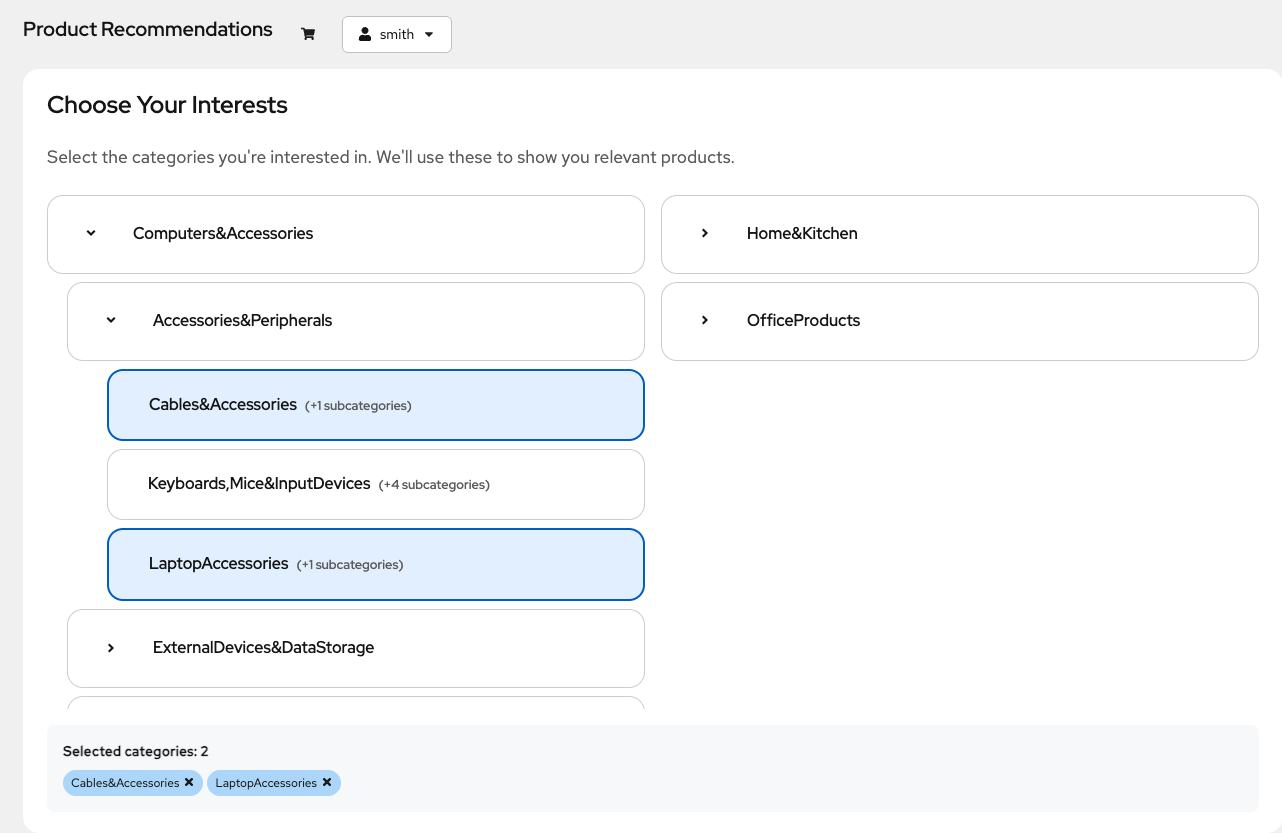
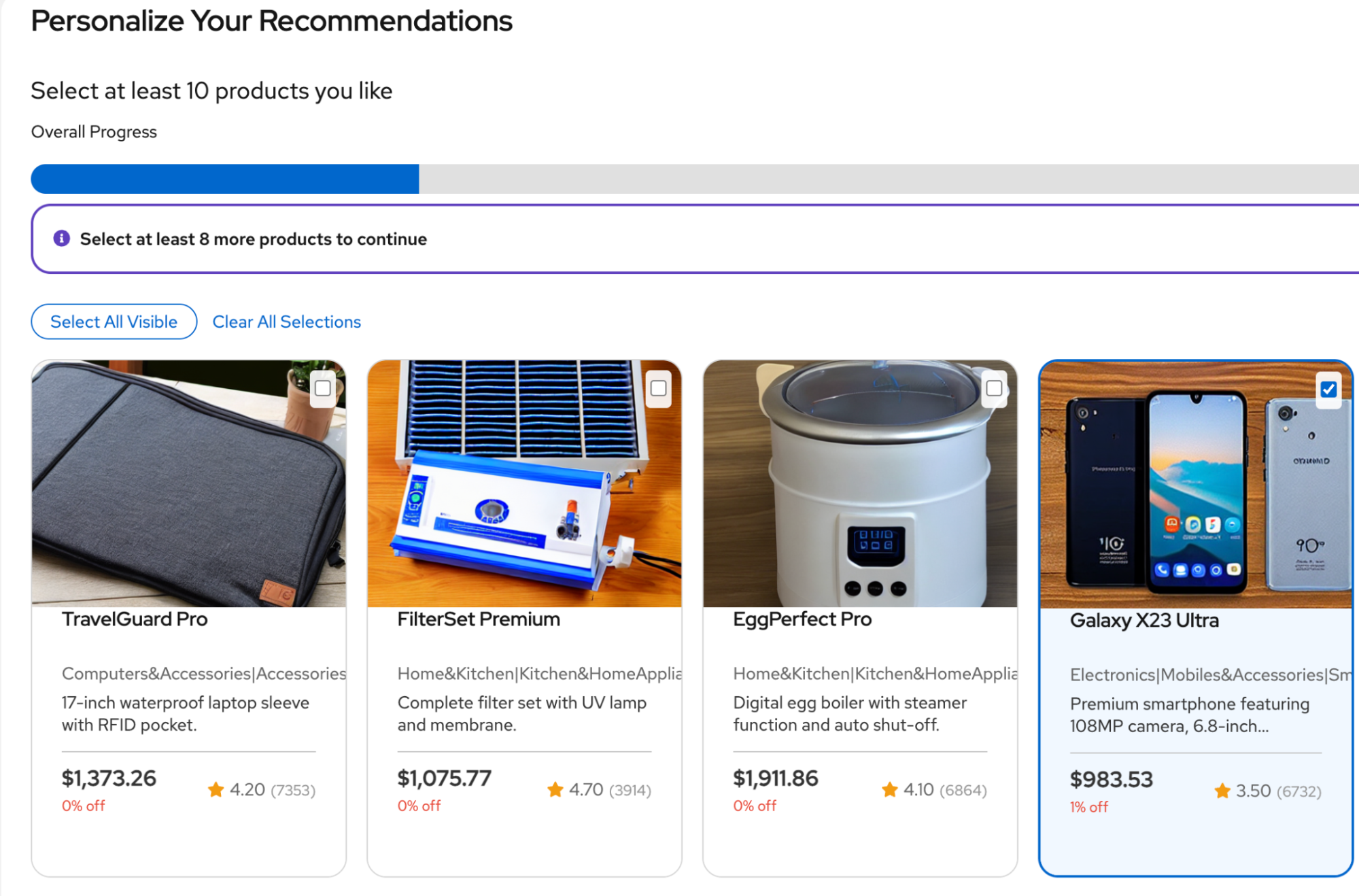
After you select categories, the application fine-tunes your preferences by presenting several rounds of samples (Figure 5). The user's selections here are directly recorded in the user-product interaction table and made available during the next scheduled training run. Users complete the registration process by selecting a minimum of 10 products.
Conclusion
We've covered a lot of ground! Here are the key takeaways:
- Integrated ML life cycle: Through a simplified implementation of the two-tower model and the use of LLM-generated review summaries, we've demonstrated how OpenShift AI unifies data preparation (workbenches), feature management (Feast), ML training pipeline orchestration (Kubeflow Pipelines and Argo Workflows) and model serving (Red Hat AI Inference Server and KServe) into a single enterprise platform.
- Dual-encoder efficiency: We reviewed the two-tower architecture, which enables complex recommendation logic to be executed as a high-speed vector search.
- Hybrid semantic search: We've shown the use of embedding models like BGE and CLIP, alongside traditional keyword filtering techniques, to enable intuitive, semantic product catalog searches.
- Overcoming LLM constraints: We discussed several practical techniques for addressing limited context window sizes when using LLMs for generative tasks like product review summarization.
Learn more about OpenShift AI by deploying our AI quickstart on a product trial. The README file will help you get started.

