These days, most developers are using some kind of AI coding assistant, whether that's Claude Code, Codex, or one of the many open source agents out there (84% are using or plan to use AI tools, according to the latest Stack Overflow Developer Survey). But here's the thing: while you might be running the agent on your own machine, you're still using a proprietary, third-party LLM underneath.
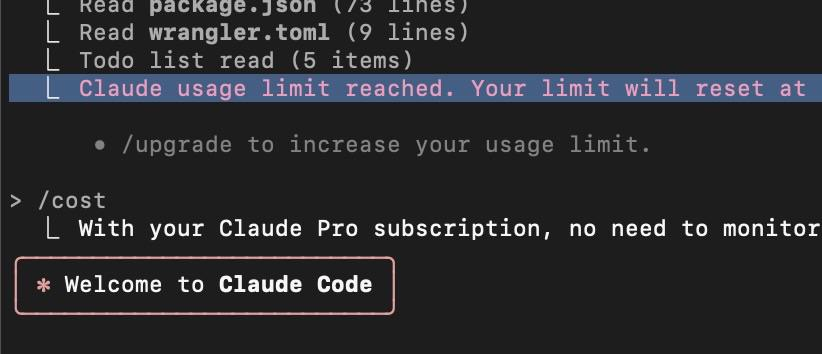
While that’s okay for most use cases, there are situations where it becomes a problem, for example, hitting your daily token limit in the middle of important work (see Figure 1), or sending private code off to a third party. More recently, frontier models that we depend on have suddenly become unavailable, as we’ve seen with both the Claude models and the latest ChatGPT release.
The good news is that you can run your own open source models with vLLM as the inference backend, giving you a fully local and private AI coding assistant. Let me show you exactly how.
Select a platform and benchmark your model
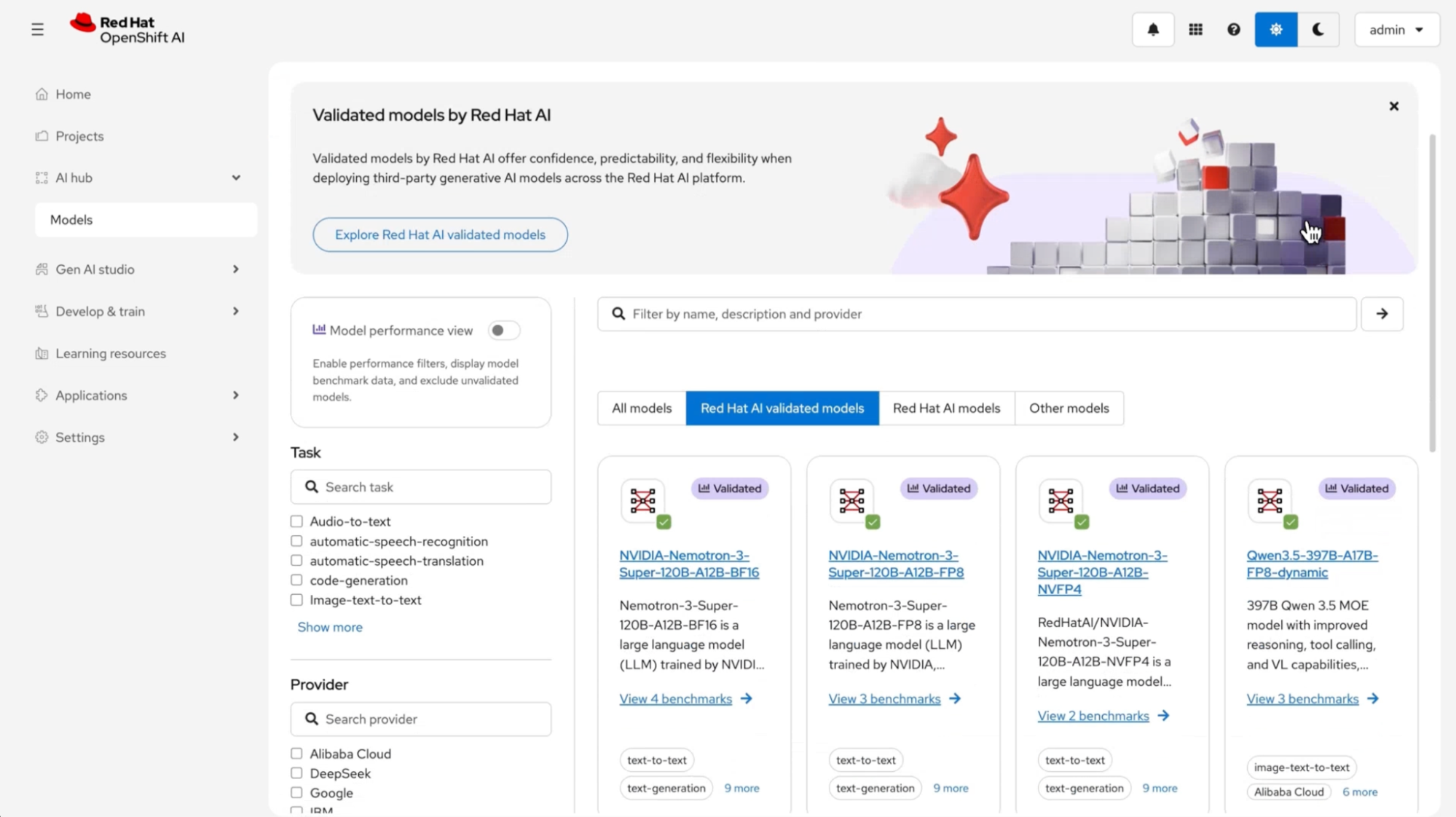
While we’ll be powering an AI coding agent, deploying a model also means configuring token authorization, resource autoscaling, and additional capabilities provided by Red Hat OpenShift AI as a Kubernetes distribution. As shown in Figure 2 the foundation ships with a list of validated models benchmarked by the Red Hat AI team, including NVIDIA's Nemotron, Mistral, Qwen, and other open source models.
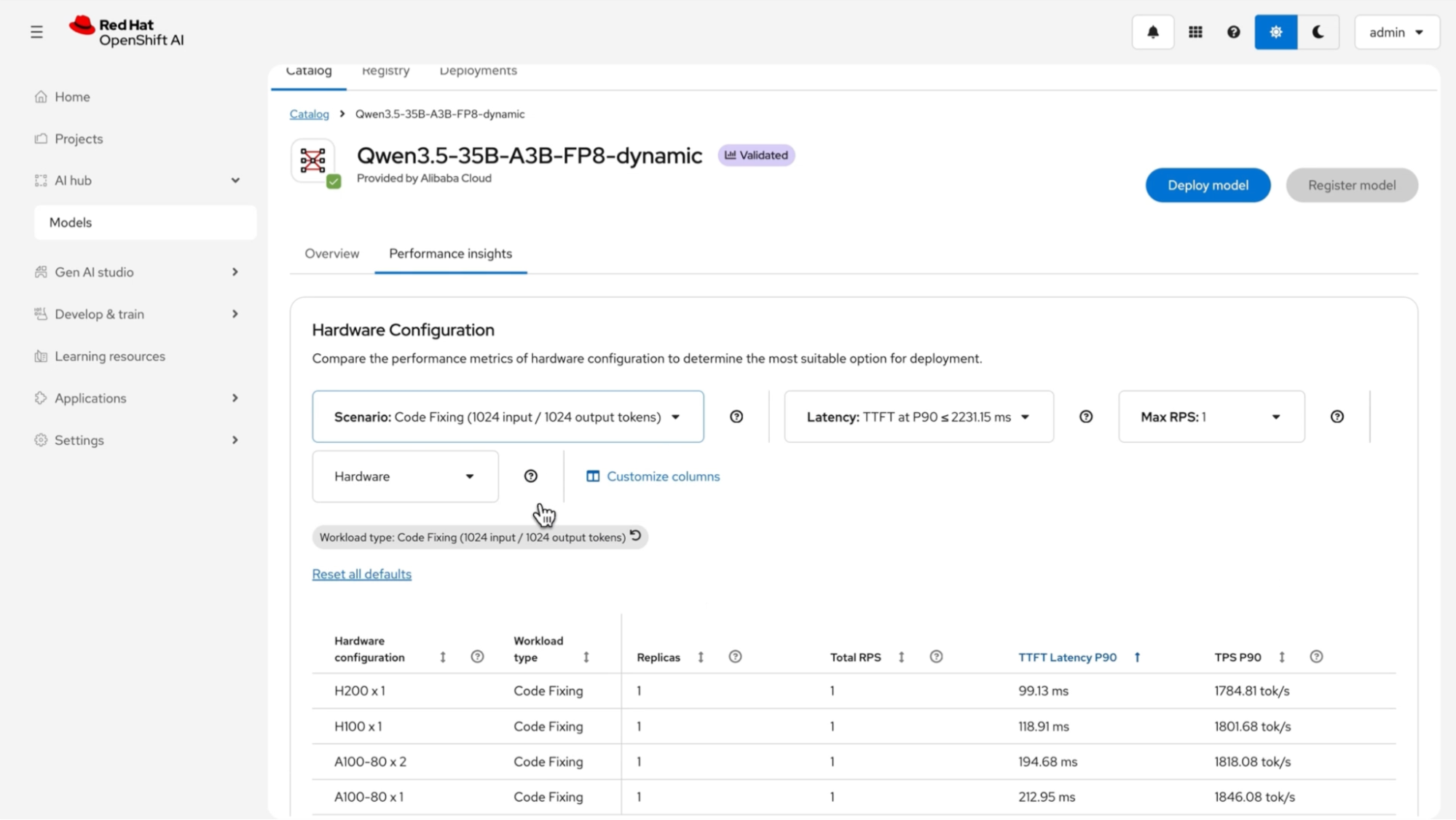
You also get performance insights for a variety of use cases, such as chatbots, RAG, and, for our purposes, code fixing. You can set latency and service-level objectives (SLOs) against different hardware profiles and see how a model will perform before you commit to deploying it, as shown in Figure 3.
Deploy the model with vLLM
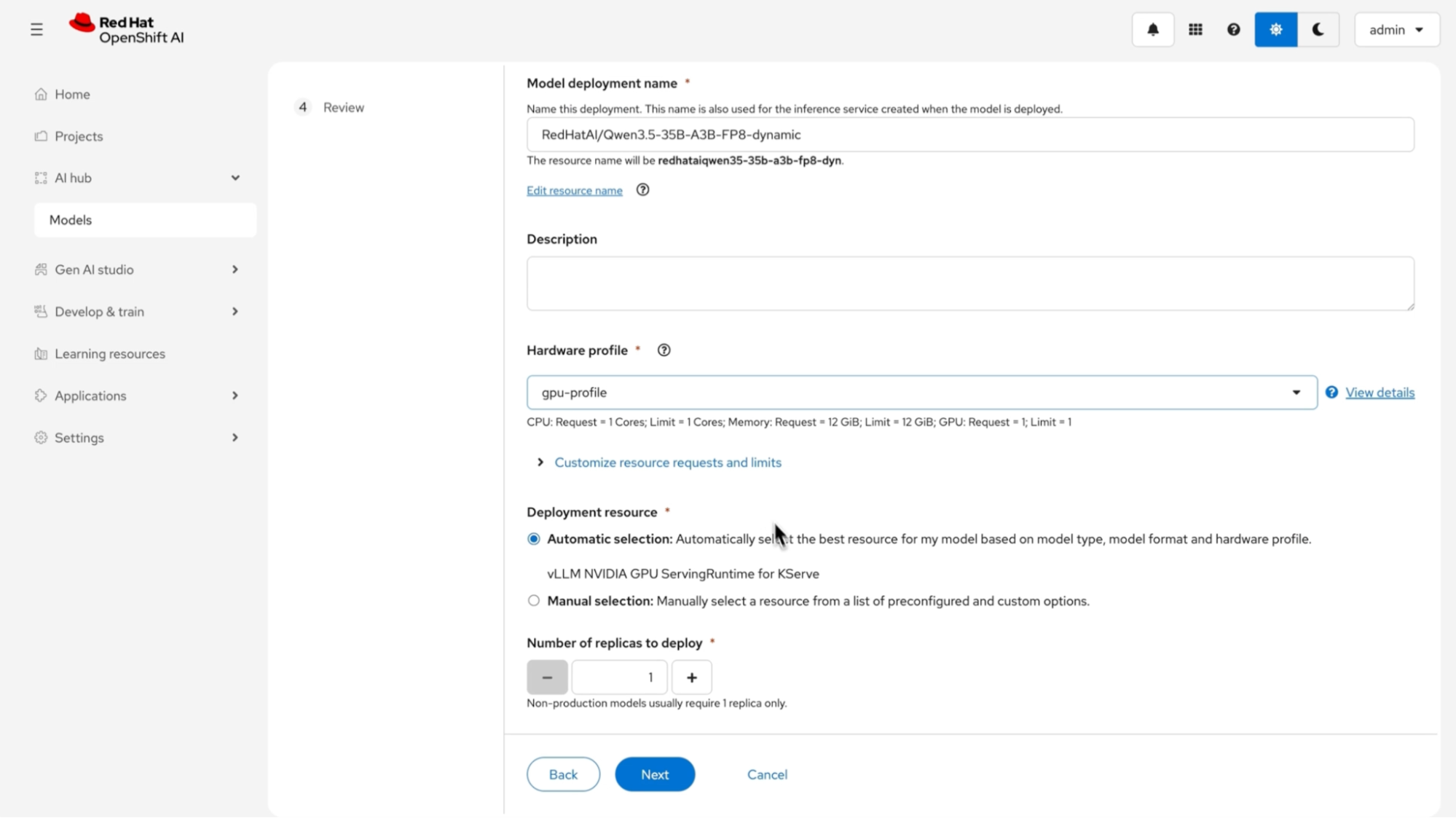
Let’s walk through configuring and deploying the model using vLLM, a popular open source inference server. There are a variety of ways to use vLLM, including running it directly on a Linux machine or with vllm serve {model}, but we’ll use the container image in our cloud-native setup. As a container, it’ll be deployed on OpenShift AI and use KServe on the back end to deploy the model and scale the instance, as configured in Figure 4.
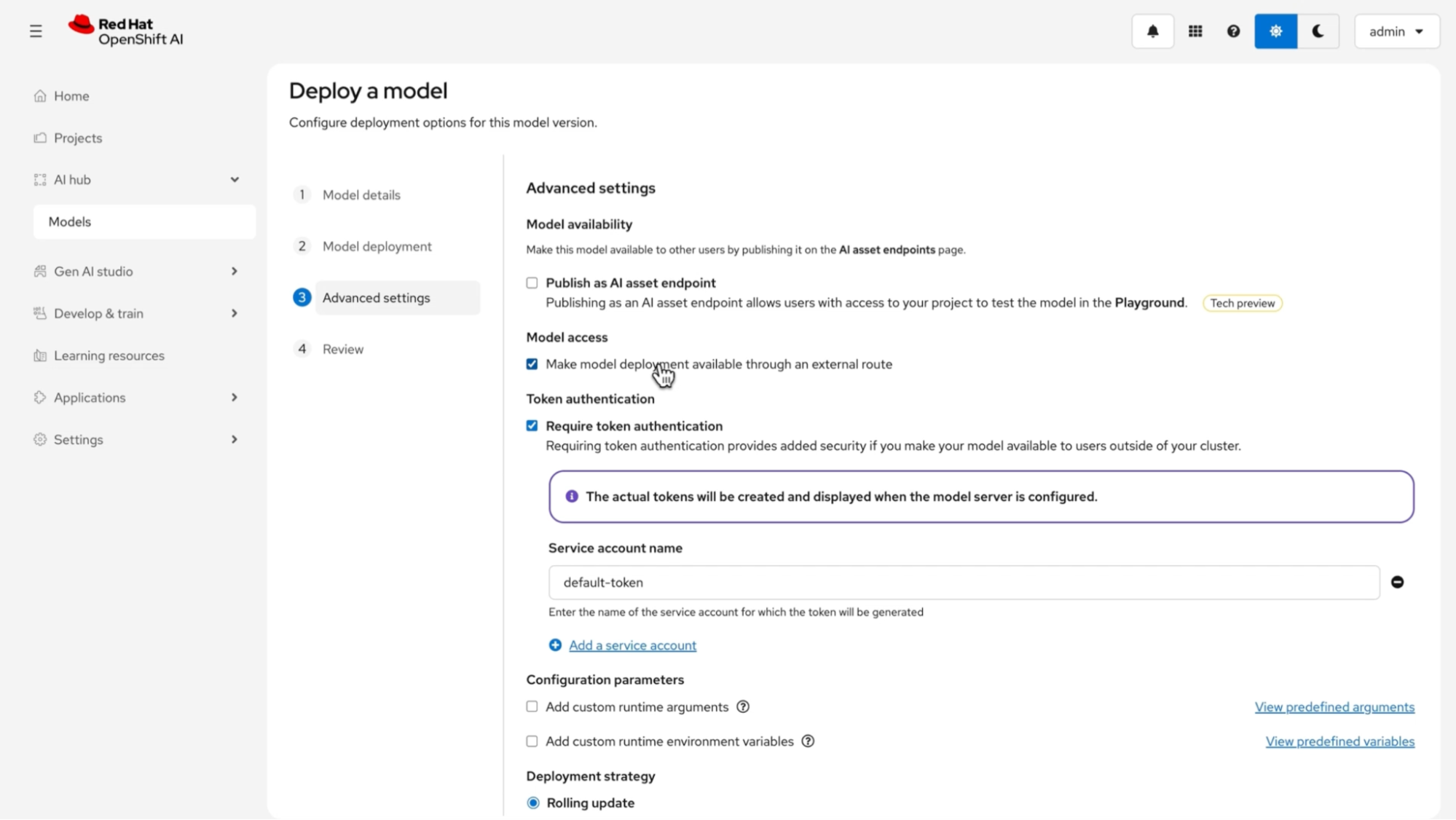
In the Advanced settings (Figure 5), we make the model accessible through an external route outside the cluster. This step lets us connect to it from a local machine as a developer.
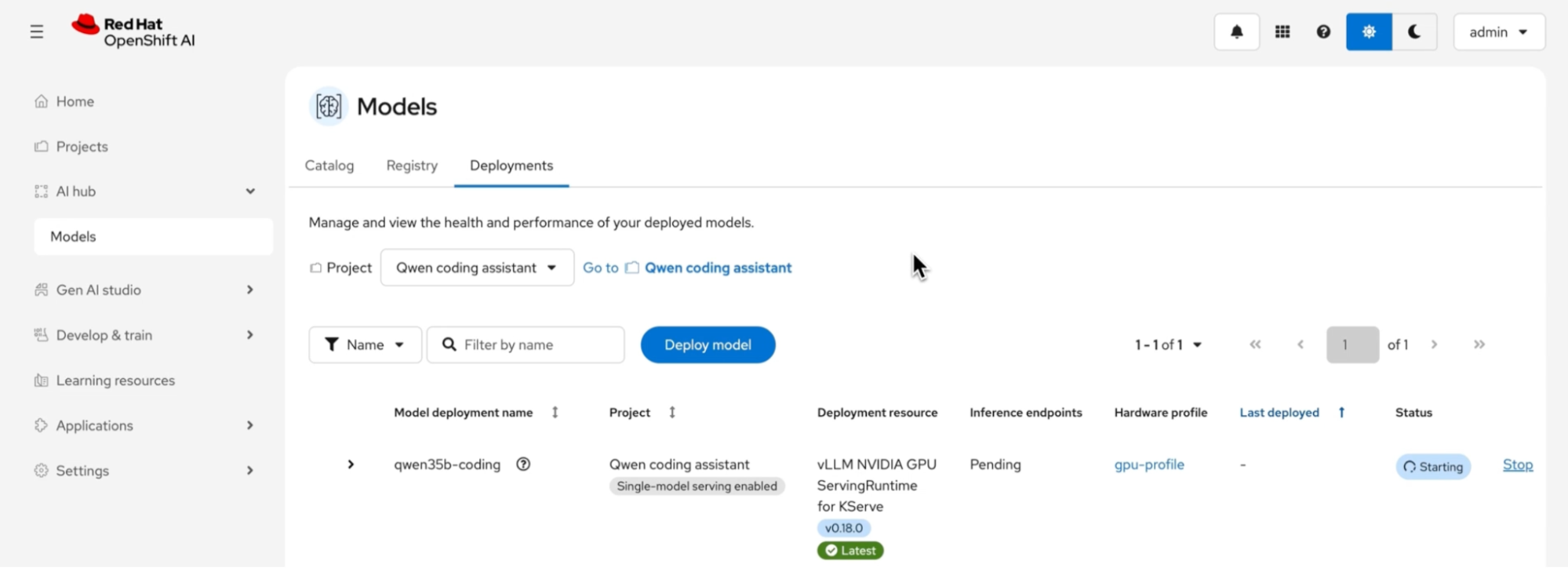
With those preferences set, we kick off the deployment, which begins spinning up the resources needed to get the model running on vLLM on top of OpenShift AI (Figure 6).
Connect Claude Code to your private model
Now, as a developer, we head to the terminal. We’ll export the OpenAI-compatible API endpoint for the model we have running on vLLM, set a dummy API key variable and the model name, and finish with the claude command to start up Claude Code (Figure 7).

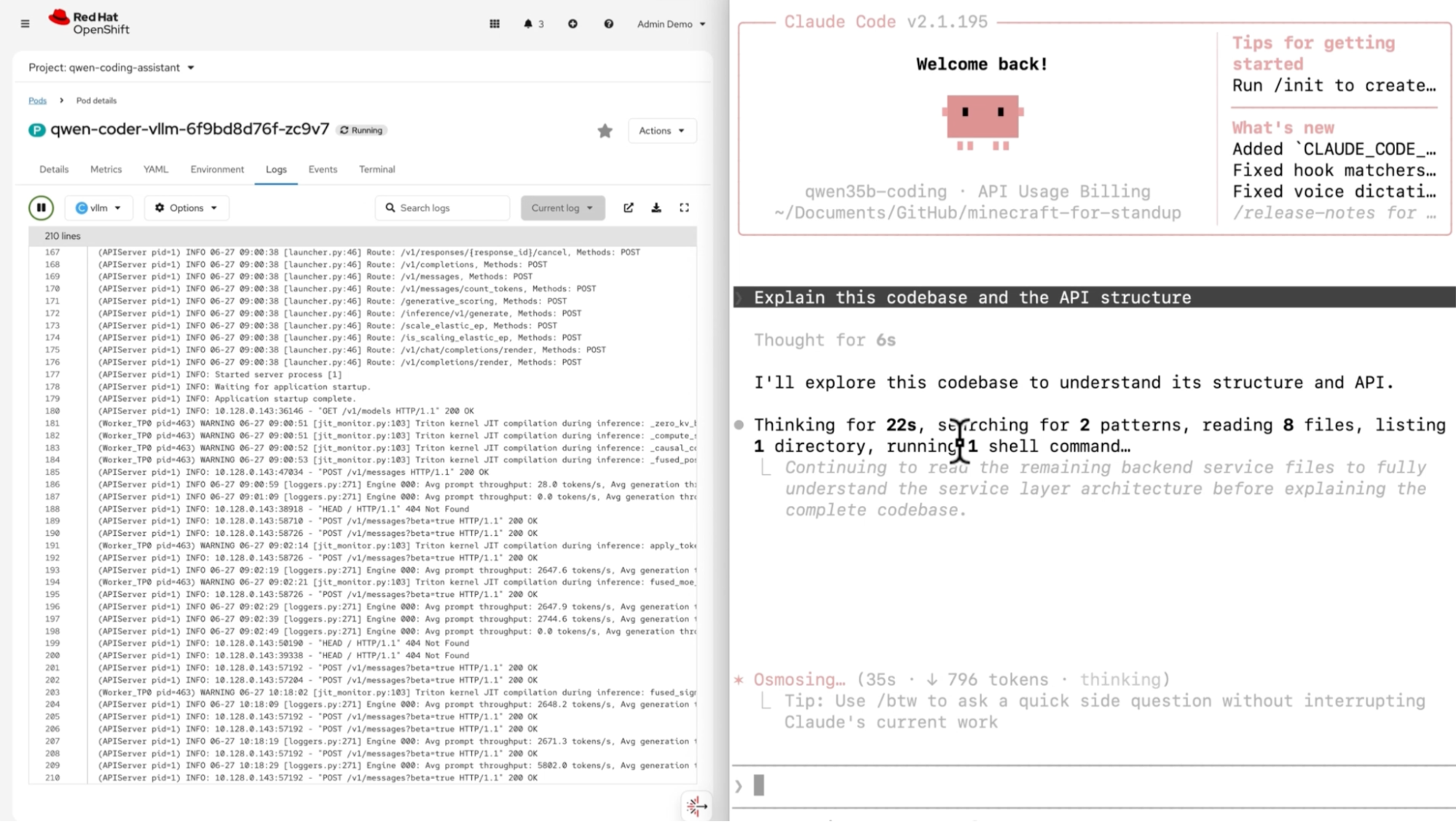
As shown in Figure 8, the left side displays the logs for the model running on vLLM. When we ask a question through our AI agent, Claude Code starts making requests to the instance running on our own hardware. We can watch it call tools and eventually summarize what the repository does, helping us be more productive as developers, without a single request leaving our infrastructure.
Wrapping up
In just a few quick steps, we set up a self-hosted coding assistant that our team is already familiar with (supporting MCP servers, Skills, and more). The value here isn’t just privacy (though that's a primary benefit) but operational independence. When your AI coding tools depend on external APIs, you're exposed to rate limits, outages, pricing changes, and, as we saw with the Fable/Mythos directive, regulatory actions that can pull models offline with zero warning. Running your own inference back end gives you a fallback that you control, using vLLM and OpenShift AI.
If you want to try this setup yourself, check out the Red Hat AI validated models on Hugging Face and the vLLM Claude Code integration docs.
Last updated: July 29, 2026
