Page
Enable external authentication for Ansible Automation Platform
There’s one critical setting in Red Hat Ansible Automation Platform that must be enabled for external OAuth integration to function properly. This setting controls whether external identity providers (like the Red Hat build of Keycloak) can authenticate users and generate OAuth2 tokens for API access.
Without this setting enabled, Ansible Automation Platform will reject authentication attempts from external OAuth providers, even if all other configurations are correct. This is a security gate that explicitly allows federated authentication while maintaining Ansible Automation Platform’s control over token generation.
This lesson solves this hurdle by configuring the platform gateway settings to explicitly permit external users to generate OAuth2 tokens, effectively allowing Keycloak-authenticated developers to trigger automation directly from Red Hat Developer Hub (Developer Hub).
Prerequisites:
- You must have administrative access to a Red Hat OpenShift Container Platform cluster.
- Install the OpenShift command-line interface (CLI) and Kustomize locally.
- A valid Red Hat subscription is required.
- Install Ansible Automation Platform, Keycloak, and Developer Hub operators and run the base instances on your cluster (Lesson 1).
- Create and configure the Red Hat build of Keycloak client for SSO (Lesson 2).
- Integrate Ansible Automation Platform with the Red Hat build of Keycloak (Lesson 3).
- Create a confidential OAuth application and enable the skip_authorization flag (Lesson 4).
- Generate a scoped API token linked to your OAuth application (Lesson 5).
In this lesson, you will:
- Enable the global setting to allow external users to create OAuth2 tokens.
- Verify the end-to-end API connectivity using your generated tokens.
Configure platform settings
Method 1: The Ansible Automation Platform UI
If you prefer to use UI:
- Log into Ansible Automation Platform Controller as an administrator.
Navigate to Settings → Platform gateway (Figure 1).
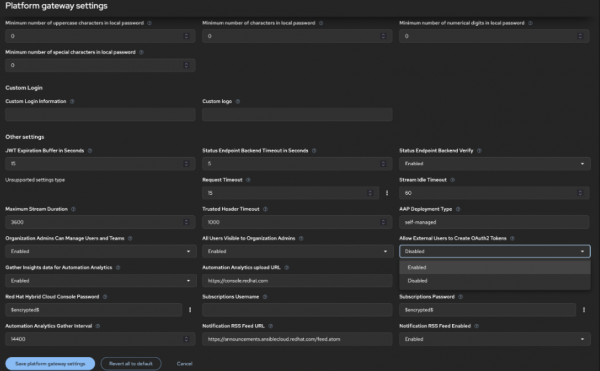
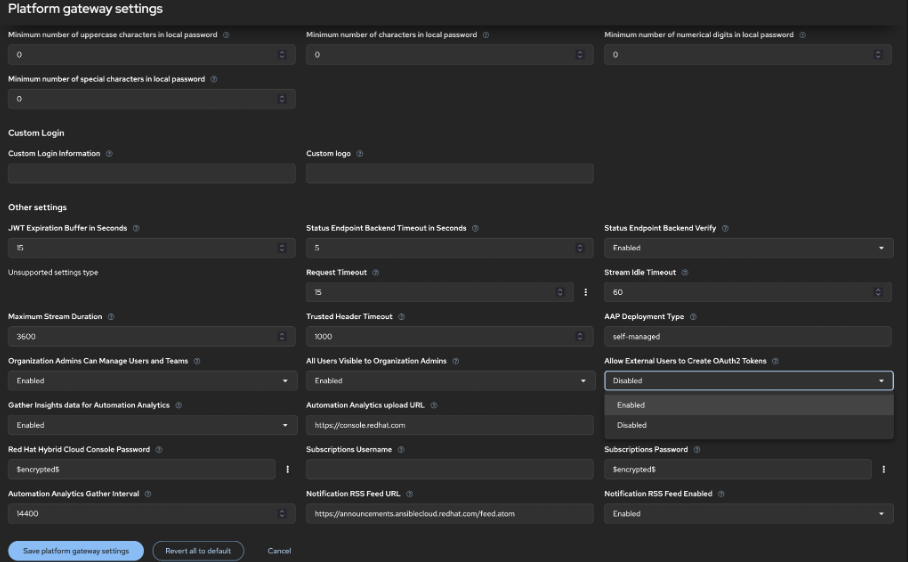
Figure 1: Ansible Automation platform gateway settings. - Locate the Allow external users to create OAuth2 tokens setting.
- Enable the toggle/checkbox.
- Click Save to apply the changes.
Method 2: Ansible Automation Platform API
You can also generate tokens programmatically:
Enter the command:
curl -sk -X PUT \
  "${AAP_URL}/api/gateway/v1/settings/oauth2_provider/" \
  -u "admin:${AAP_PASSWORD}" \
  -H "Content-Type: application/json" \
  -d '{"ALLOW_OAUTH2_FOR_EXTERNAL_USERS": true}'
Then, verify API access by testing that Developer Hub can call:
curl -H "Authorization: Bearer ${AAP_TOKEN}" \
  "${AAP_URL}/api/controller/v2/me/" | jq
Success! You’ve enabled external OAuth2 token generation and authorized the platform gateway to accept identities managed by the Red Hat build of Keycloak. This is a vital step that transforms your standalone automation engine into a federated service ready to be consumed by external platforms. Your backend is now fully prepared, authenticated, and authorized to handle requests coming from Developer Hub.
With the infrastructure, identity management, and gateway settings all in sync, let’s install Developer Hub.

