Red Hat Application Runtimes recently added extended support for the Spring Boot 2.1.6 runtime for Red Hat customers building Spring apps. Red Hat Application Runtimes provides application developers with a variety of application runtimes running on the Red Hat OpenShift Container Platform.
Introduction to Spring Boot
Spring Boot lets you create opinionated Spring-based standalone applications. The Spring Boot runtime also integrates with the OpenShift platform, allowing your services to externalize their configuration, implement health checks, provide resiliency and failover, and much more.
What's new?
This release introduces extended support for Spring Boot 2.1.6, and two technology preview features:
- Dekorate, a Java annotation processor for Kubernetes, formerly developed under the name AP4K. Dekorate is a tool for automatically updating Kubernetes and OpenShift configuration files without the need to manually edit individual XML, YAML, or JSON templates. When declared as a dependency in your Maven project, Dekorate automatically picks up annotations and changes them to properties that you set in your application, automatically updating the corresponding deployment configuration and resource definition templates.
- Vert.X Reactive Components, a set of supported starters for designing reactive applications. The productized starters are based on the community releases Spring WebFlux and Reactor Netty, with a set of additional Eclipse Vert.x extensions for the Spring Boot runtimes that extend the reactive capabilities of Spring WebFlux to include an asynchronous I/O API that handles network communication between individual application components. This addition lets you create a fully Red Hat-supported reactive stack that you can use to build your Spring Boot applications.
Consult the release notes for a complete list of what's new.
Get started
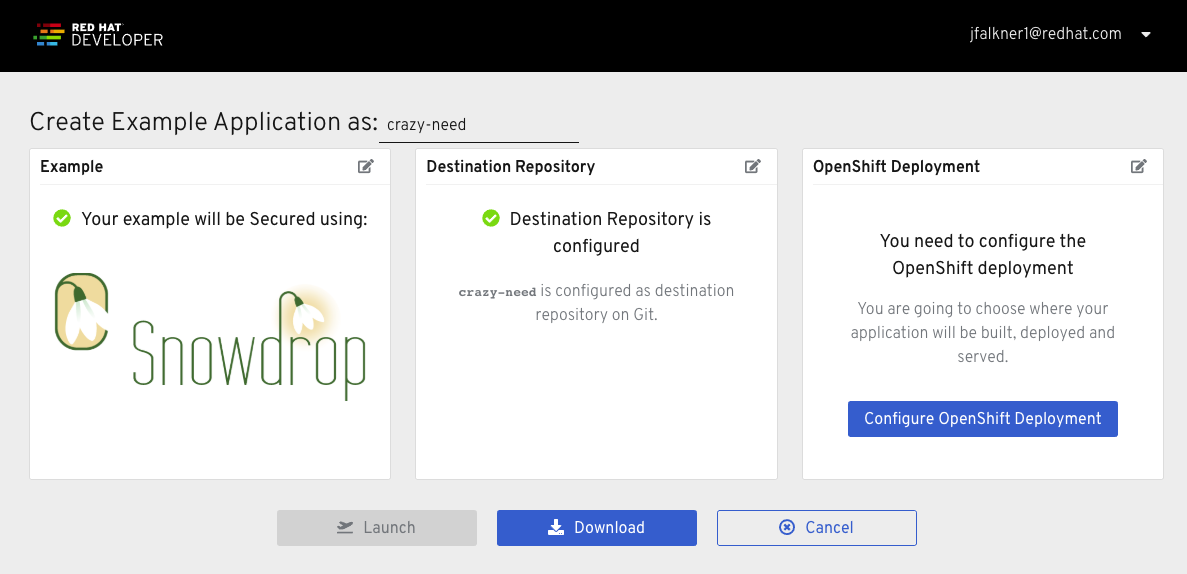
Using developers.redhat.com/launch, you can immediately create and deploy a Spring Boot application directly to OpenShift Online or to your own local OpenShift cluster. This tool provides a hassle-free way of creating applications from scratch, starting with example applications or importing your own, as well as an easy way to build and deploy those applications to Red Hat OpenShift.
Examples are available to showcase how developers can use Spring Boot to build the fundamental building blocks of cloud-native applications and services, such as creating secured RESTful APIs, implementing health checks, externalizing configuration, securing resources, or integrating with the OpenShift Service Mesh based on the Istio project.
Using Dekorate
To start using Dekorate you just need to add one dependency to your pom.xml:
<dependency>
  <groupId>io.dekorate</groupId>
  <artifactId>kubernetes-annotations</artifactId>
  <version>${project.version}</version>
</dependency>
Then, add one of the provided annotations to your project. For example:
import io.dekorate.kubernetes.annotaion.KubernetesApplication;

@KubernetesApplication
public class Main {

    public static void main(String[] args) {
      //Your application code goes here.
    }
}
When this project gets compiled, the annotation will trigger the generation of a Deployment in both JSON and YAML that will end up under the target/classes/META-INF/dekorate directory. This Deployment can then be applied to your Kubernetes cluster with kubectl apply -f target/classes/META-INF/dekorate/kubernetes.yml.
The annotation comes with a lot of optional parameters, which can be used to customize the Deployment and trigger the generation of additional resources, like Service and Ingress. Other features that you can add to your application for various services include:
- OpenShift to create image streams and build configurations, plus bind to service catalog services.
- Kubernetes to add labels, annotations, environment variables, volume mounts, ports/services, JVM options, init containers, and inject sidecars.
- Prometheus to configure monitoring.
- Jaeger to connect your app to distributed tracing.
For an excellent overview of more Dekorate functionality, check out Gytis ' blog How to use Dekorate to create Kubernetes manifests.
Building reactive applications with Spring Boot and Eclipse Vert.x
The Spring reactive stack is built on Project Reactor, a reactive library that implements backpressure and is compliant with the Reactive Streams specification. It provides the Flux and Mono functional API types that enable asynchronous event stream processing. On top of Project Reactor, Spring provides WebFlux, an asynchronous event-driven web application framework. Reactive applications built with this stack enable non-blocking, asynchronous, event-driven apps that are highly scalable and resilient. They also ease integration with other related reactive libraries like Apache ActiveMQ Artemis, Apache Kafka, or Infinispan (all fully supported via Red Hat Middleware).
This Spring reactive offering by Red Hat brings the benefits of Reactor and WebFlux to OpenShift and standalone Red Hat Enterprise Linux, and it introduces a set of Eclipse Vert.x extensions for the WebFlux framework. This addition allows you to retain the level of abstraction and rapid prototyping capabilities of Spring Boot, and provides an asynchronous I/O API that handles the network communications between the services in your application in a fully reactive manner.
To create a basic reactive HTTP web service, add the following dependency to your pom.xml:
<dependency>
  <groupId>dev.snowdrop</groupId>
  <artifactId>vertx-spring-boot-starter-http</artifactId>
</dependency>
This addition brings in the required dependencies to create reactive applications. Next, create a reactive sample app:
package dev.snowdrop.vertx.sample.http;

import org.springframework.boot.SpringApplication;
import org.springframework.boot.autoconfigure.SpringBootApplication;
import org.springframework.context.annotation.Bean;
import org.springframework.web.reactive.function.server.RouterFunction;
import org.springframework.web.reactive.function.server.ServerRequest;
import org.springframework.web.reactive.function.server.ServerResponse;
import reactor.core.publisher.Mono;

import static org.springframework.web.reactive.function.BodyInserters.fromObject;
import static org.springframework.web.reactive.function.server.RouterFunctions.route;
import static org.springframework.web.reactive.function.server.ServerResponse.ok;

@SpringBootApplication
public class HttpSampleApplication {

    public static void main(String[] args) {
        SpringApplication.run(HttpSampleApplication.class, args);
    }

    @Bean
    public RouterFunction<ServerResponse> helloRouter() {
        return route()
            .GET("/hello", this::helloHandler)
            .build();
    }

    private Mono<ServerResponse> helloHandler(ServerRequest request) {
        String name = request
            .queryParam("name")
            .orElse("World");
        String message = String.format("Hello, %s!", name);

        return ok()
            .body(fromObject(message));
    }
}
Finally, build and test:
$ mvn clean package
$ java -jar target/vertx-spring-boot-sample-http.jar
$ curl localhost:8080/hello
Hello, World!
There are several other example applications for authentication via OAuth2, reactive email clients, server-sent events, and more in the Spring Boot Runtime Guide.
For more detail on creating reactive web services with Spring Boot, see the reactive REST service development guide in the Spring community documentation.
Documentation
The Runtimes team has been continuously adding and improving on the official documentation for building apps with Spring Boot. This effort includes updates in the Release Notes, Getting Started Guide, and the Spring Boot Runtime Guide.
Developer interactive learning scenarios
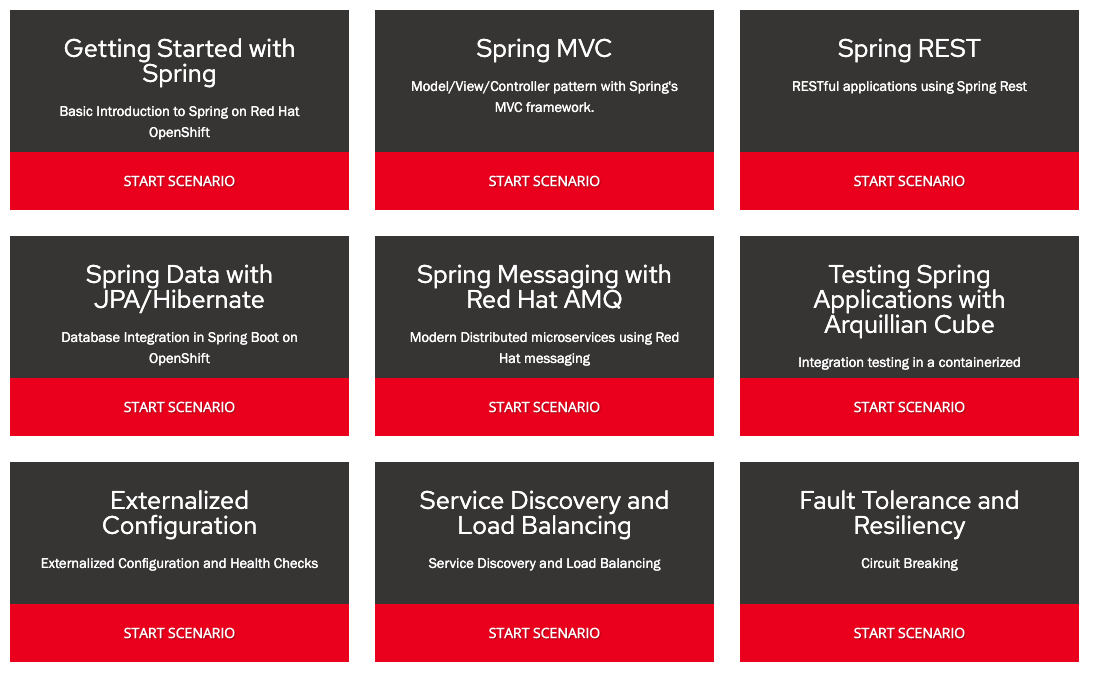
These self-paced scenarios provide you with a preconfigured Red Hat OpenShift instance, accessible from your browser without any downloads or configuration. Use it to experiment with Spring Boot or learn about other technologies within Red Hat Application Runtimes and see how it helps solve real-world problems:
Getting support for Spring Boot
Support for Spring Boot is available to Red Hat customers through a subscription to Red Hat OpenShift Application Runtimes. Contact your local Red Hat representative or Red Hat Sales for details on how you can enjoy the world-class support offered by Red Hat and its worldwide partner network. More information on what's included can be found in Extending support to Spring Boot 2.x for Red Hat OpenShift Application Runtimes.
Moving forward, customers can expect support for Spring Boot and other runtimes according to the Red Hat Product Update and Support Lifecycle.
What’s next for Spring Boot support?
The Runtimes Spring Boot team is continually taking feedback from customers and the wider community of open source developers, as well as tracking the upstream Spring Boot releases. The team is working to make updates to support based on that feedback, as well as considering support for additional modules from Red Hat and the large Java and Spring community.
The people behind Red Hat's Spring Boot support
This offering was produced by Red Hat’s Application Runtimes product and engineering team along with the Snowdrop upstream community, and involved many hours of development, testing, documentation writing, testing some more, and working with the wider Red Hat community of customers, partners, and Spring developers to incorporate contributions, both big and small. We are glad you have chosen to use it and hope that it meets or exceeds your expectations!

