Red Hat Ansible Automation Platform's official Visual Studio Code (VS Code) extension has undergone many iterations and improvements since its initial release in 2021. Along with its automatic linting and easy documentation access, one of the most helpful features of the extension is its ability for users to generate Ansible playbooks and roles using their AI large language model of choice. This is known as the automation coding assistant (formerly Ansible Lightspeed). While initially integrated with IBM watsonx (an agent platform released by IBM in 2023), the extension now supports additional model integrations via Google Gemini and OpenAI-compatible endpoints through Red Hat AI.
Integrated into the Ansible VS Code extension, the automation coding assistant generates an Ansible playbook or role, which the extension then automatically lints to check for errors. When reviewing the code, if there are unfamiliar modules or keywords, the user can retrieve documentation with a single click and make manual edits as needed. Watch a 60-second video demonstration of real-time linting and playbook generation in action.
Hands-on lab updated
This blog post introduces an update to the interactive lab demonstrating the VS Code extension's capabilities through a real Ansible use case: installing a database server and deploying an HTML landing page template to a set of web servers. The automation coding assistant lab walks you through using the Ansible extension, writing accurate prompts, understanding model generation, and evaluating the generated playbook's output.
The 1st lab module gives an overview of the lab environment and a basic introduction to the Ansible VS Code extension. The lab hosts a VS Code window (via code-server) for generating and running playbooks, and a web view of the 2 nodes the HTML template deploys against.
Throughout the 2nd and 3rd lab modules, you prompt the automation coding assistant with a detailed description of the playbook to generate. This approach teaches you how to write clear, effective prompts while building a solid foundation in Ansible playbook structure.
You then run the playbook, see the landing page fully deployed (Figure 1), and in the final step, learn how to generate an Ansible role from individual Ansible tasks using the automation coding assistant and understand how its structure relates to the playbook.
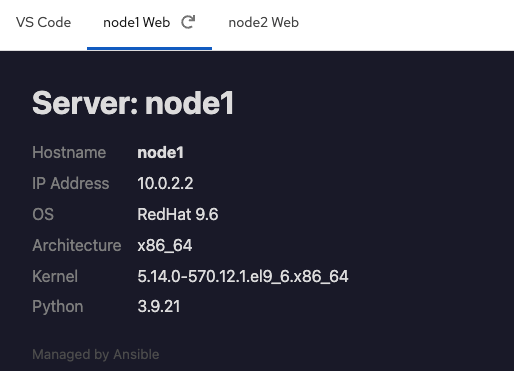
The updated lab includes several improvements over the previous version, resulting in faster setup, more accurate code generation, and a greater focus on the automation coding assistant's practical applications.
About the lab
The automation coding assistant now connects to an open source model served via a preconfigured OpenAI-compatible endpoint (Figure 2). This demonstrates the extension's "bring your own model" capability and eliminates the setup process that previously required leaving the lab environment to obtain credentials.
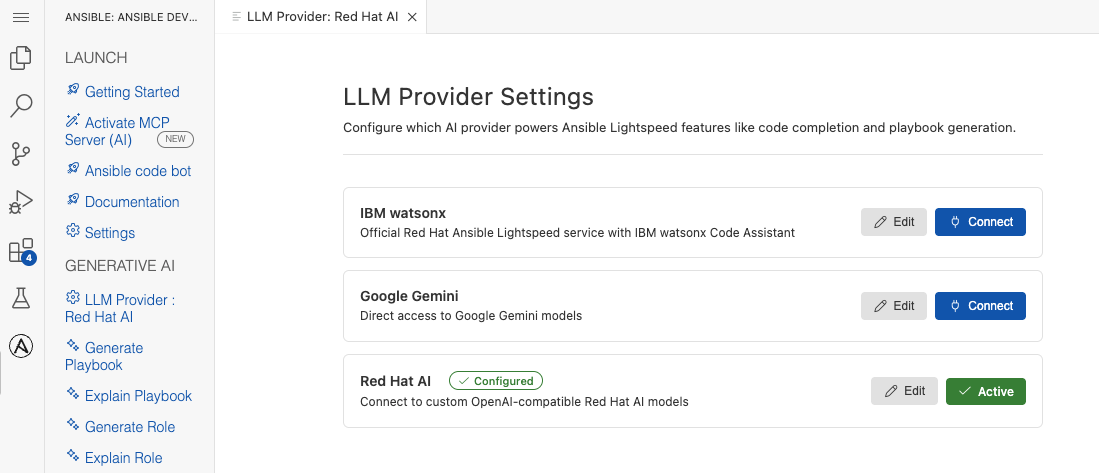
Try it out
The refreshed lab provides a realistic environment to test how the Ansible VS Code extension performs in real-world workflows. Setup improvements allow you to spend your lab time engaging directly with the automation coding assistant, Paired with a more capable AI model, the lab ensures you leave with a working playbook and a clear understanding of the extension's value.
Want to try this lab? Ask your Red Hat sales representative or explore the Ansible VS Code extension documentation to get started.

