Page
Set up your VM disaster recovery environment

This lesson will show you how to set up a disaster recovery environment for virtual machines by installing the Network File System (NFS) storage driver, Red Hat OpenShift Virtualization, and the OpenShift APIs for Data Protection (OADP) backup tool. Two custom plugins will automatically adjust storage settings during recovery and convert snapshots into usable data volumes for systems that don't support direct replication.
Prerequisites:
- A running S3 storage shared by the two clusters
- One NFS storage for each of the clusters
In this lesson, you will:
- Provision the container storage interface (CSI) driver for NFS
- Install Red Hat OpenShift Virtualization
- Install two custom OADP plugins (
velero-plugin-oadp-drandvelero-plugin-snapshot)
Provision the NFS CSI Driver
In this learning path, we will use the NFS CSI driver as the storage back end.
First, deploy the NFS CSI driver to your cluster.
curl -skSL https://raw.githubusercontent.com/kubernetes-csi/csi-driver-nfs/v4.12.1/deploy/install-driver.sh | bash -s v4.12.1 --Next, create the StorageClass and VolumeSnapshotClass. The reclaimPolicy must be set to Retain. Otherwise, the OADP plugin for PV modification will not be triggered during the restore process.
apiVersion: storage.ks.io/v1
kind: StorageClass
metadata:
  name: nfs-csi
  annotations:
    storageclass.kubernetes.io/is-default-class: "true"
provisioner: nfs.csi.k8s.io
parameters:
  server: 192.168.99.1
  share: /openshift-01
reclaimPolicy: Retain # Must be Retain for this disaster recovery strategy
volumeBindingMode: Immediate
allowVolumeExpansion: true
mountOptions:
  - hard
  - nfsvers=4.2 # Recommended to use NFSv4
  - rsize=1048576 # Increasing read/write block size can improve performance
  - wsize=1048576
  - noatime
  - nodiratime
  - actimeo=60 # Cache attributes for 60 seconds
  # --- Lock and timeout optimizations to handle "lost lock" issues ---
  - timeo=600     # Timeout in tenths of a second (600 = 60s). Increases tolerance for network latency.
  - retrans=3     # Number of retransmissions.
---
apiVersion: snapshot.storage.k8s.io/v1
kind: VolumeSnapshotClass
metadata:
  name: nfs-csi-snapclass
driver: nfs.csi.k8s.io
deletionPolicy: Delete
Install Red Hat OpenShift Virtualization
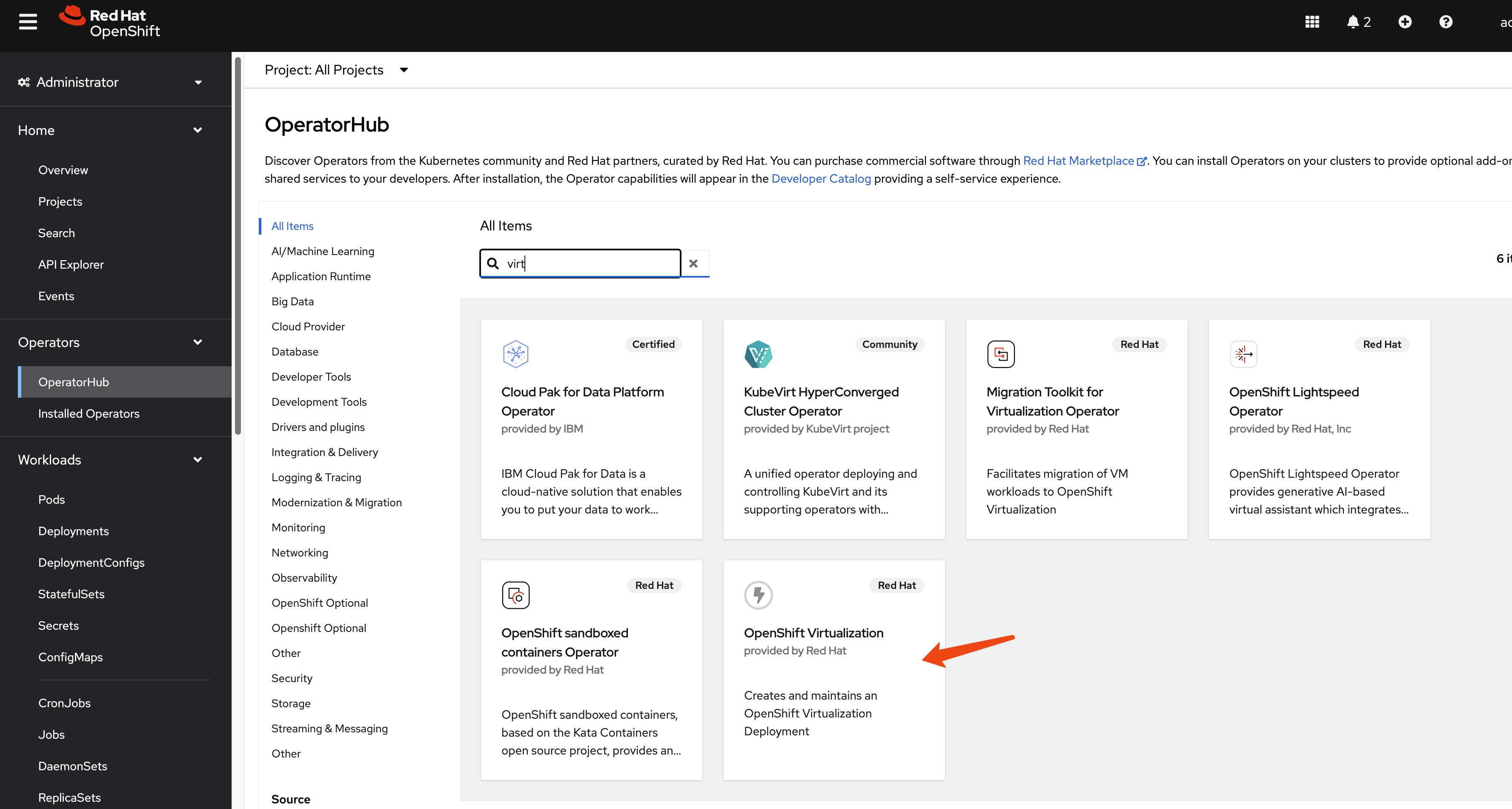
This guide focuses on the disaster recovery of virtual machines, so the OpenShift Virtualization operator is a primary requirement. Install it from the OperatorHub in your OpenShift cluster (Figure 1).
Install custom OADP plugins
We use two custom plugins. The velero-plugin-oadp-dr dynamically patches PersistentVolumes (PVs) for the disaster recovery site during restoration. The velero-plugin-snapshot converts snapshots to persistent volume claims (PVCs) during backups. This is for storage systems that lack snapshot replication.
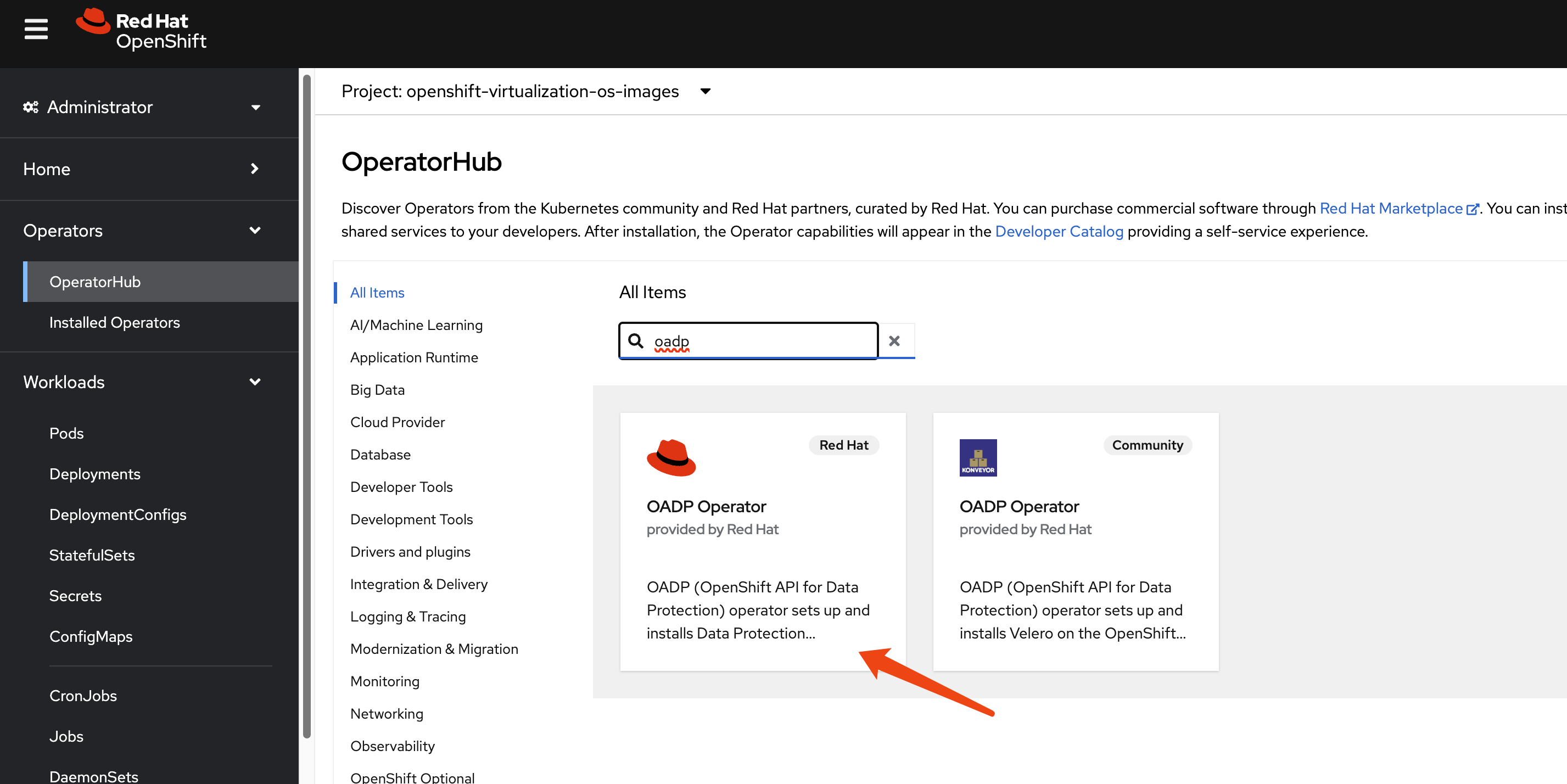
We use the OADP operator for metadata backup and restore. Install the OADP operator on both the primary (cluster-01) and DR (cluster-02) clusters (Figure 2).
Next, configure a Kubernetes Secret that contains the credentials for your S3-compatible object storage bucket, which stores the metadata backups.
# Create a credentials file for MinIO or any S3-compatible storage
cat << EOF > $BASE_DIR/data/install/credentials-minio
[default]
aws_access_key_id = rustfsadmin
aws_secret_access_key = rustfsadmin
EOF
# Create the secret in the openshift-adp namespace
oc create secret generic minio-credentials \
--from-file=cloud=$BASE_DIR/data/install/credentials-minio \
-n openshift-adp
Finally, create a DataProtectionApplication (DPA) custom resource. This configures the OADP instance, specifying the S3 backup location and enabling the necessary plugins for Red Hat OpenShift, KubeVirt, CSI, and our custom disaster (CR) recovery logic.
# Define the OADP instance (DataProtectionApplication)
cat << EOF > $BASE_DIR/data/install/oadp.yaml
apiVersion: oadp.openshift.io/v1alpha1
kind: DataProtectionApplication
metadata:
  name: velero-instance
  namespace: openshift-adp
spec:
  # 1. Define the S3 backup storage location
  backupLocations:
    - name: default
      velero:
        provider: aws
        default: true
        objectStorage:
          bucket: ocp
          prefix: velero # Backups will be stored under the 'velero/' prefix
        config:
          # For non-AWS S3, provide the endpoint URL
          s3Url: http://192.168.99.1:9001
          region: us-east-1
        # Reference the secret containing S3 credentials
        credential:
          name: minio-credentials
          key: cloud

  # 2. Configure Velero plugins and features
  configuration:
    nodeAgent:
      enable: true
      uploaderType: kopia
    velero:
      # Enable default plugins for OpenShift, KubeVirt, CSI, and AWS
      defaultPlugins:
        - openshift
        - kubevirt
        - csi
        - aws
      featureFlags:
        - EnableCSI
      customPlugins: # Add custom plugins
      # This plugin will patch the PV during OADP restore
      - name: csi-volume-dr # A unique name for the plugin
        image: quay.io/wangzheng422/qimgs:velero-plugin-oadp-dr-2025.11.05-v01
      # This plugin will restore a PVC from a snapshot during OADP backup
      - name: snapshot-dr # A unique name for the plugin
        image: quay.io/wangzheng422/qimgs:velero-plugin-snapshot-2025.11.05-v01
    # 3. Volume snapshot and data mover configuration is not needed for this metadata-only strategy
    # csi:
    #   enable: false
    # datamover:
    #   enable: false
EOF
oc apply -f $BASE_DIR/data/install/oadp.yaml
As you can see, we use two custom OADP plugins:
PV patching plugin (
velero-plugin-oadp-dr)- This plugin activates during a restore operation. It reads a
ConfigMapnamedvelero-plugin-regex-mapthat contains rules for finding and replacing strings within PV definitions. This allows it to dynamically map PVs to the disaster recovery site's storage environment. For reference, the source code is available at GitHub. See below for an example of the velero-plugin-regex-map configuration. - Configuration parameters explained:
path: The JSON path to the field within the PersistentVolume specification that needs to be modified. Common paths include:spec.csi.volumeHandle: CSI volume identifier.spec.csi.volumeAttributes.share: NFS share path.spec.csi.volumeAttributes.server: Storage server address.find: A regular expression pattern to match the value that needs to be replaced. This supports standard regex syntax, allowing for complex pattern matching.replace: The replacement string. You can use capture groups from the find regex (e.g., $1, $2) to preserve parts of the original value.
The plugin processes these rules sequentially during the restore operation, applying each transformation to the PV objects before they are created in the disaster recovery cluster.
- This plugin activates during a restore operation. It reads a
Snapshot-to-PVC plugin (
velero-plugin-snapshot)- This plugin activates during a backup operation. It scans for
VolumeSnapshotobjects. If a snapshot is found, the plugin creates a new PVC that restores data from that snapshot and then waits for the new PVC to become bound to a PV. This is essential for storage systems that do not support replicating snapshots directly. For reference, the source code is available at GitHub.
- This plugin activates during a backup operation. It scans for
Configure the ConfigMap
The OADP plugin will look for the dedicated CR YAML path and replace one value with another. This is useful when the disaster recovery cluster has a dedicated storage system. The PV/PVC metadata copied from the original cluster has settings that point to the original storage system. That means the metadata needs to be changed to point to the disaster recovery storage system.
apiVersion: v1
kind: ConfigMap
metadata:
  # The ConfigMap must be created in the Velero installation namespace
  namespace: openshift-adp
  name: velero-plugin-regex-map
data:
  # --- Rule 1: Modify volumeHandle ---
  # path: Specifies the complete path to the field to be modified
  rule1.path: "spec.csi.volumeHandle"
  # find: Regular expression used for searching
  rule1.find: "openshift-01"
  # replace: Target string to replace with. You can use $1, $2, etc. to reference regex capture groups
  rule1.replace: "openshift-02"
  # --- Rule 2: Modify volumeAttributes.share ---
  rule2.path: "spec.csi.volumeAttributes.share"
  rule2.find: "openshift-01"
  rule2.replace: "openshift-02"
  # --- You can continue adding more rules as needed ---
  # rule3.path: "..."
  # rule3.find: "..."
  # rule3.replace: "..."
Now that you’ve set up your disaster recovery environment, it’s time to interact with your metadata.

