Page
Interact with the hosted models using curl

In this lesson, we will make a connection to the hosted models and then prompt them to return some generated text. We will try this using all three of the available inference servers to demonstrate the models' varied behaviors.
We will use a small shell script to get the actual models hosted by each service. The services provide an API endpoint that mimics the OpenAI public endpoint. This design ensures seamless compatibility for clients configured to work with that specific API schema.
Prerequisites:
- Access to the Developer Sandbox (A free trial is available).
In this lesson, you will:
- Connect directly to the hosted models and perform a call to get a response.
Command the model
Follow these steps to command the model.
Go back to the terminal as described in the previous lesson. If it has disconnected, click Reconnect in the terminal to reestablish the connection.
Once in the terminal, type the following:
git clone https://github.com/utherp0/sandboxgpullm
cd sandboxgpullm
./getModels.sh
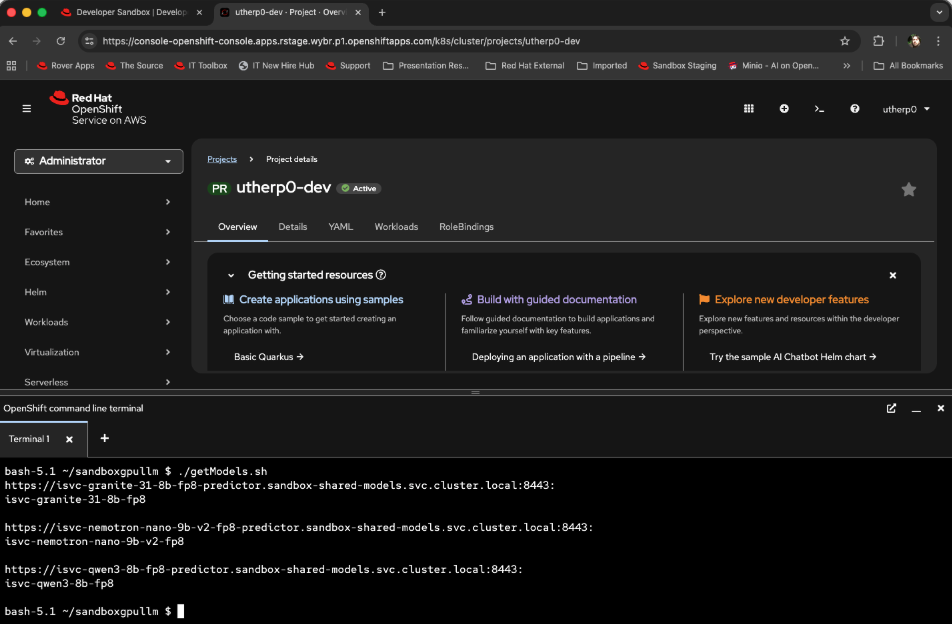
The output will list the URL endpoint for the services and the model(s) it hosts (Figure 1).
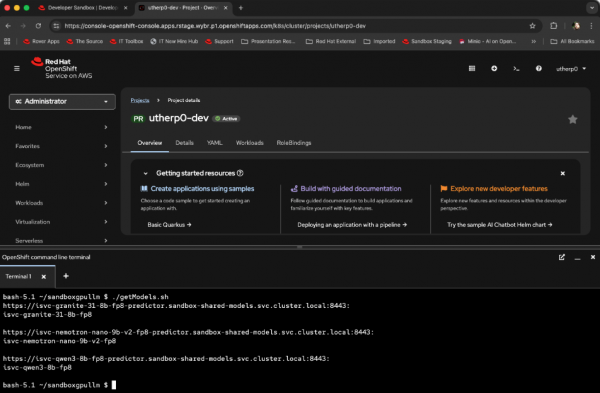
Figure 1: Models hosted by the inference services. Figure 1: This output shows the models hosted by the inference services. If you’re curious, here is the script to achieve this:
for hostService in $(oc get isvc -n sandbox-shared-models -o jsonpath='{.items[*].status.address.url}');
do echo $hostService
   curl -skL -H "Authorization: Bearer "$(oc whoami -t) $hostService/v1/models | jq -r '.data[].id';
   printf "\n\r"
done
Now we will try using the models. The
curlcommand may be a little fiddly to type, especially given JSON’s formatting, so it is available in the GitHub repository you have already pulled down in the previous steps.Go back to the terminal and reconnect it if necessary. Make sure you are still in the directory from the previous command (
sandboxgpullm).Now type the following:
./testModel.sh | jq .choices[0].message.contentThe
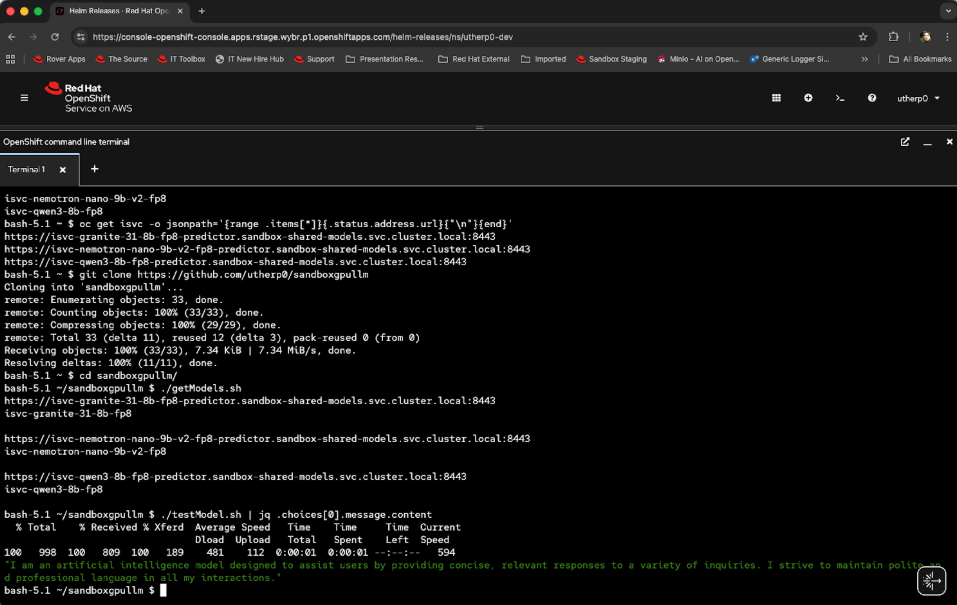
jqcommand, used in the previous example as well, gives you a nicely formatted version of the JSON returned. It should look something like Figure 2: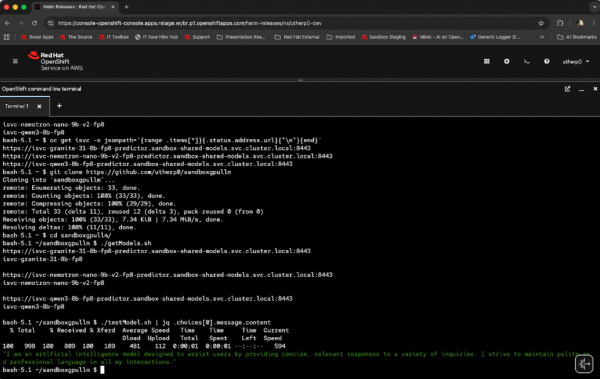
Figure 2: A response from the Granite model. Figure 2: This shows the response from the Granite model. The script looks like this:
curl -kL -H "Authorization: Bearer "$(oc whoami -t) -H "Content-type: application/json" https://isvc-granite-31-8b-fp8-predictor.sandbox-shared-models.svc.cluster.local:8443/v1/chat/completions -d '{"model":"isvc-granite-31-8b-fp8", "messages":
[{"role":"system", "content":"You are an assistant that speaks in polite english"}, {"role":"user", "content":"What kind of model are you?"}]}'
In this instance we have called the /chat/completions API endpoint, which takes an array of messages. We have passed in a system definition to tune the response (“You are an assistant that speaks in polite English”) and a quick prompt (“What kind of model are you?”).
Now, repeat the query to all of the models. There is another script in the repository to do that. Type the following:
./testAllModels.shIf you’re curious, the script looks like this:
curl -kL -H "Authorization: Bearer "$(oc whoami -t) -H "Content-type: application/json" https://isvc-granite-31-8b-fp8-predictor.sandbox-shared-models.svc.cluster.local:8443/v1/chat/completions -d '{"model":"isvc-granite-31-8b-fp8", "messages": [{"role":"system", "content":"You are an assistant that speaks in polite english"}, {"role":"user", "content":"What kind of model are you?"}]}' | jq .choices[0].message.content

curl -kL -H "Authorization: Bearer "$(oc whoami -t) -H "Content-type: application/json" https://isvc-nemotron-nano-9b-v2-fp8-predictor.sandbox-shared-models.svc.cluster.local:8443/v1/chat/completions -d '{"model":"isvc-nemotron-nano-9b-v2-fp8", "messages": [{"role":"system", "content":"You are an assistant that speaks in polite english"}, {"role":"user", "content":"What kind of model are you?"}]}' | jq .choices[0].message.content

curl -kL -H "Authorization: Bearer "$(oc whoami -t) -H "Content-type: application/json" https://isvc-qwen3-8b-fp8-predictor.sandbox-shared-models.svc.cluster.local:8443/v1/chat/completions -d '{"model":"isvc-qwen3-8b-fp8", "messages": [{"role":"system", "content":"You are an assistant that speaks in polite english"}, {"role":"user", "content":"What kind of model are you?"}]}' | jq .choices[0].message.content
This script has the
jqalready embedded for ease of use.
We have now directly interacted with all three of the GPU-hosted LLMs successfully, but curl isn’t the easiest way to do it. Next, we will use the Red Hat OpenShift AI components to write Python code directly against the models.

