GitOps is now the definitive standard for managing Kubernetes cluster configuration and applications. Red Hat continues to see the widespread adoption of the GitOps methodology across our portfolio as customers look for ways to increase efficiency in their operations and development teams.
Red Hat is pleased to announce that version 1.20 of OpenShift GitOps has been released, bringing with it some exciting new capabilities.
New in version 1.20
New Features in Argo CD Agent
The Argo CD Agent reached GA in the previous release but development continues with some exciting new features.
A significant new feature is that Applications can now be routed to destination clusters based on destination name, i.e. Application.spec.destination.name, instead of namespace routing, based on the namespace where the Application resides, which required the Apps-In-Any-Namespace feature. This new feature greatly simplifies Application routing and restores the ability to leverage Apps-In-Any-Namespace to support multi-tenant Agent installations.
Going forward using the destination name is the preferred way to handle routing however routing by Apps-In-Any-Namespace remains supported and is the default for compatibility with previous releases.
Another new feature is the ability to use the Web Based Terminal feature in Argo CD for pods on remote workload clusters. This optional feature, not enabled by default in OpenShift GitOps, enables users to access the pod command line terminal in the Argo CD user interface.
Finally, the previous release added the ability to manage both Principals and Agents with the OpenShift GitOps operator, however the ability to manage Agents was not documented. This has been added in this release.
OpenShift Console Plugin for OpenShift GitOps
Work continues on the OpenShift Console Plugin that adds support for OpenShift GitOps custom resources directly in the OpenShift Console.
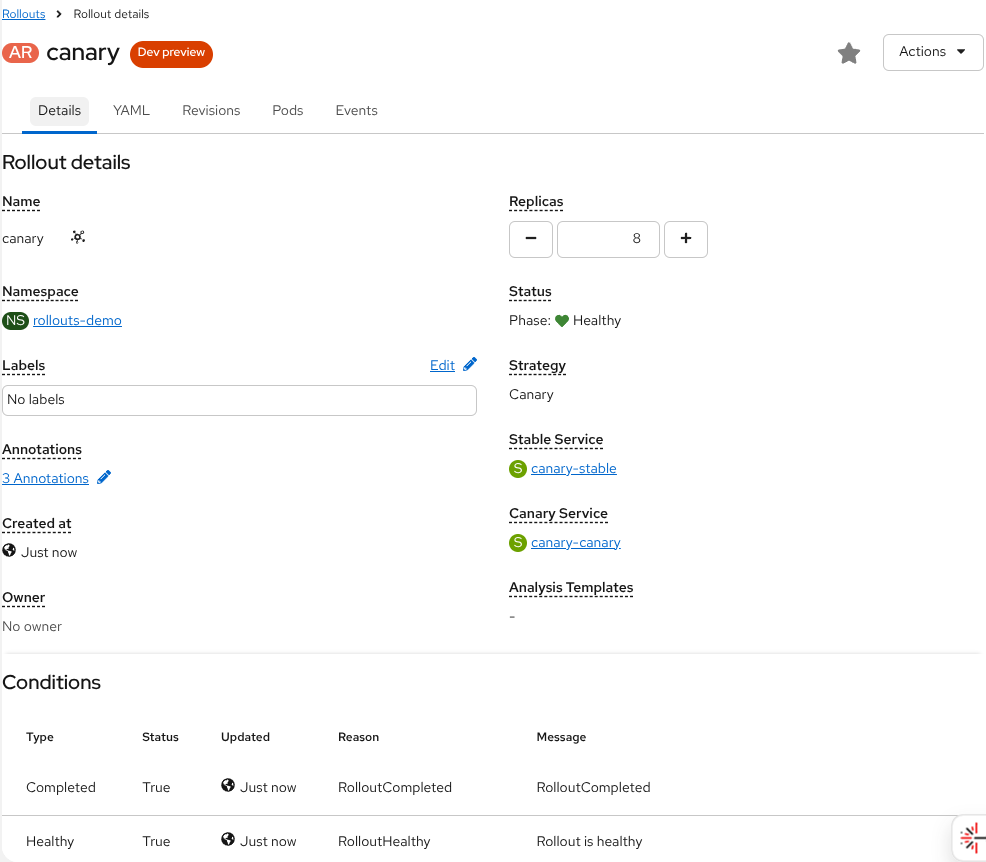
New support for Argo Rollouts including both list and detail views.
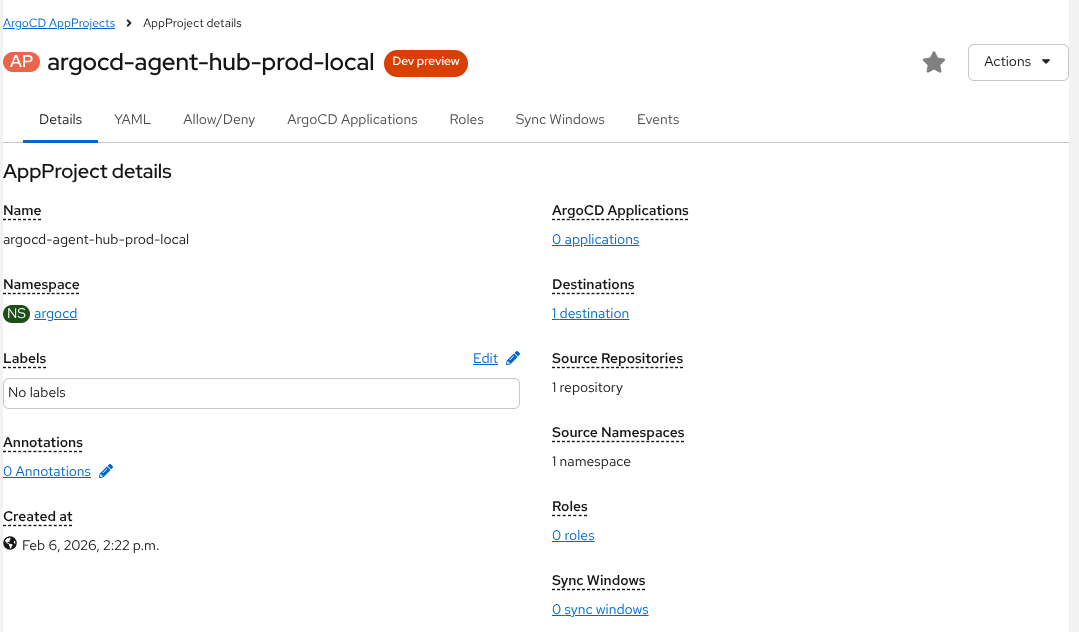
New support for Argo CD AppProjects:
Finally a graphical tree view of Application resources has been added to the Applications resource:
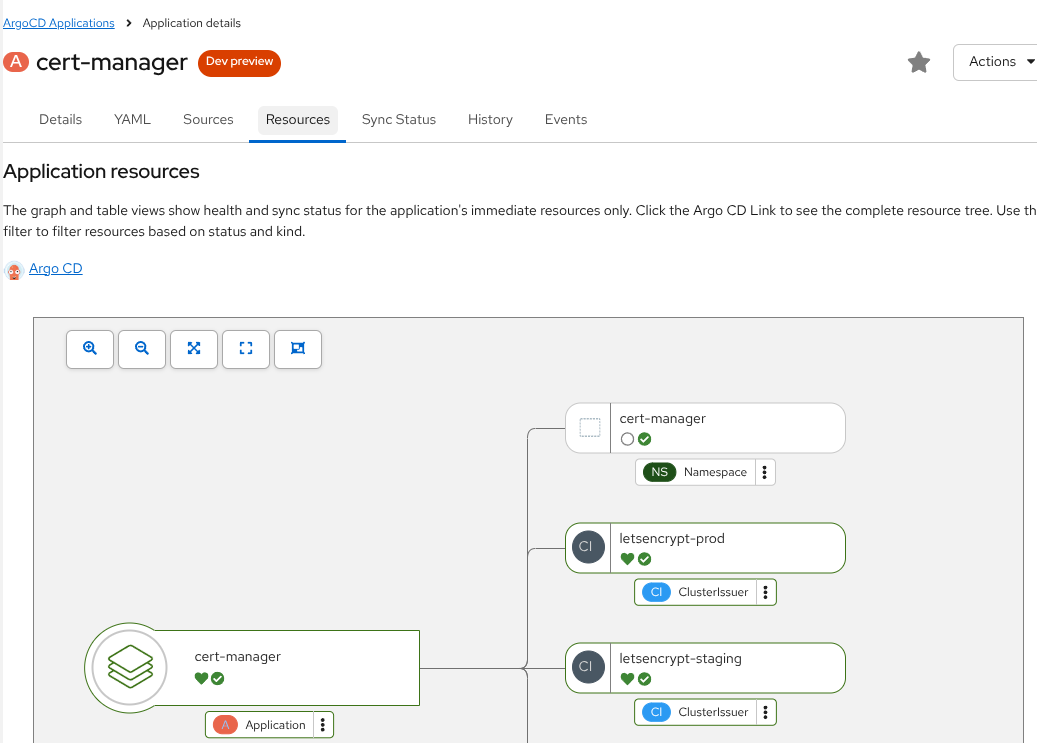
Note this feature remains in Developer Preview.
NetworkPolicy for Argo CD Resources
To further harden Argo CD, the OpenShift GitOps operator will now automatically create NetworkPolicy resources for Argo CD components, this behavior can be changed by setting ArgoCD.spec.networkPolicy.enabled to false.
Previously the operator automatically created a NetworkPolicy for Redis, with this new feature additional NetworkPolicy will be created for:
- Application Controller
- Argo CD Server
- Repo Server
- Redis (Previous release)
- Redis HA
- Dex Server (when Dex is configured)
- Notifications Controller (when notifications are enabled)
- ApplicationSet Controller (when ApplicationSet is enabled)
- Argo CD Agent Principal (when the Argo CD Agent Principal is enabled)
OpenShift External OIDC Integration
OpenShift 4.20 added a new feature where direct integration with an External OIDC provider is enabled instead of using the OAuth server. When this feature is enabled, OpenShift no longer deploys its internal OAuth server and all authentication is done via the specified provider.
In OpenShift GitOps the Dex component is used to integrate with OpenShift OAuth server, since this will not be available when External OIDC Authentication is enabled, in this release we no longer deploy Dex automatically when it is enabled. It is expected that users would configure OpenShift GitOps to use the same OIDC provider, but different client and secret, via the ArgoCD.spec.oidcConfig field.
Note: We do not automatically create the oidcConfig based on the OpenShift configuration since the recommended practice is for each client to use a separate client ID and secret.
Argo CD 3.3
This version upgrades Argo CD to 3.3 from 3.1 that was used in OpenShift GitOps 1.19. Some of the changes in Argo CD 3.2 and 3.3 to be aware of include:
- (3.2) A new deletion strategy has been added to ApplicationSet Progressive Sync. By default when deleting an ApplicationSet all Applications were deleted at the same time. While this remains the default, a new reverse strategy has been added that deletes the Applications in the opposite order in which they were created.
- (3.2) A new filter, titleMatch, has been added to the ApplicationSet Pull Request generator that allows filtering based on PR titles.
- (3.2) The Argo CD CLI has been enhanced to support server side diff with the switch --server-side-diff. This will default to true if the Server-Side Diff annotation is present.
- (3.3) Argo CD now supports preDelete resource hooks, this enables a Job or other resource to be executed before Application and its managed resources are removed. This enables commonly asked for use cases such as removing references in external entities or performing complex cleanup processes when deleting the Application.
- (3.3) Previously the Argo CD UI did not support using refresh tokens when integrated with OIDC for authentication resulting in users being logged out when the access token expired. This release now refreshes tokens in the background providing a smoother user experience.
- (3.3) You can now whitelist by name for cluster resources in Argo CD AppProjects. This was an oft-requested feature for ClusterResourceDefinitions (CRDs) where operators wanted to grant users the ability to install and manage specific CRDs.
Conclusion
OpenShift GitOps 1.20 is a significant update with many new features, to learn more about this update please review the official documentation and release notes.

