Kogito is a cloud-native business automation solution that offers a powerful, developer-friendly experience. Based on production-tested open source projects Drools and jBPM, Kogito has business rules and processes down to a science. Kogito also aligns with popular lightweight runtimes such as Quarkus and Spring Boot to support developers building business-driven applications.
This article is an overview of the new enhancements for Kogito 0.8.0, which was released on March 10, 2020.
Kogito Runtimes and Kogito Tooling
Kogito is a young technology that is quickly evolving. For this release, developers targeted updates and feature enhancements for Kogito Runtimes and Kogito Tooling. Kogito Runtimes enables applications to execute business processes and decisions. Its components facilitate the deployment of business applications in Red Hat OpenShift, a container platform built on Kubernetes. Meanwhile, Kogito Tooling delivers authoring tools and environments that support the lifecycle of business-driven applications.

Highlights and new features
The Kogito 0.8.0 release includes more than 25 new feature requests, 35 enhancements, and over 40 bug fixes to Kogito Runtimes. Updates to Kogito Tooling were also robust, including bug fixes and enhancements to the VS Code editor, Chrome extensions for Business Process Model and Notation (BPMN) and Decision Model and Notation (DMN), and new online editors.
This section covers highlights and new features to look for in Kogito Runtimes and Kogito Tooling. See the Kogito Google Group and the Kogito Tooling GitHub page for a complete list of updates and enhancements.
Online authoring tools
One of Kogito's goals is to increase productivity for business automation experts, and a sure way to do that is to support business managers authoring executable business logic in the cloud. With this release, we're proud to present Kogito online editors for BPMN and DMN. These ready-to-use online tools do not require any local setup.
Anyone can use these new editors to sketch business-process diagrams based on BPMN or business decisions based on DMN specifications. Figure 1, courtesy of Alex Porcelli, demonstrates the DMN online editor. (If this image does not animate, click it to watch the walk-through.)
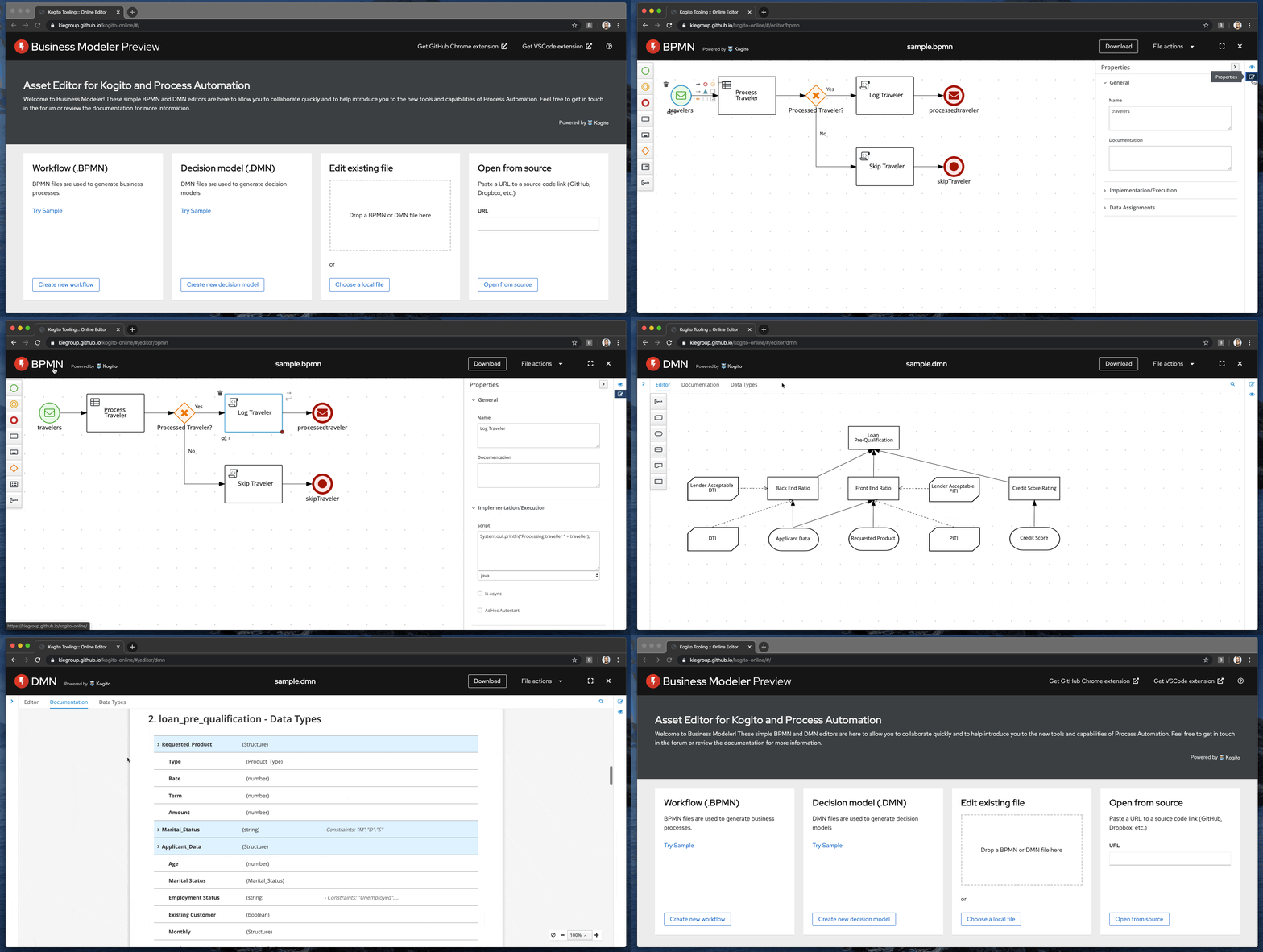
With this release, we've also integrated Google's .new domain initiative. You can try out the community editors supporting the .new domain at bpmn.new and dmn.new.
Kogito Management Console
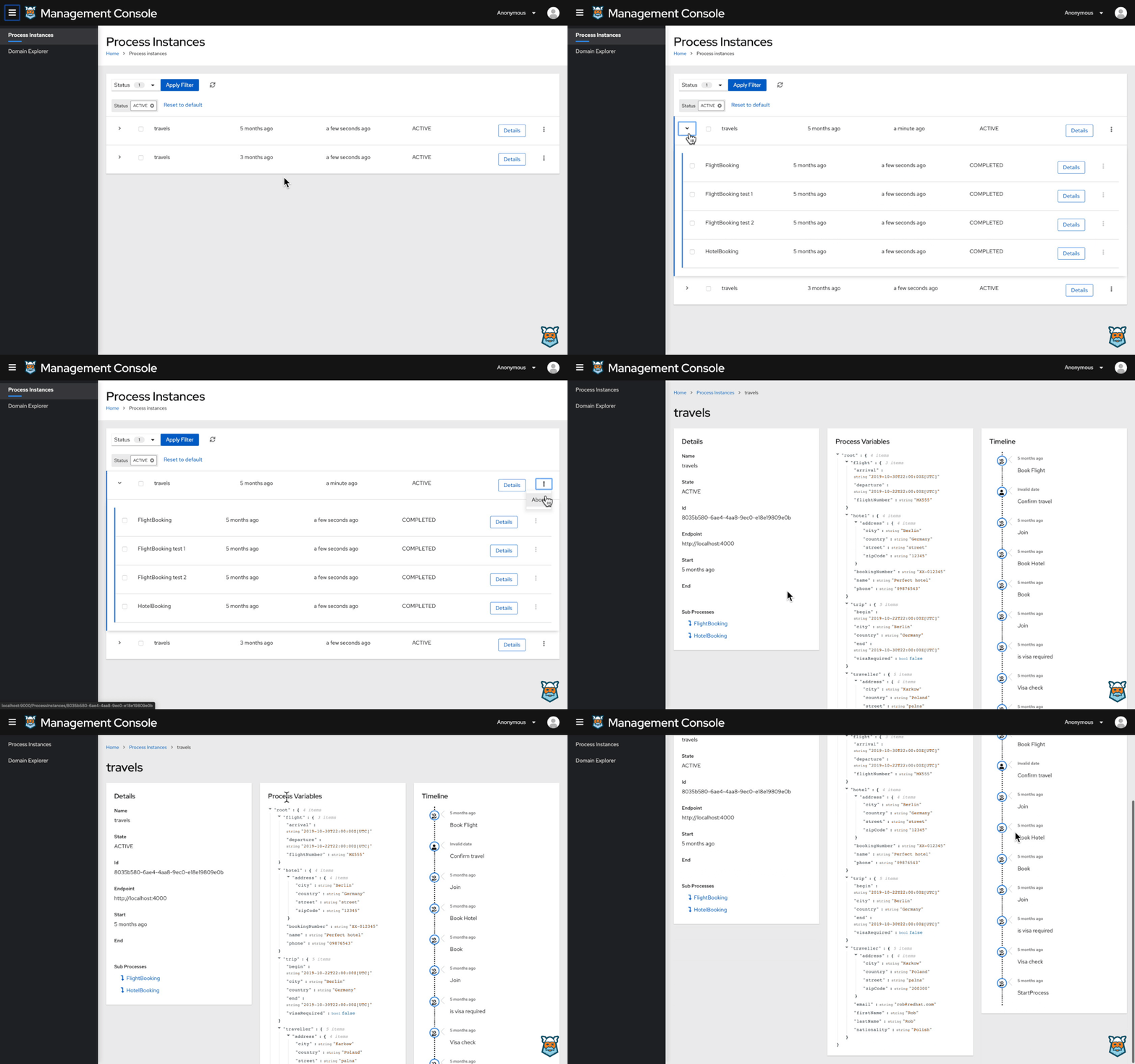
The new Kogito Management Console takes a fresh approach to viewing and managing process instances (see Figure 2, if this image does not animate, click it to watch the walk-through.) Backed by the Kogito Data Index, the new management console supports visualization and management from both a process-instance perspective and a domain-based view. As a developer, this means you'll get a detailed view of running process instances, along with variables, related subprocesses, and task execution.
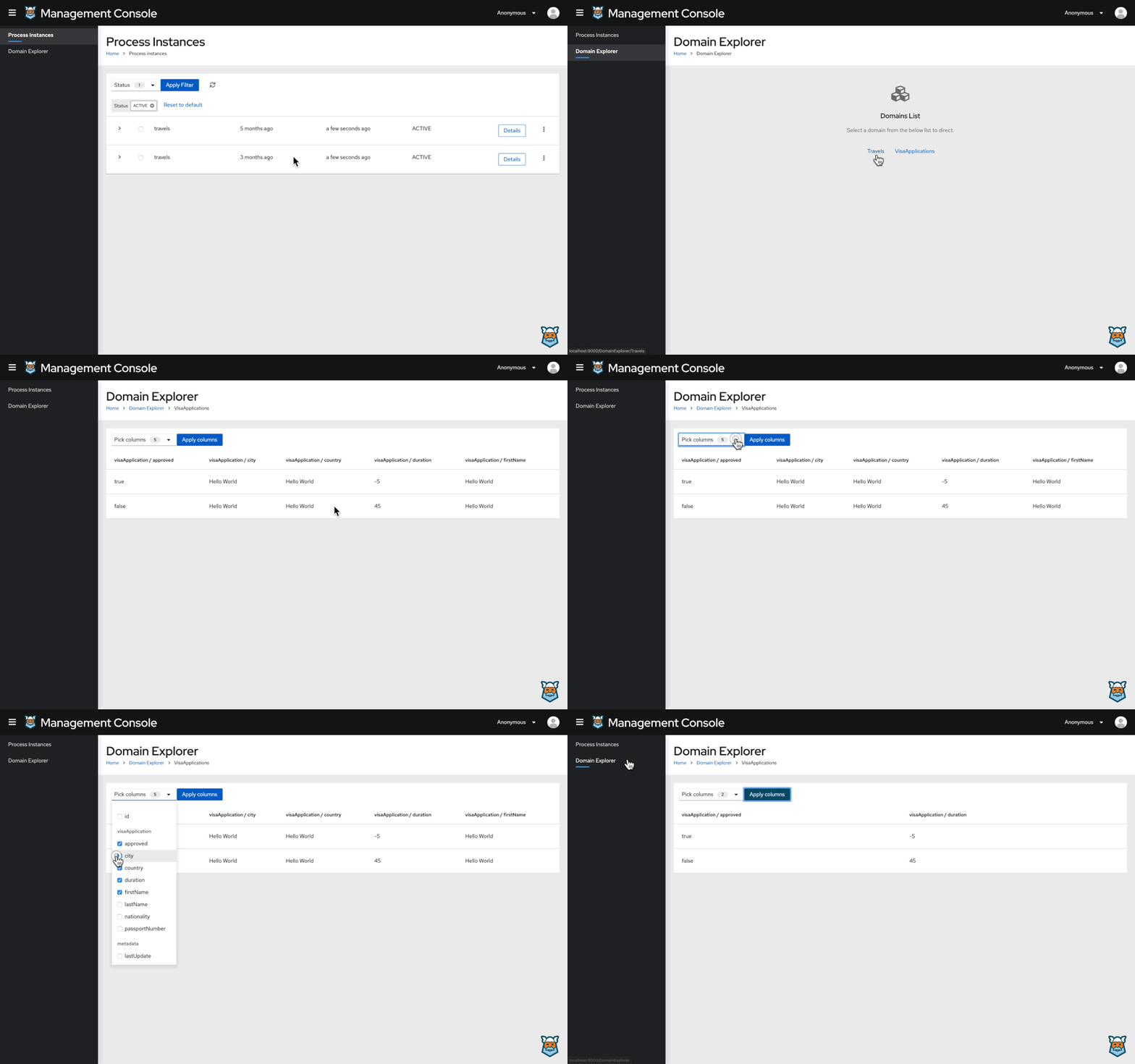
Developers can also use the Kogito Domain Explorer to navigate business data in a selected domain. As an example, Figure 3 shows the visualization of a travel-agency domain that tracks client travels and travel visas. (If this image does not animate, click it to watch the walk-through.)
Meaningful process IDs
The addition of meaningful process IDs in Kogito 0.8.0 simplifies the correlation of new processes with existing business information. While you may still use autogenerated process IDs, you now have the option to create a unique reference based on a business key.
You would create a unique reference by issuing a query parameter named businessKey along with your request to start a new process instance. If you wanted to start an order process correlated to the business key ORDER-0001, for instance, you would issue a request like this one:
POST /orders?businessKey=ORDER-0001
You would then be able to retrieve the new process instance with the new reference ID:
GET /orders/ORD-0001
You could also delete the process instance by sending an HTTP delete request with the same reference ID:
DELETE /orders/ORD-0001
Process-variable tagging
The Kogito runtime now provides support for process-variable tagging. This feature allows developers to provide metadata about a process variable, and even group processes according to their needs. You could use this feature to group and classify important business KPIs; process inputs and outputs; and tag variables as required, internal, or read-only. See KOGITO-19 to learn more about this enhancement.
Kogito Operator and Kogito CLI
Kogito Operator and Kogito CLI are both existing tools that have been enhanced with new features. Based on the popular Red Hat OpenShift Container Platform, Kogito Operator supports deploying Kogito Runtimes directly from the project's source. As a developer, you can interact with Kogito Operator from the Kogito CLI.
One of the new parameters available on the Kogito CLI is -enable-istio. Setting this parameter upon creating a new Kogito application instructs Kogito Operator to enable Istio service mesh sidecars. Once enabled, the sidecars automatically combine tracing, security, observability, and monitoring in your Kogito pods.
Kogito Jobs Service
The new Kogito Jobs Service offers a dedicated, lightweight solution for job scheduling. This service is currently able to schedule two types of jobs. A time scheduled job executes only once, at a given point in time, while a periodically scheduled job starts at a given point in time and executes a predetermined number of times.
Decision and process integration
Kogito allows you to model a decision-driven service as either a self-contained decision service or an intelligent workflow with decision tasks. Whether you implement business decisions using Drools rules, DMN, or decision tables in a spreadsheet, Kogito will automatically generate REST endpoints for you.
In Kogito 0.8.0, we've enhanced this feature to allow integration of DMN models with BPMN processes, so that business processes can be driven by intelligent decision nodes.
Join the Kogito community
Kogito is an open source project backed by the KIE Group. The KIE Group also supports projects like jBPM, Drools, and OptaPlanner, which have been running at scale in different sectors for more than 10 years. You can be part of the Kogito community! Join the Kogito development group to ask questions and receive updates about Kogito's progress. We are also active on Twitter: @kogito_kie.
Last updated: December 27, 2023
