In this article, we demonstrate Red Hat OpenShift's horizontal autoscaling feature with Red Hat Fuse applications. The result is a Spring Boot-based application that uses the Apache Camel component twitter-search that searches Twitter for tweets based on specific keywords. If traffic or the number of tweets increases, and this application cannot serve all requests, then the application autoscales itself by increasing the number of pods. The ability to serve all requests is monitored by tracking this application's CPU utilization on a particular pod. Also, as soon as traffic or CPU utilization is back to normal, the number of pods is reduced to the minimum configured value.
There are two types of scaling: horizontal and vertical. Horizontal scaling is where the number of application instances or containers is increased. Vertical scaling is where system resources like CPU and memory are increased at the running application's or container's runtime. Horizontal scaling can be used for stateless applications, whereas vertical scaling is more suitable for stateful applications.
Autoscaling is useful when applications are deployed in a cloud environment from any of the cloud vendors, where users have to pay for resources like CPU and memory. It may happen that traffic is heavier on weekends or particular weekdays, or even for a few hours on a specific day, so having a static setup might cost more and not fully utilize system resources. Having a dynamic environment where applications can scale themselves reduces overall cost.
Note: For demonstration and proof-of-concept purposes, we are using Red Hat OpenShift 3.11 and Red Hat Fuse 7.4. Our aim is to display one of the OpenShift features (autoscaling), which is not available with traditional applications.
Prerequisites
Follow the instructions in the official Red Hat Fuse documentation to set up Red Hat Fuse 7.4 on OpenShift. OpenShift should automatically increase or decrease the scale of a replication controller, or deployment configuration, based on metrics collected from the pods. To collect these CPU and memory metrics from your pods, the metrics server has to be installed on your OpenShift server to capture CPU and memory metrics from pods. Check out the Pod Autoscaling guide for how to do this using Ansible.
Create the application
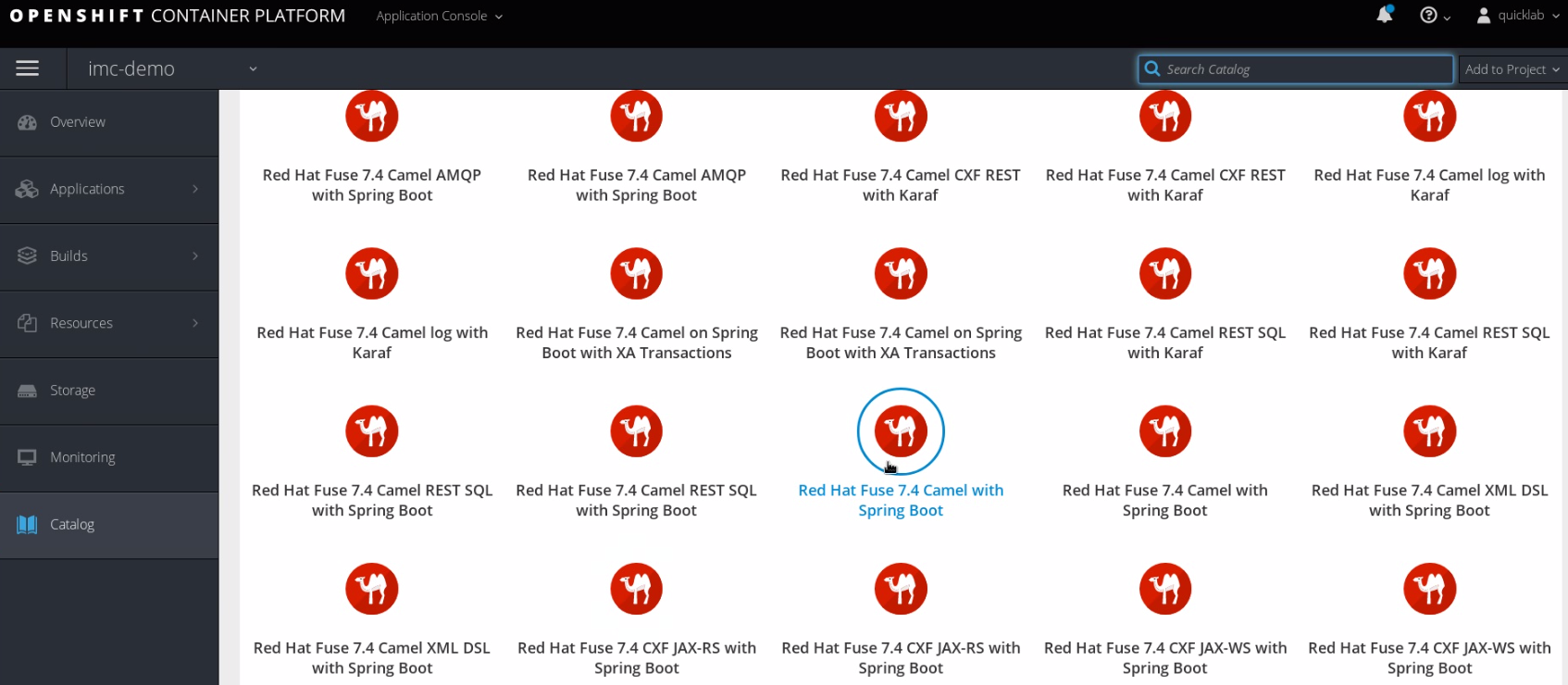
The code for this demonstration is available in my personal GitHub repository. Start by deploying this code to your OpenShift environment using the source-to-image (S2I) approach. First, select an application template from the OpenShift catalog. I selected Red Hat Fuse 7.4 Camel with Spring Boot, shown in Figure 1:
Next, point the Git Repository URL to the GitHub repository's link. In our case, this camel-twitter-shift component searches tweets with the keywords imcdemo, RED_HAT_APAC, or RedHatTelco. This component will poll Twitter for two minutes, which is configured with the delay property and other properties that are user-specific.
Now, point Git Reference to the branch containing the actual code. I set it to master, as you can see in Figure 2:

To get your consumerKey, consumerSecret, accessToken, and accessTokenSecret, register for the Standard API (which is free, though there are limitations) through the Twitter developer platform. After consuming tweets for keywords, we then log them to the console with the Camel log component:
<route id="twitter-search">
<from id="route-search" uri="twitter-search://imcdemo OR RED_HAT_APAC OR RedHatTelco?type=polling&delay=120000&consumerKey=dF&consumerSecret=Ay&accessToken=7d&accessTokenSecret=9K"/>
<log id="route-log-search" message=">>> ${body}"/>
</route>
Set up horizontal autoscaling
We can set autoscaling for the fuse74-camel-twitter deployment config with the following command. Note that cpu-percent is set to 10, which means that as soon as CPU utilization is more than 10% for the pod, the application will scale new pods, with the maximum number of pods being five:
cpandey@cpandey camel-twitter-shift]$ oc autoscale dc/fuse74-camel-twitter --min 1 --max 5 --cpu-percent=10 horizontalpodautoscaler.autoscaling/fuse74-camel-twitter autoscaled
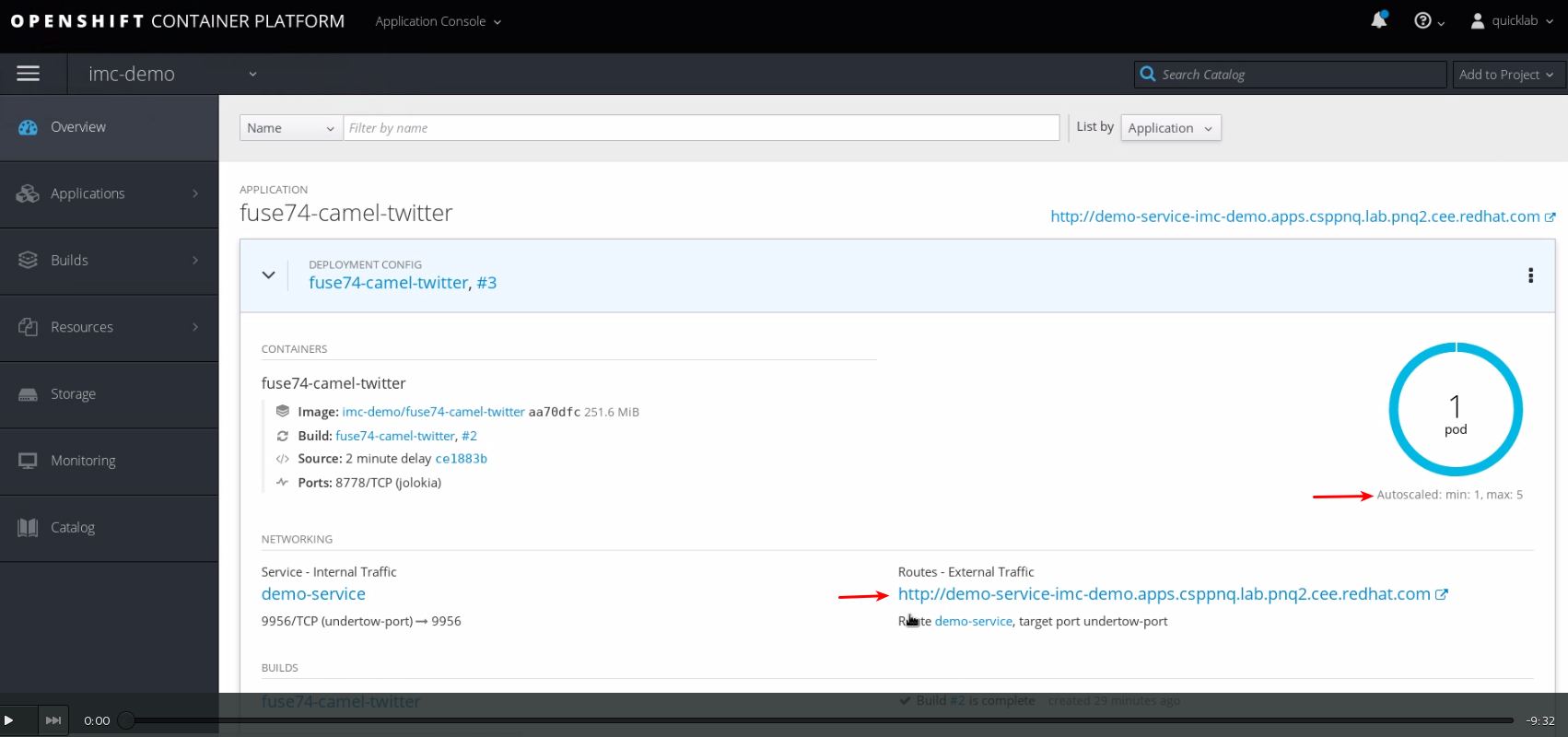
In Figure 3, the first red arrow points to the minimum and the maximum number of configured pods. The second arrow is the route with which we can access a pod from an external HTTP-based service or application. This setup is just to send HTTP traffic to the pod:
Next, let's get information from the horizontal pod autoscaler (HPA):
[cpandey@cpandey camel-twitter-shift]$ oc get hpa

NAME REFERENCE TARGETS MINPODS MAXPODS REPLICAS AGE

fuse74-camel-twitter DeploymentConfig/fuse74-camel-twitter 10% 1 5 0 4s
We can check OpenShift's GUI for the number of pods, as shown in Figure 4:
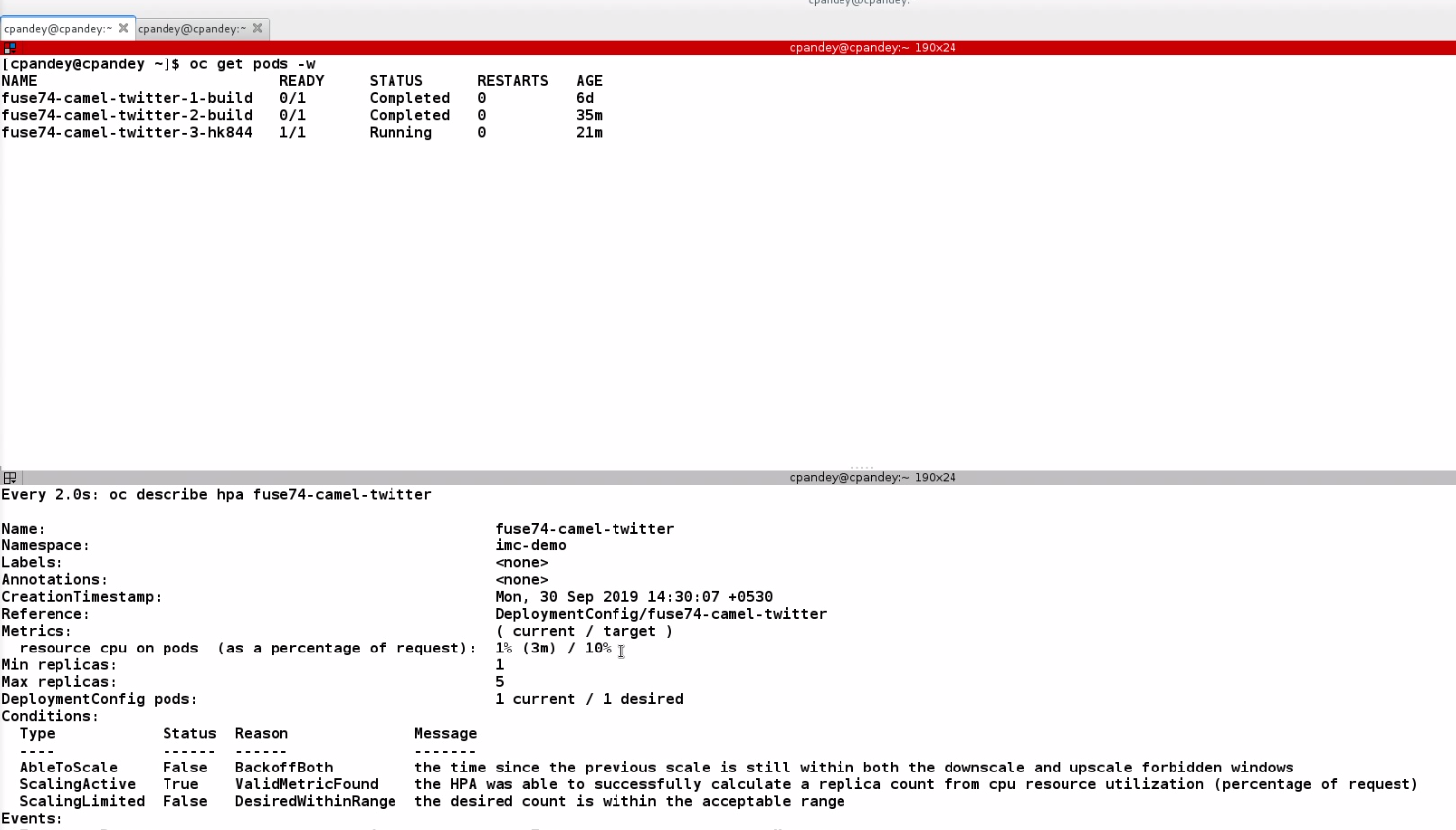
However, I find the command line to be more informative, as at runtime it provides CPU utilization and the number of active pods:
[cpandey@cpandey camel-twitter-shift]$ watch 'oc describe hpa fuse74-camel-twitter'
You can find more on this command in the OpenShift Pod Autoscaling docs.
Simulate traffic to the application
To simulate traffic so that we can demonstrate the OpenShift autoscaler feature, there is another route that accepts HTTP requests. This route uses Camel's undertow component, which starts the undertow web container. This container listens on port 9956:
<route id="load-route">
    <from id="_from1" uri="undertow:http://0.0.0.0:9956/undertowTest"/>
    <convertBodyTo id="_convertBodyTo1" type="java.lang.String"/>
    <log id="_log1" loggingLevel="INFO" message="\n REQUEST RECEIVED :\n Headers: ${headers}\n Body: ${body} \n"/>
    <setBody id="_setBody1">
    <constant>hello all</constant>
    </setBody>
</route>
With the loop.sh script, we can send requests to this route in bulk. One can run this script in three or four terminals so that there is concurrent traffic, which would increase CPU utilization quickly. This script is part of the project as well:
#!/bin/bash
for ((;;))
do
curl http://demo-service-imc-demo.apps.csppnq.lab.pnq2.cee.redhat.com/undertowTest
done
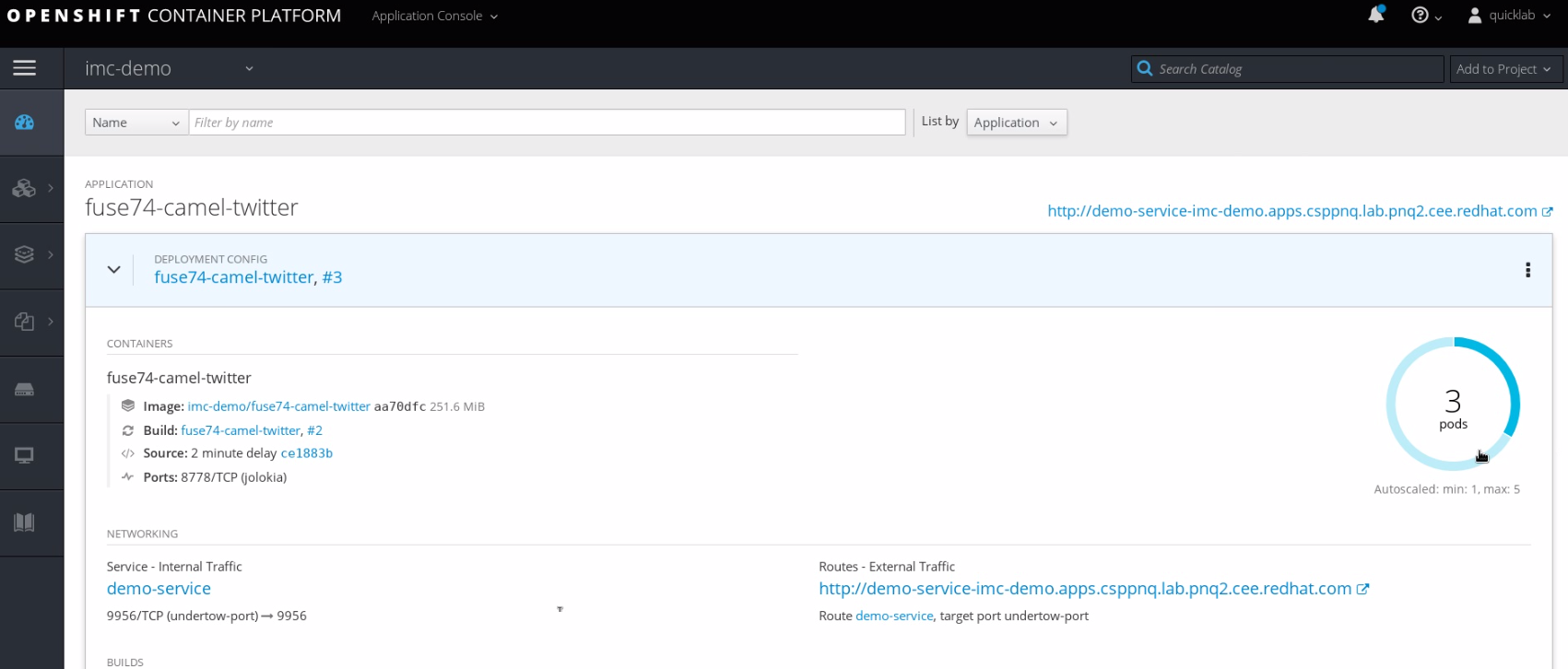
See Figure 5 for the results in the GUI, and Figure 6 for the command-line version:

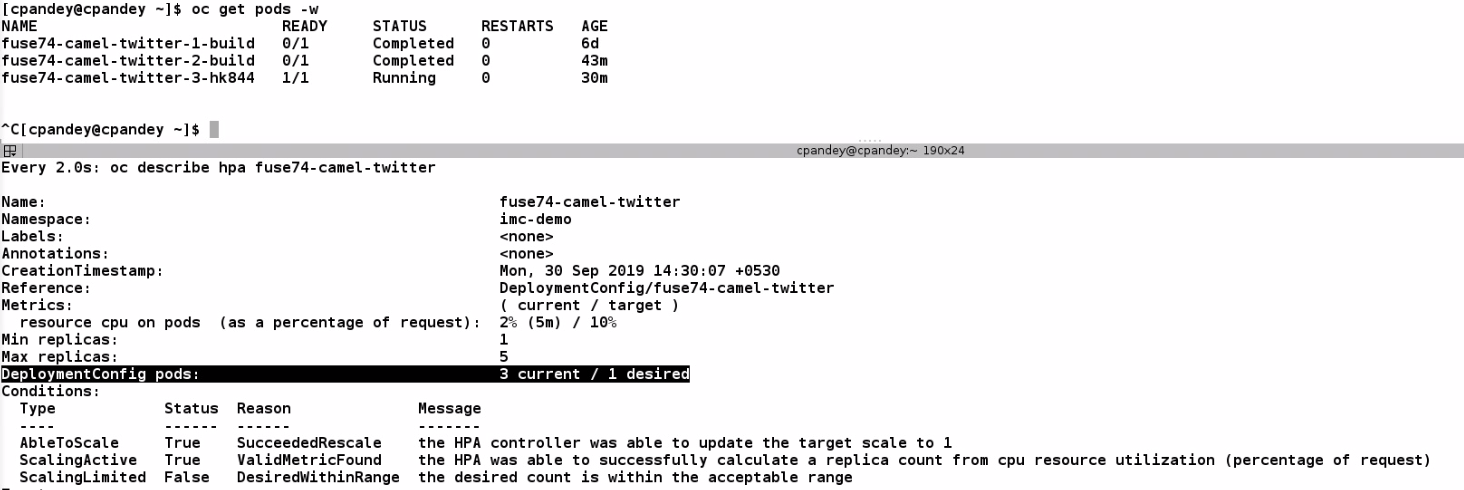
If we stop these scripts from executing, then CPU utilization returns to normal:
Disable the horizontal pod autoscaler
We can disable autoscaling with the following command:
[cpandey@cpandey camel-twitter-shift]$ oc delete hpa fuse74-camel-twitter

horizontalpodautoscaler.autoscaling "fuse74-camel-twitter" deleted
That's it. I hope this demonstration helps you set up and use OpenShift's autoscaler feature with Red Hat Fuse applications, or any other application as well.
Last updated: October 8, 2024
