In this article I cover configuring NGINX for OAuth-based Single Sign-On (SSO) using Keycloak/Red Hat SSO. This allows the use of OpenID Connect (OIDC) for federated identity. This configuration is helpful when NGINX is acting as a reverse-proxy server for a backend application server, for example, Tomcat or JBoss, where the authentication is to be performed by the web server.
In this setup, Keycloak will act as an authorization server in OAuth-based SSO and NGINX will be the relaying party. We will be using lua-resty-openidc, which is a library for NGINX implementing the OpenID Connect relying party (RP) and/or the OAuth 2.0 resource server (RS) functionality.
Here's a diagram of an An OIDC-based authentication flow:
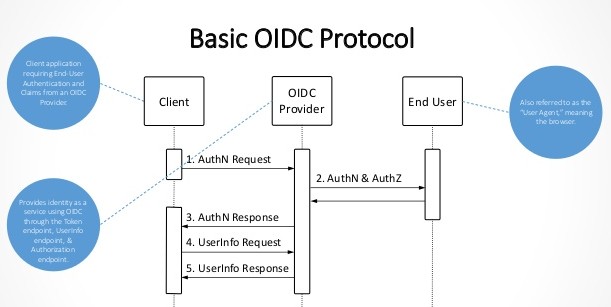
In order to install lua-resty-oidc, you need to install several other dependent modules on the NGINX server:
Installation instructions
- First, we create a directory for keeping all the required packages and then we change the current working directory to the newly created directory. Here, I will execute all the commands as the
rootuser; it is possible to execute them as a non-root user too, but some commands, for example,yumwill not work for a non-root user and require additional steps to perform.# mkdir /tmp/nginx-lua # cd /tmp/nginx-lua
- Now, download the packages that are required:
a. Download NGINX version 1.13.6 and extract it:# wget http://nginx.org/download/nginx-1.13.6.tar.gz # tar -zxvf nginx-1.13.6.tar.gz
b. Download OpenSSL and extract it:
# wget https://github.com/openssl/openssl/archive/OpenSSL_1_0_2g.tar.gz
# wget OpenSSL_1_1_0g.tar.gz
c. Download
lua-nginx-moduleand extract it:# wget https://github.com/openresty/lua-nginx-module/archive/v0.10.13.tar.gz # tar -zxvf v0.10.13.tar.gz
d. Download
ngx_devel_kitand extract it:# wget https://github.com/simplresty/ngx_devel_kit/archive/v0.3.0.tar.gz # tar -zxvf v0.3.0.tar.gz
e. Download Lua and extract it:
# wget http://www.lua.org/ftp/lua-5.1.5.tar.gz
# tar -zxvf lua-5.1.5.tar.gz
f. Clone
luaffiband install it usingluarocks:# git clone https://github.com/facebookarchive/luaffifb # cd luaffifb # luarocks make
- Install the dependencies and packages required for
lua-resty-oidc:
a. We will first install Lua, so change the current working directory tolua-5.1.5and then execute the installation:# cd lua-5.1.5 # make linux test # make install # cd ..
b. Install
luarocks:# yum install luarocks
c. Install all the Lua modules using
luarocks:# luarocks install lua-cjson # luarocks install lua-resty-openidc
d. After the Lua installation, export the PATH for
LUA_LIBandLUA_INC:# export LUA_LIB=/usr/local/lib/lua/5.1/ # export LUA_INC=/usr/local/include/
e. Now, we need to install the development tools, for example, gcc, c++, etc.
# yum group install "Development Tools"
# yum install readline-devel
f. Because we are going to do a binary installation of NGINX, we need to install
pcreandzlib:# yum install pcre # yum install pcre-devel # yum install zlib # yum install zlib-devel
- Now, we can execute the installation of NGINX navigating into NGINX binary directory:
# cd nginx-1.13.6
# ./configure --prefix=/opt/nginx --with-http_ssl_module --with-ld-opt="-Wl,-rpath,/usr/local/lib/lua/5.1/" --add-module=/tmp/lua/ngx_devel_kit-0.3.0 --add-module=/tmp/lua/lua-nginx-module-0.10.13 --with-openssl=/tmp/lua/openssl-OpenSSL_1_0_2g
# make -j2
# make install
- After the successful execution of the installation command, NGINX will be installed in
/opt/nginx. - Create a directory called
sslin the directory/opt/nginxand generate a self-signed certificate:# mkdir /opt/nginx/ssl # cd /opt/nginx/ssl # openssl req -nodes -newkey rsa:2048 -keyout private.pem -out certificate.csr -subj "/C=IN/ST=WestBengal/L=Kolkata/O=Red Hat/OU=APS/CN=www.example.com" # openssl x509 -req -in certificate.csr -out certificate.pem -signkey private.pem
Note: certificate.csr can be submitted to a CA vendor to get the certificate signed.
- Download Keycloak and extract it. Keycloak will be working as an Identity Provider and NGINX will act as a service provider.
# wget https://downloads.jboss.org/keycloak/4.4.0.Final/keycloak-4.4.0.Final.zip
# unzip  keycloak-4.4.0.Final.zip -d /opt/keycloak
Configuring Keycloak and NGINX
- Create a user in the master realm and start Keycloak:
# cd /opt/keycloak/keycloak-4.4.0.Final/bin
# ./add-user-keycloak.sh -u admin -p admin@123 -r master
# ./standalone.sh -b www.example.com
- Create a new realm:
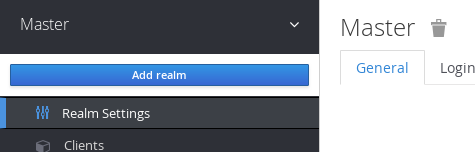
a. Move the cursor near Master and click Add Realm.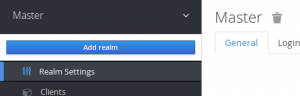
b. Provide a name for your realm and click Create.|
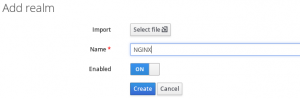
Note: Creation of a new realm is not necessary; it possible to create a client in the master realm.
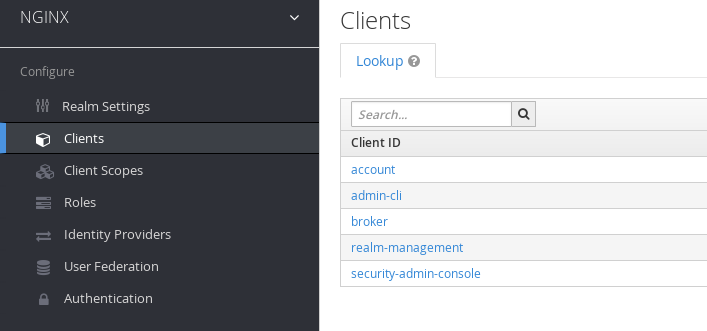
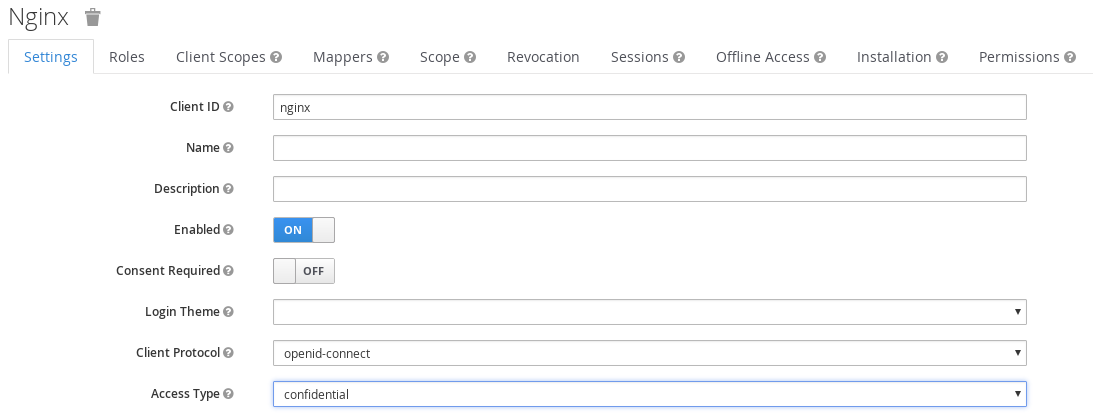
- Now, we need to create a client for NGINX. Click Client in the left panel and click the Create button:
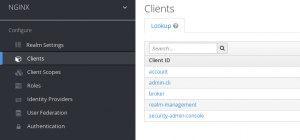

- Select openid-connect as the client protocol and place the NGINX URL in the Root URL field:
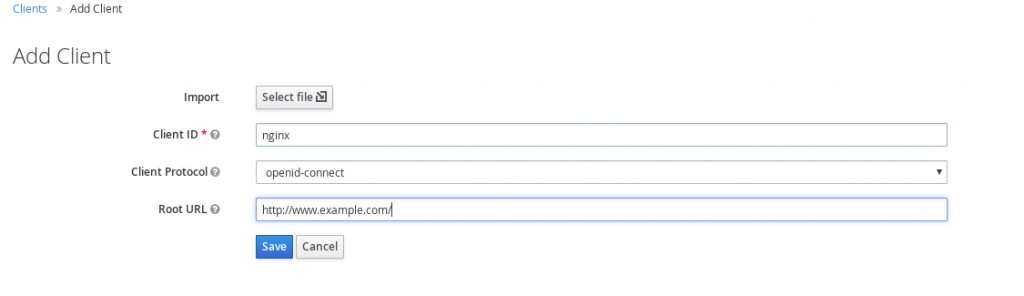
- Set Access Type to confidential and click Save:
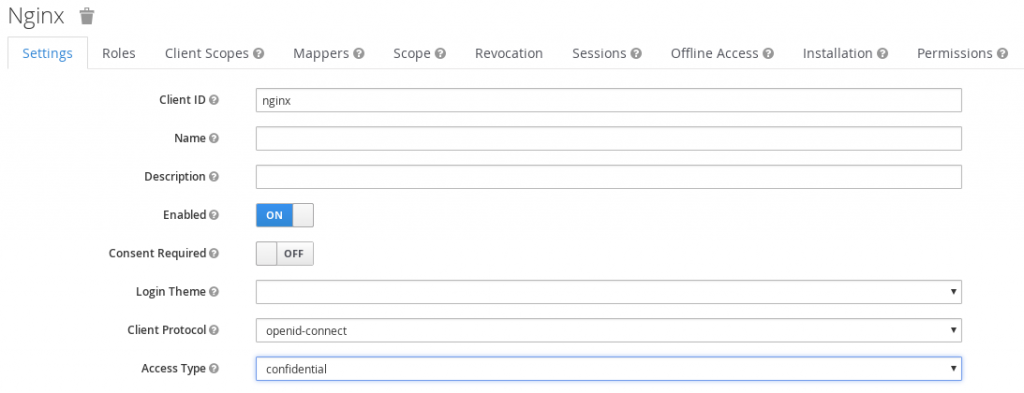
- Click Credentials and copy the secret for configuring NGINX later:

- Add the following line under the
httpblock innginx.conf:lua_package_path '~/lua/?.lua;;'; resolver 8.8.8.8; # cache for discovery metadata documents lua_shared_dict discovery 1m; # cache for JWKs lua_shared_dict jwks 1m;
- Create the server in NGINX using something like the following:
server { listen 80 default_server; server_name www.example.com; root /opt/nginx/html; access_by_lua ' local opts = { redirect_uri_path = "/redirect_uri", accept_none_alg = true, discovery = "http://www.example.com:8080/auth/realms/NGINX/.well-known/openid-configuration", client_id = "nginx", client_secret = "62d3b835-e3d1-4cec-a2f2-612f496bc6c3", redirect_uri_scheme = "http", logout_path = "/logout", redirect_after_logout_uri = "http://www.example.com:8080/auth/realms/NGINX/protocol/openid-connect/logout?redirect_uri=http://www.example.com/", redirect_after_logout_with_id_token_hint = false, session_contents = {id_token=true} } -- call introspect for OAuth 2.0 Bearer Access Token validation local res, err = require("resty.openidc").authenticate(opts) if err then ngx.status = 403 ngx.say(err) ngx.exit(ngx.HTTP_FORBIDDEN) end '; # I disabled caching so the browser won't cache the site. expires 0; add_header Cache-Control private; location / { } # redirect server error pages to the static page /40x.html # error_page 404 /404.html; location = /40x.html { } # redirect server error pages to the static page /50x.html # error_page 500 502 503 504 /50x.html; location = /50x.html { } } - Validate the NGINX configuration:
# cd /opt/nginx/sbin/
# ./nginx -t
- After successful validation of the NGINX configuration, start the NGINX server:
#./nginx



Now, when you access the protected URL (www.example.com), you will be redirected to Keycloak at http://www.example.com:8080/auth/realms/NGINX/. After successful authentication, you will redirected back to the NGINX welcome page.
Last updated: January 12, 2024
