JBoss Tools 4.11.0 and Red Hat CodeReady Studio 12.11 for Eclipse 2019-03 are here and are waiting for you. In this article, I'll cover the highlights of the new releases and show how to get started.
Installation
Red Hat CodeReady Studio (previously known as Red Hat Developer Studio) comes with everything pre-bundled in its installer. Simply download it from our Red Hat CodeReady Studio product page and run it like this:
java -jar devstudio-<installername>.jar
JBoss Tools or Bring-Your-Own-Eclipse (BYOE) CodeReady Studio require a bit more:
This release requires at least Eclipse 4.11 (2019-03) but we recommend using the latest Eclipse 4.11 2019-03 JEE Bundle since then you get most of the dependencies preinstalled.
Once you have installed Eclipse, you can either find us on the Eclipse Marketplace under "JBoss Tools" or "Red Hat Developer Studio."
For JBoss Tools, you can also download directly from the update site:
http://download.jboss.org/jbosstools/photon/stable/updates/
What is new?
Our main focus for this release was improvements for container-based development and bug fixing. Eclipse 2019-03 itself has a lot of new cool stuff, but I will highlight just a few updates in both Eclipse 2019-03 and JBoss Tools plugins that are worth mentioning.
Red Hat OpenShift 3
New Red Hat OpenShift connection helper
When you need to defined a new OpenShift connection, you need to provide the following information:
- Cluster URL
- Username and password or token
If you’ve already logged in your cluster through the OpenShift Web Console, you can copy an oc command in the clipboard that contains both the cluster URL and your token.
So, from now, there is a new option that allows you to initialize the wizard fields from the copied oc command:
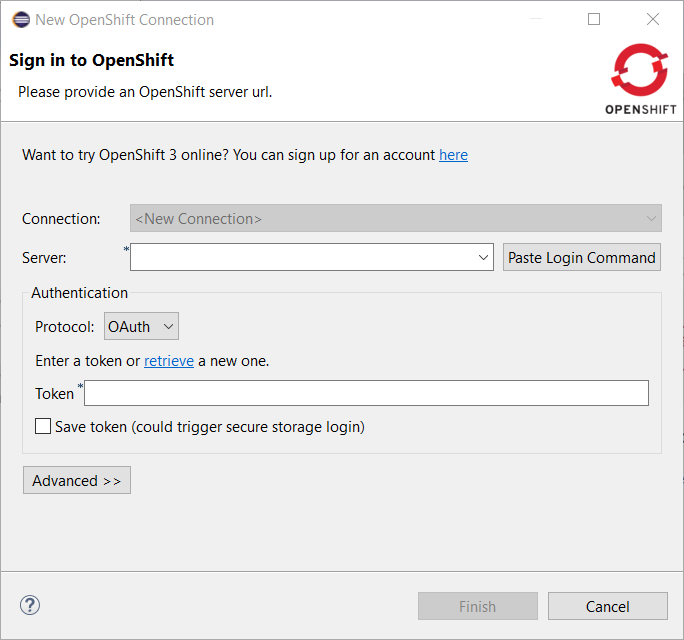
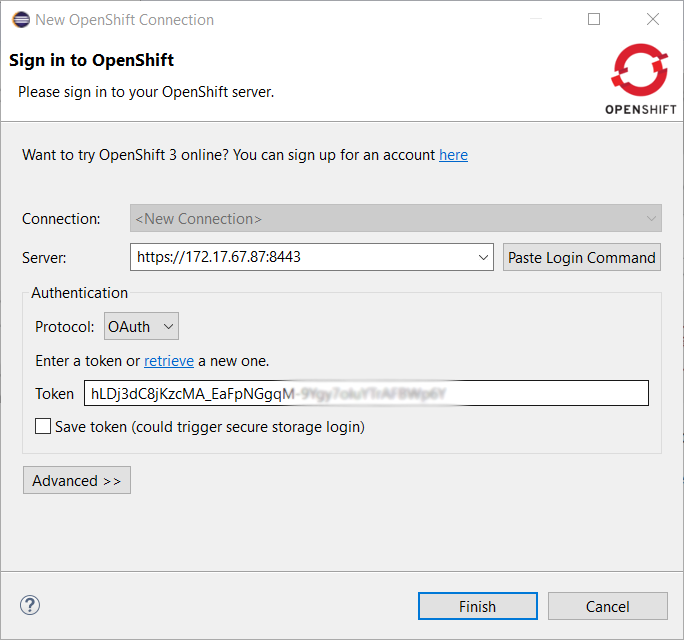
Click on the Paste Login Command button, and the fields will be initialized:
Server tools
EAP 7.2 Server Adapter
A server adapter has been added to work with EAP 7.2.
Wildfly 15 Server Adapter
A server adapter has been added to work with Wildfly 15. It adds support for Java EE 8.
Wildfly 16 Server Adapter
A server adapter has been added to work with Wildfly 16. It adds support for Java EE 8.
Hibernate Tools
New Runtime Provider
The new Hibernate 5.4 runtime provider has been added. It incorporates Hibernate Core version 5.4.1.Final and Hibernate Tools version 5.4.1.Final.
Runtime Provider Updates
The Hibernate 5.3 runtime provider now incorporates Hibernate Core version 5.3.9.Final and Hibernate Tools version 5.3.9.Final.
The Hibernate 5.2 runtime provider now incorporates Hibernate Core version 5.2.18.Final and Hibernate Tools version 5.2.12.Final.
Maven
Maven support updated to M2E 1.11
The Maven support is based on Eclipse M2E 1.11
Platform
Views, Dialogs and Toolbar
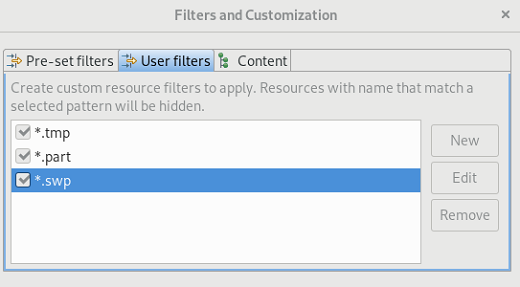
User defined resource filters in Project Explorer
The Filters and Customization… menu in Project Explorer now shows an additional User filters tab, which can be used to exclude some resources from Project Explorer based on their name.
Full name and regular expressions are supported.
Error Log view added to Platform
The Error Log view has been moved from the PDE project to the Platform project. See bug 50517 for details.
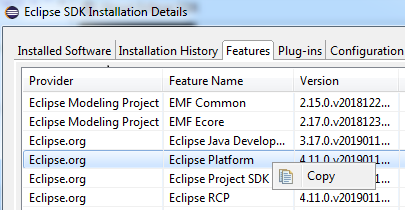
Copy to clipboard in Installation Details
A copy to clipboard action has been added to all tabs of the Installation Details dialog.
Copy and paste environment variables
The Environment tab in a Launch configuration dialog supports copy and paste actions now. The environment variables are transferred as text data, so it is possible to copy and paste not only between two different launch configurations but also between the launch configuration and, for example, a text editor or the command line.
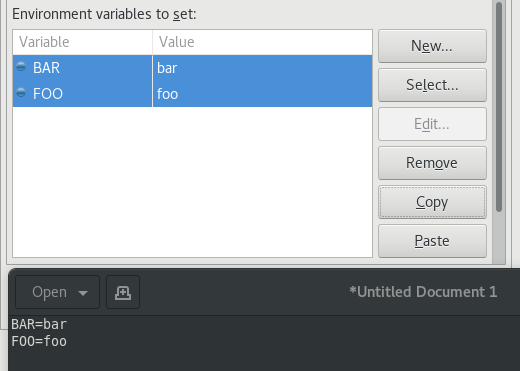
This feature is available in all launch configurations, which use the common Environment tab.
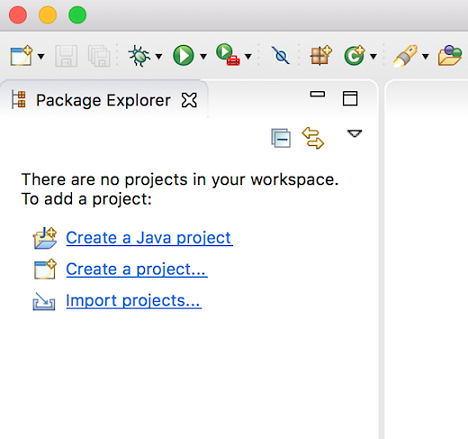
Useful links to add projects to empty workspace
When Eclipse IDE is started for the first time or with a new workspace, it may not be intuitive for new users on how to proceed. To help users get started, the following useful links have been provided to add a project to the workspace:
- Perspective specific project creation wizard
- Generic New Project wizard
- Import projects wizard
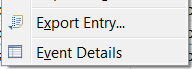
New mnemonics in Error Log view
New mnemonics have been added for Export Entry… and Event Detail entries in the context menu of Error Log view.
Themes and Styling
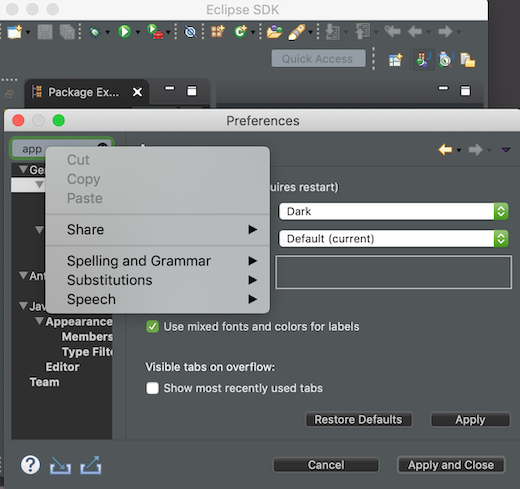
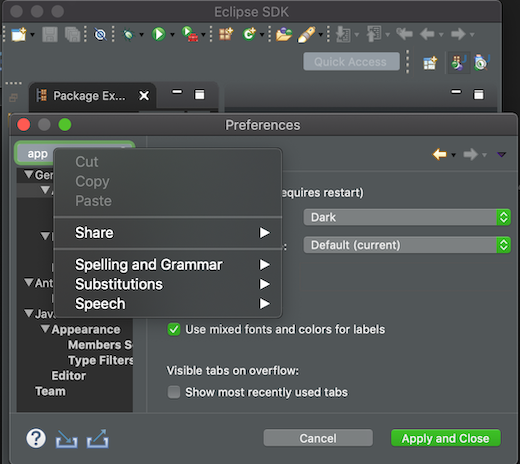
Improved Dark theme for Mac
The Dark theme for Mac has been improved to use the colors from the macOS system dark appearance. Some of the notable changes in Eclipse IDE are the dark window title bar, menus, file dialogs, combos, and buttons.
Note: This change is available on macOS Mojave and later.
Before:
After:
Improved Dark theme for Windows
The drawing operations have been improved in Windows so the custom drawn icons look better now. For example, check out the close icon below.
Before:

After:

General Updates
Performance improvements
The startup and interactive performance of multiple operations has been improved again in this release.
Java Development Tools (JDT)
Java 12 Support
Java 12
Java 12 is out and Eclipse JDT supports Java 12 for 4.11 via Eclipse Marketplace. The release notably includes the following Java 12 feature: JEP 325: Switch Expressions (Preview). Please note that this is a preview language feature and hence enable preview option should be on. For an informal introduction of the support, please refer to Java 12 Examples wiki.
JUnit
JUnit 5.4
JUnit 5.4 is here and Eclipse JDT has been updated to use this version.
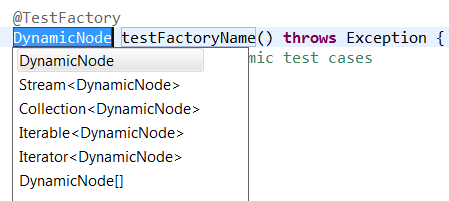
Test factory template
JUnit Jupiter now allows test factory methods to return a single DynamicNode. The test_factory template has been updated to include DynamicNode in the return type.
Java Editor
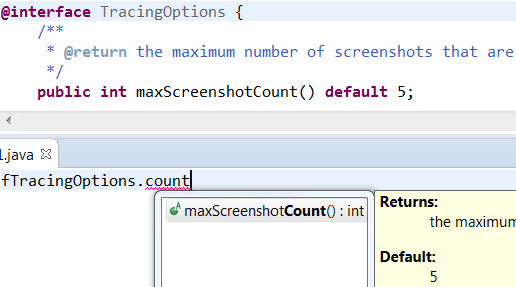
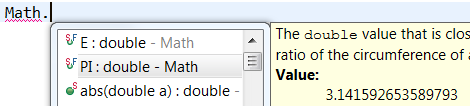
Default and constant values in content assist information pop-up
The additional information pop-up of a content assist proposal now shows the default value of an annotation type element:
and the value of a constant:
Create service provider method
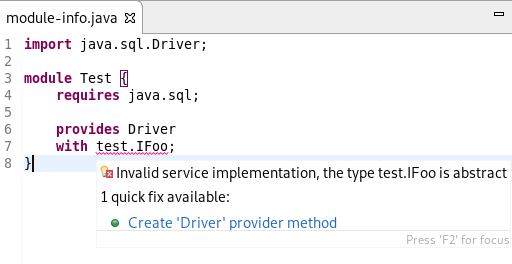
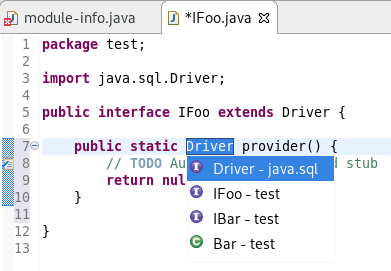
If a service defined in a module-info.java file has an invalid service provider implementation, a Quick Fix (Ctrl + 1) is now available to create the new provider method:
Java Formatter
Line wrapping settings for binary operators
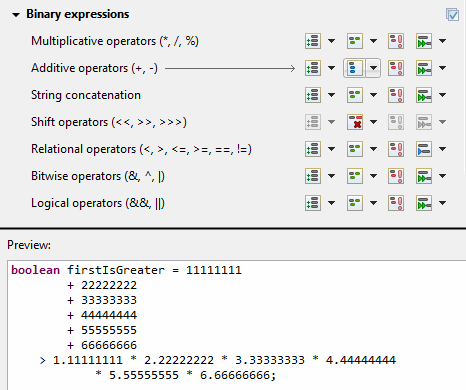
Instead of a single line wrapping setting for binary expressions, there’s now a whole section of settings for various kinds of binary operators (multiplicative, additive, logical, etc.). There are settings for relational (including equality) and shift operators, which were not covered by the old setting. Also, string concatenation can now be treated differently from arithmetic sum.
The settings can be found in the Profile Editor (Preferences > Java > Code Style > Formatter > Edit… ) under the Line Wrapping > Wrapping settings > Binary expressions subsection.
White space settings for binary operators
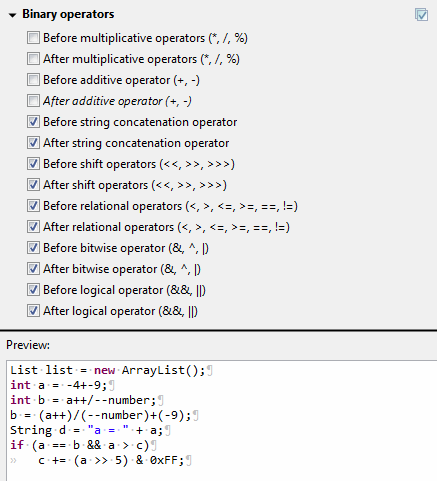
The white space around operators in binary expressions can now be controlled separately for different groups of operators, consistent with the line wrapping settings.
The new Binary operators sub-section has been added under White Space > Expressions in the Formatter profile editor.
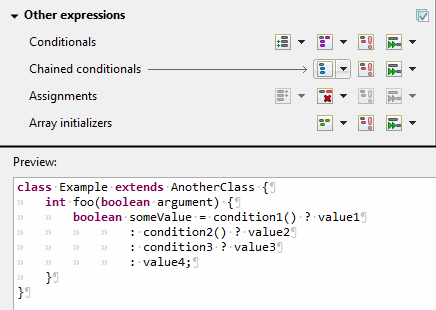
Wrapping setting for chained conditional expressions
A chain of nested conditional expressions (using ternary operator) can be now wrapped as a single group, with all of them indented at the same level. It’s only possible for right-sided nesting.
You can find the Chained conditionals setting in the Profile Editor under the Line Wrapping > Wrapping settings > Other expressions subsection.
Indent Javadoc tag descriptions
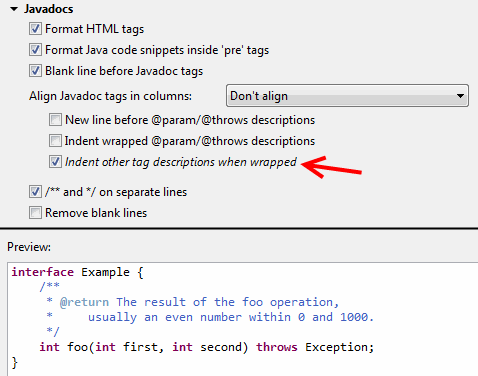
The Formatter Profile has a new setting that indents wrapped Javadoc tag descriptions. It’s called Indent other tag descriptions when wrapped, in contrast to the preexisting Indent wrapped @param/@throws descriptions setting. It affects tags like @return or @deprecated.
The settings can be found in the Profile Editor (Preferences > Java > Code Style > Formatter > Edit… ) under the Comments > Javadocs section.
Debug
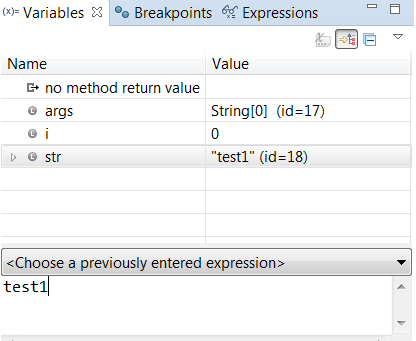
History for expressions in the Variables view
The Variables view now stores a history of the expressions used in the Detail pane. You can choose a previously entered expression for a variable from the new drop-down menu. The expression will be copied to the Detail pane where you can select it to perform various actions present in the context menu.
And more…
You can find more noteworthy updates in on this page.
What is next?
With JBoss Tools 4.11.0 and Red Hat CodeReady Studio 12.11 out, we are already working on the next release for Eclipse 2019-06. Stay tuned for more updates.

