Redhat Developers  Logo
  • AI

    Get started with AI

    • Red Hat AI
      Accelerate the development and deployment of enterprise AI solutions.
    • AI learning hub
      Explore learning materials and tools, organized by task.
    • AI interactive demos
      Click through scenarios with Red Hat AI, including training LLMs and more.
    • AI/ML learning paths
      Expand your OpenShift AI knowledge using these learning resources.
    • AI quickstarts
      Focused AI use cases designed for fast deployment on Red Hat AI platforms.
    • No-cost AI training
      Foundational Red Hat AI training.

    Featured resources

    • OpenShift AI learning
    • Open source AI for developers
    • AI product application development
    • Open source-powered AI/ML for hybrid cloud
    • AI and Node.js cheat sheet

    Red Hat AI Factory with NVIDIA

    • Red Hat AI Factory with NVIDIA is a co-engineered, enterprise-grade AI solution for building, deploying, and managing AI at scale across hybrid cloud environments.
    • Explore the solution
  • Learn

    Self-guided

    • Documentation
      Find answers, get step-by-step guidance, and learn how to use Red Hat products.
    • Learning paths
      Explore curated walkthroughs for common development tasks.
    • Guided learning
      Receive custom learning paths powered by our AI assistant.
    • See all learning

    Hands-on

    • Developer Sandbox
      Spin up Red Hat's products and technologies without setup or configuration.
    • Interactive labs
      Learn by doing in these hands-on, browser-based experiences.
    • Interactive demos
      Click through product features in these guided tours.

    Browse by topic

    • AI/ML
    • Automation
    • Java
    • Kubernetes
    • Linux
    • See all topics

    Training & certifications

    • Courses and exams
    • Certifications
    • Skills assessments
    • Red Hat Academy
    • Learning subscription
    • Explore training
  • Build

    Get started

    • Red Hat build of Podman Desktop
      A downloadable, local development hub to experiment with our products and builds.
    • Developer Sandbox
      Spin up Red Hat's products and technologies without setup or configuration.

    Download products

    • Access product downloads to start building and testing right away.
    • Red Hat Enterprise Linux
    • Red Hat AI
    • Red Hat OpenShift
    • Red Hat Ansible Automation Platform
    • See all products

    Featured

    • Red Hat build of OpenJDK
    • Red Hat JBoss Enterprise Application Platform
    • Red Hat OpenShift Dev Spaces
    • Red Hat Developer Toolset

    References

    • E-books
    • Documentation
    • Cheat sheets
    • Architecture center
  • Community

    Get involved

    • Events
    • Live AI events
    • Red Hat Summit
    • Red Hat Accelerators
    • Community discussions

    Follow along

    • Articles & blogs
    • Developer newsletter
    • Videos
    • Github

    Get help

    • Customer service
    • Customer support
    • Regional contacts
    • Find a partner

    Join the Red Hat Developer program

    • Download Red Hat products and project builds, access support documentation, learning content, and more.
    • Explore the benefits

Running Spark Jobs On OpenShift

January 20, 2017
Zak Hassan
Related topics:
Artificial intelligenceContainersKubernetes
Related products:
Red Hat Data GridRed Hat OpenShift Container Platform

    Introduction:

    A feature of OpenShift is jobs and today I will be explaining how you can use jobs to run your spark machine, learning data science applications against Spark running on OpenShift.  You can run jobs as a batch or scheduled, which provides cron like functionality. If jobs fail, by default OpenShift will retry the job creation again. At the end of this article, I have a video demonstration of running spark jobs from OpenShift templates against Spark running on OpenShift v3.

    Environment:

    • Infinispan 9.0.0
    • Spark 2.0.1
    • OpenShift Dedicated v3.3
    • Oshinko

    Spark Batch Job Example:

    apiVersion: batch/v1
    kind: Job
    metadata:
    name: recommend-mllib-scheduled
    spec:
    parallelism: 1
    completions: 1
    template:
    metadata:
    name: recommend-mllib
    spec:
    containers:
    - name: recommend-mllib-job
    image: docker.io/metadatapoc/recommend-mllib:latest
    imagePullPolicy: "Always"
    env:
    - name: SPARK_MASTER_URL
    value: "spark://instance:7077"
    - name: RECOMMEND_SERVICE_SERVICE_HOST
    value: "jboss-datagrid-service"
    - name: SPARK_USER
    value: bob
    restartPolicy: Never


    Scheduled Job (Running Spark Job Every 5 mins):

    apiVersion: batch/v2alpha1
    kind: ScheduledJob
    metadata:
    name: sparkrecommendcron
    spec:
    schedule: "*/5 * * * ?"
    jobTemplate:
    spec:
    template:
    spec:
    containers:
    - name: pi
    image: docker.io/metadatapoc/recommend-mllib:latest
    imagePullPolicy: "Always"
    env:
    - name: SPARK_MASTER_URL
    value: "spark://instance:7077"
    - name: RECOMMEND_SERVICE_SERVICE_HOST
    value: "jboss-datagrid-service"
    - name: SPARK_USER
    value: bob
    restartPolicy: Never

    Environment Setup

    oc cluster up
    oc new-app -f http://goo.gl/ZU02P4
    oc policy add-role-to-user edit -z oshinko
    oc new-app -f https://goo.gl/XDddW5
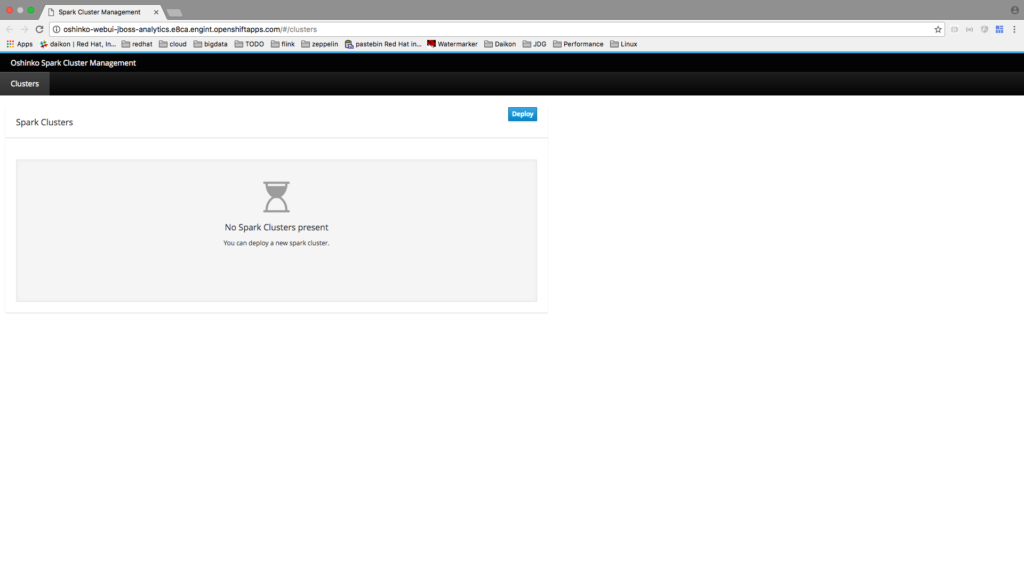
     
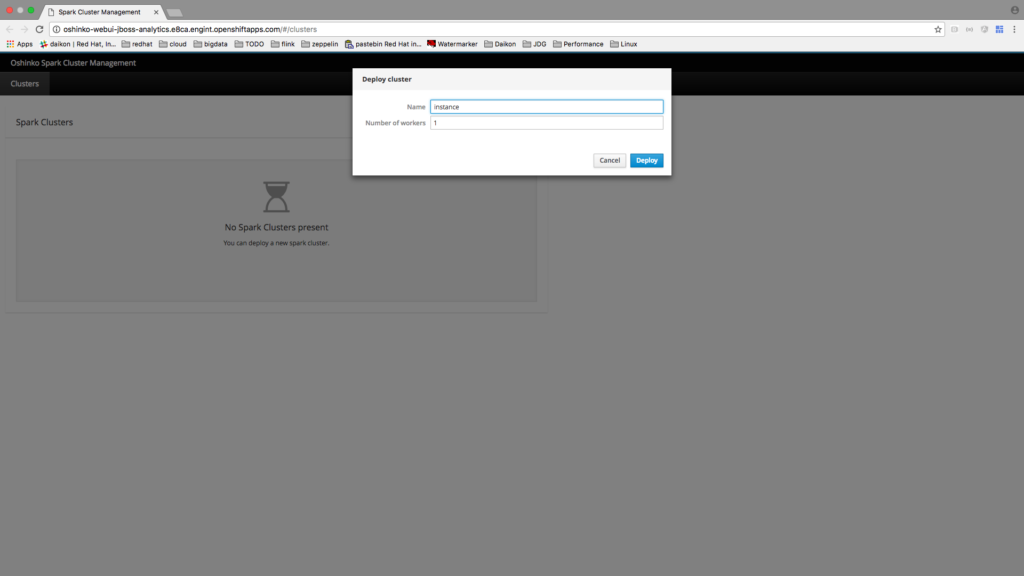
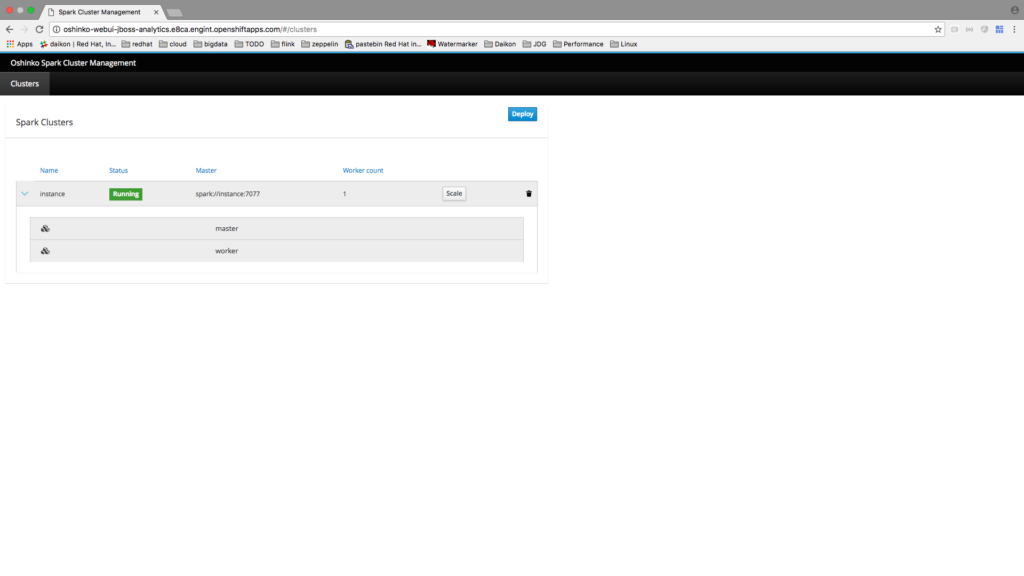
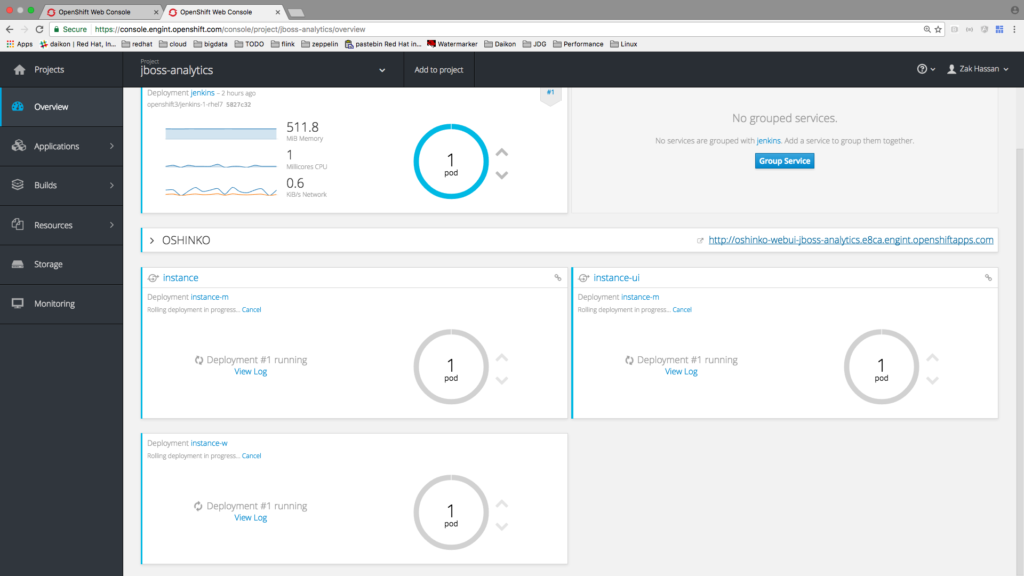
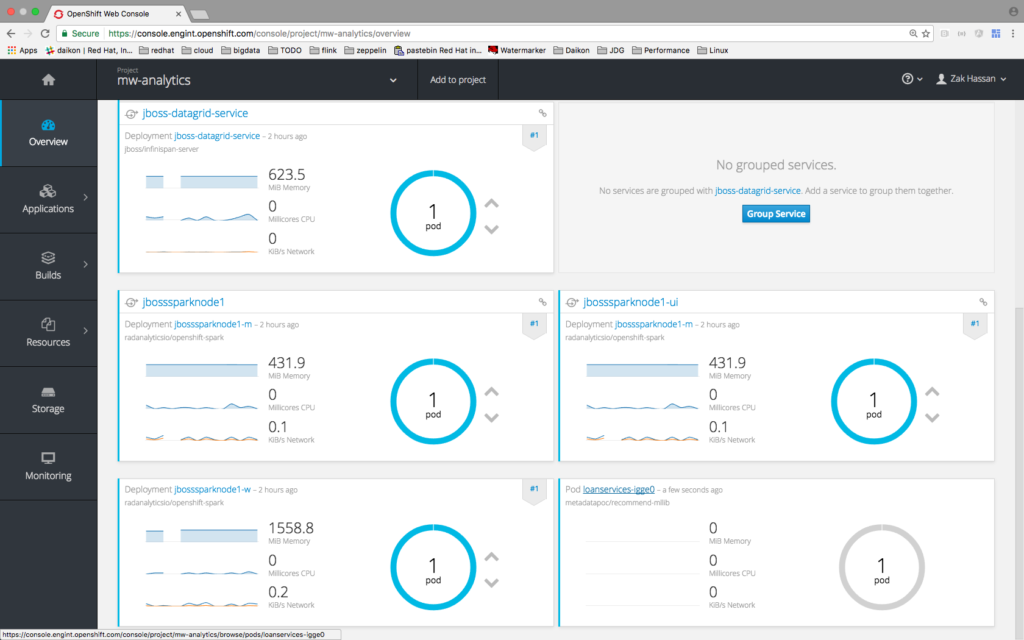
    Once you have oshinko and infinispan/jdg setup you will need to spin up a spark cluster.
    You can follow these setups in the screenshots below:
     Spark Cluster
     
     
    Environment Setup 2
     
     
    Environment Setup 2
     
     
    Environment Setup 3


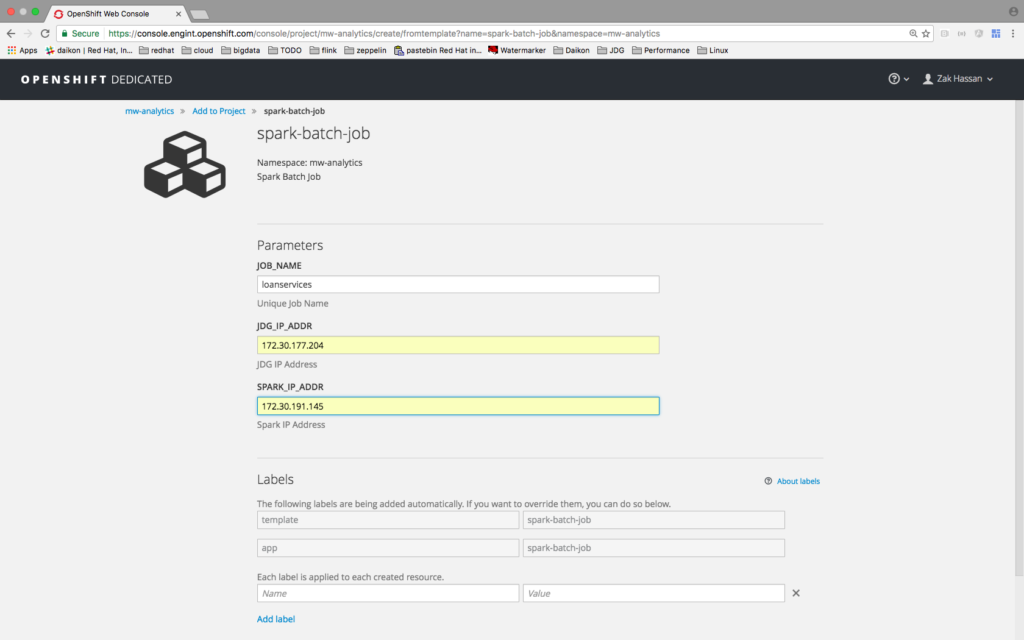
    Spark Job Template

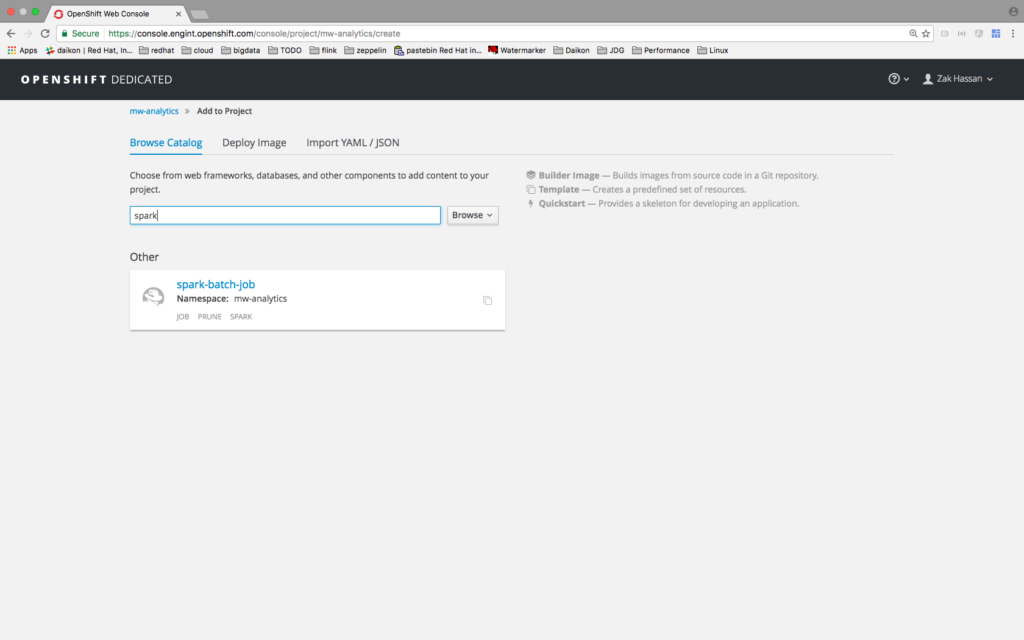
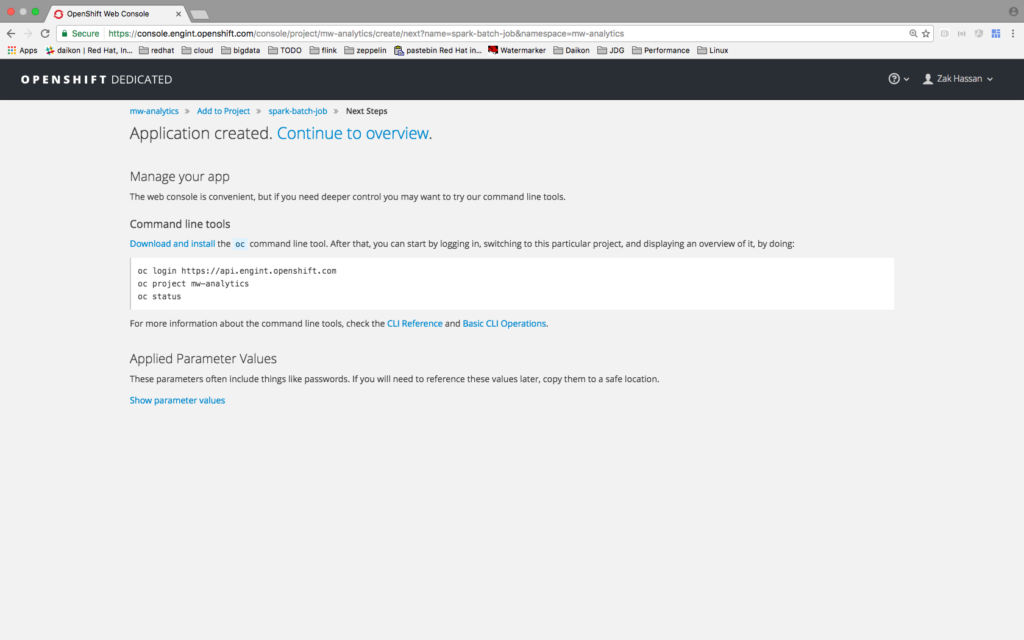
    Spark jobs may run as scheduled jobs or as one-time batch jobs. You have the option of a source 2 image or to build a custom container which extends our Openshift-Spark image and run a spark-submit job all within OpenShift. I will be demonstrating the custom container extended and spark-submit job run. I have created a template that will wrap around the OpenShift job and run our spark job against the cluster and it will require some inputs:
    i) name of the job
    ii) spark master ip or service name
    iii) JBoss data grid ip or service name
     
     Spark Job Template
     
    Spark Job
     
    Application creator
     
    Job Service

    Video Demonstration:


    Links to Project and Example Source Code Used in Demo

    RadAnalytics - http://radanalytics.io/
    Spark Machine Learning App Source - https://github.com/zmhassan/Spark-MLlib-Movie-Recommendation-JDG-Example.git
     

    To download and learn more about Red Hat JBoss Data Grid, an in-memory data grid to accelerate performance that is fast, distributed, scalable, and independent from the data tier.

    Last updated: August 23, 2023

    Recent Posts

    • Protect data offloaded to GPU-accelerated environments with OpenShift sandboxed containers

    • Case study: Measuring energy efficiency on the x64 platform

    • How to prevent AI inference stack silent failures

    • Preventing GPU waste: A guide to JIT checkpointing with Kubeflow Trainer on OpenShift AI

    • How to manage TLS certificates used by OpenShift GitOps operator

    Red Hat Developers logo LinkedIn YouTube Twitter Facebook

    Platforms

    • Red Hat AI
    • Red Hat Enterprise Linux
    • Red Hat OpenShift
    • Red Hat Ansible Automation Platform
    • See all products

    Build

    • Developer Sandbox
    • Developer tools
    • Interactive tutorials
    • API catalog

    Quicklinks

    • Learning resources
    • E-books
    • Cheat sheets
    • Blog
    • Events
    • Newsletter

    Communicate

    • About us
    • Contact sales
    • Find a partner
    • Report a website issue
    • Site status dashboard
    • Report a security problem

    RED HAT DEVELOPER

    Build here. Go anywhere.

    We serve the builders. The problem solvers who create careers with code.

    Join us if you’re a developer, software engineer, web designer, front-end designer, UX designer, computer scientist, architect, tester, product manager, project manager or team lead.

    Sign me up

    Red Hat legal and privacy links

    • About Red Hat
    • Jobs
    • Events
    • Locations
    • Contact Red Hat
    • Red Hat Blog
    • Inclusion at Red Hat
    • Cool Stuff Store
    • Red Hat Summit
    © 2026 Red Hat

    Red Hat legal and privacy links

    • Privacy statement
    • Terms of use
    • All policies and guidelines
    • Digital accessibility

    Chat Support

    Please log in with your Red Hat account to access chat support.