AI
  • Get started with AI

    • Red Hat AI

      Accelerate the development and deployment of enterprise AI solutions.

    • AI learning hub

      Explore learning materials and tools, organized by task.

    • AI interactive demos

      Click through scenarios with Red Hat AI, including training LLMs and more.

    • AI/ML learning paths

      Expand your Red Hat OpenShift AI knowledge using these learning resources.

    • AI quickstarts

      Focused AI use cases designed for fast deployment on Red Hat AI platforms.

    • No-cost AI training

      Foundational Red Hat AI training.

  • Featured resources

    • Red Hat OpenShift AI
    • Open source AI for developers
    • AI product application development
    • Open source-powered AI/ML for hybrid cloud
    • AI and Node.js cheat sheet

Red Hat AI Factory with NVIDIA

Red Hat AI Factory with NVIDIA is a co-engineered, enterprise-grade AI solution for building, deploying, and managing AI at scale across hybrid cloud environments.

Learn
  • Self-guided

    • Documentation

      Find answers, get step-by-step guidance, and learn how to use Red Hat products.

    • Learning paths

      Explore curated walkthroughs for common development tasks.

    • Guided learning

      Receive custom learning paths powered by our AI assistant.

    • See all learning
  • Hands-on

    • Developer Sandbox

      Spin up Red Hat's products and technologies without setup or configuration.

    • Interactive labs

      Learn by doing in these hands-on, browser-based experiences.

    • Interactive demos

      Click through product features in these guided tours.

  • Browse by topic

    • AI/ML
    • Automation
    • Java
    • Kubernetes
    • Linux
    • See all topics
  • Training & certifications

    • Courses and exams
    • Certifications
    • Skills assessments
    • Red Hat Academy
    • Learning subscription
    • Explore training
Build
  • Get started

    • Red Hat build of Podman Desktop

      A downloadable, local development hub to experiment with our products and builds.

    • Developer Sandbox

      Spin up Red Hat's products and technologies without setup or configuration.

  • Download products

    • Red Hat Enterprise Linux
    • Red Hat AI
    • Red Hat OpenShift
    • Red Hat Ansible Automation Platform
    • See all products
  • Featured

    • Red Hat build of OpenJDK
    • Red Hat JBoss Enterprise Application Platform
    • Red Hat OpenShift Dev Spaces
    • Red Hat Developer Toolset
  • References

    • E-books
    • Documentation
    • Cheat sheets
    • Architecture center
Community
  • Get involved

    • Events
    • Live AI events
    • Red Hat Summit
    • Red Hat Accelerators
    • Community discussions
  • Follow along

    • Articles & blogs
    • Developer newsletter
    • Videos
    • Github
  • Get help

    • Customer service
    • Customer support
    • Regional contacts
    • Find a partner

Join the Red Hat Developer program

Download Red Hat products and project builds, access support documentation, learning content, and more.

ConsoleDocsSupport Search
New For you

Recommended

We'll recommend resources you may like as you browse. Try these suggestions for now.

  • Product downloads
  • Cheat sheets
  • Red Hat Developer learning portal
  • Developer blog
  • E-books
  • Developer Sandbox
Log in

Get more with a Red Hat Developer account

  • Product downloads
  • Console access
  • Event registration
  • Training & trials
Explore more account benefitsLog in or register

A subscription may be required for some services.

Contact us

Announcing odo: Developer-focused CLI for Red Hat OpenShift

<p>&nbsp;</p> <quillbot-extension-portal></quillbot-extension-portal>

May 3, 2019
Charlie Drage
Related topics:
Developer toolsKubernetes
Related products:
Red Hat OpenShift

    Following the first announcement of odo earlier in the year, we are pleased to announce the beta release of odo, an official project hosted on the OpenShift GitHub repository. After months of hard work, the beta release indicates that the API is stable and that functionality going forward will not change.

    OpenShift Do (odo, for short) is a fast and straightforward CLI for developers who write, build, and iterate constantly on their source code. Instead of using more-refined tools such as oc, odo focuses on the iterative inner-loop cycle of coding (iterating on code changes prior to committing to Git) rather than the management of each application deployed to OpenShift. This article provides an overview of odo's functionality.

    We have created odo as a tool for developers to focus on their source code rather than worry about deployment scenarios. It’s as easy as having odo know about your source code by using odo create and specifying the framework for your application. Whether you’re pushing source code or a binary, odo will be smart enough with odo push to know how to run or build it as needed.

    With odo, you can iterate on your source code and watch as odo automatically validates and deploys the source code to OpenShift with one simple command: odo watch.

    Red Hat OpenShift is an on-premise platform built around containers and on top of Kubernetes, providing developers with a user interface and command line to deploy their applications. OpenShift automates the build, deployment, and management of all applications so you can focus on what matters most: code.

    When first developing applications on Red Hat OpenShift, developers typically accomplish their tasks in this order:

    1. Connect to an OpenShift cluster.
    2. Package their source code into a Docker image or use a template or Source-2-Image.
    3. Go through either OpenShift reference documentation or follow the step-by-step GUI on OpenShift Console.
    4. Use oc or OpenShift Console to deploy their application.
    5. Modify their source code and re-deploy the application.
    6. Check that the source code has been deployed correctly and works.
    7. Repeat the above steps until satisfied.

    Odo automates the workflow by combining steps 2 through 6.

    1. Connect to an OpenShift cluster.
    2. Create your application and define it with odo create.
    3. Deploy your application with odo push. This can either be source code or binary data.
    4. Iterate or have odo automatically push new local changes with odo watch.

    Odo features

    • Simple and easy deployment centered around similar concepts such as project, application, and component.
    • Completely client-based, no server required.
    • Supports multiple languages and frameworks (Node.js, Java, Ruby, Perl, PHP, and Python)
    • Detects changes to local source and pushes it to the cluster accordingly, giving instant feedback to any build changes in real-time.
    • Lists all available and deployment components to the OpenShift cluster. Configure locally, deploy anywhere.

    Demonstration

    The following is a demonstration on deploying an example Node.js application to a Red Hat OpenShift cluster:
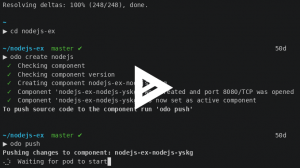
    Asciilink: https://asciinema.org/a/225717

    Upcoming tutorials and workshops

    At Red Hat Summit, you can attend the “Put the dev back in DevOps: Cloud-native at local speed” breakout session, on Tuesday, May 7 at 3:45 p.m., where Jorge Morales will walk you through some of the drivers of odo, talk about other competing tools, and show it in action.

    If you prefer a deep dive workshop, Jan Kleinert will lead “Developing applications on Red Hat OpenShift as mere mortals” on Thursday, May 9 at 10:45 a.m., a two-hour hands-on workshop introducing odo in more depth.

    What’s next?

    • Check out our GitHub repository: https://github.com/redhat-developer/.
    • Get started with your source code and deploy your application. Follow our getting started guide: https://github.com/openshift/odo/blob/master/docs/getting-started.adoc.

    Additional reading

    "Easing application development on OpenShift with odo" by Jorge Morales Pou

    If you haven’t registered for Red Hat Summit yet, sign up now to attend. See you in Boston!

    Last updated: June 27, 2023

    Recent Posts

    • A day in the life of an NVIDIA H100 on Red Hat OpenShift 5

    • Migrate BuildConfigs to builds for Red Hat OpenShift with one plug-in install

    • Run Red Hat Enterprise Linux CoreOS on NVIDIA BlueField DPUs

    • Agent harness engineering: Separating model capabilities from enforcement

    • What's new for developers in Red Hat Enterprise Linux 10.3 and 9.9

    Red Hat Developers logo

    Platforms

    • Red Hat AI
    • Red Hat Enterprise Linux
    • Red Hat OpenShift
    • Red Hat Ansible Automation Platform
    • See all products

    Build

    • Developer Sandbox
    • Developer tools
    • Interactive tutorials
    • API catalog

    Quicklinks

    • Learning resources
    • E-books
    • Cheat sheets
    • Blog
    • Events
    • Newsletter

    Communicate

    • About us
    • Contact sales
    • Find a partner
    • Report a website issue
    • Site status dashboard
    • Report a security problem

    Red Hat Developer

    Build here. Go anywhere.

    We serve the builders. The problem solvers who create careers with code.

    Join us if you’re a developer, software engineer, web designer, front-end designer, UX designer, computer scientist, architect, tester, product manager, project manager or team lead.

    Sign me up

    Red Hat legal and privacy links

    • About Red Hat
    • Jobs
    • Events
    • Locations
    • Contact Red Hat
    • Red Hat Blog
    • Inclusion at Red Hat
    • Cool Stuff Store
    • Red Hat Summit
    © 2026 Red Hat

    Red Hat legal and privacy links

    • Privacy statement
    • Terms of use
    • All policies and guidelines
    • Digital accessibility
    Ask AI