In the previous series of articles, Designing an event-driven business process at scale: A health management example (which you need to read to fully understand this one), you designed and implemented an event-driven scalable business process for the population health management use case. Now, you will run this process through a few scenarios. In this way, you will:
- Gain a solid understanding of how the business process works.
- Have a chance of validating if your implementation is correct.
- Learn how to wire the user interface of the business application driven by the business process.
Ultimately, this series is a demonstration of a population health management solution encompassing several technologies besides business process management (BPM), such as decision management (business rules), streaming data, monitoring and analytics, etc. Future posts will cover how to implement and integrate the various components.
Prerequisites
You need to have Java, Git, and Maven installed to follow along with this article. To ensure that you have a compatible version of Java, run the following on the console (either version 8 or 11 will do):
$ java -version
You also need to be able to download, install, and run jBPM on your system. In this article, I assume that the directory where jBPM is installed is jbpm-server-7.33.0.Final-dist. However, you should use the actual name you get after you unzip the jBPM single zip distribution.
Event listeners
Now, make sure that jBPM is not running. If you started it, just stop it or kill it. You need to clone the Git repositories that contain the projects housing the event listeners that you will use to trace process activity:
$ git clone git@github.com:mauriziocarioli/Tracing.git
Cloning into 'Tracing'...

remote: Enumerating objects: 135, done.
remote: Counting objects: 100% (135/135), done.
remote: Compressing objects: 100% (61/61), done.
remote: Total 135 (delta 66), reused 122 (delta 53), pack-reused 0
Receiving objects: 100% (135/135), 50.28 KiB | 1.03 MiB/s, done.
Resolving deltas: 100% (66/66), done.

$ git clone git@github.com:mauriziocarioli/PHM-Tracing.git
Cloning into 'PHM-Tracing'...

remote: Enumerating objects: 58, done.
remote: Counting objects: 100% (58/58), done.
remote: Compressing objects: 100% (27/27), done.
remote: Total 58 (delta 28), reused 53 (delta 23), pack-reused 0
Receiving objects: 100% (58/58), 21.15 KiB | 21.15 MiB/s, done.
Resolving deltas: 100% (28/28), done.
Go into the Tracing directory and run:
$ mvn install
[INFO] Scanning for projects...
[INFO]

[INFO] -------------------< com.redhat.batigerteam:tracing >-------------------
[INFO] Building tracing 1.0.0

[INFO] --------------------------------[ jar ]---------------------------------
Note: The first time you run this, it will download many jar files from the Maven central repository, which can take a long time.
After the mvn install finishes successfully, copy target/tracing-1.0.0.jar into jbpm-server-7.33.0.Final-dist/standalone/deployments/kie-server.war/WEB-INF/lib.
Now go up and into the PHM-Tracing directory. Run mvn install again and then copy target/phm-tracing-1.0.0.jar into the same directory as the previous jar file.
Congratulations, you installed the tracing jars.
jBPM projects
Now, start jBPM. For example, on either a Mac or Linux, run:
$ jbpm-server-7.33.0.Final-dist/bin/standalone.sh -c standalone.xml -b 0.0.0.0
Or on Windows, run:
$ jbpm-server-7.33.0.Final-dist/bin/standalone.bat -c standalone.xml -b 0.0.0.0
If you worked your way through the previous series, you already know how to do what follows. Even so, this information will be useful to you in case you want to restart from scratch without having to redo your implementation.
There are two scripts in the src/main/sh directory of the project PHM-Processes. If you are on either macOS or Linux, run the script add-users.sh. If you are on Windows (with PowerShell) run add-users.ps1. These scripts create all of the users and groups needed to test these scenarios.
After jBPM has started, open your browser, go to http://localhost:8080/business-central/kie-wb.jsp, and log in as wbadmin with the password wbadmin.
Set up your space
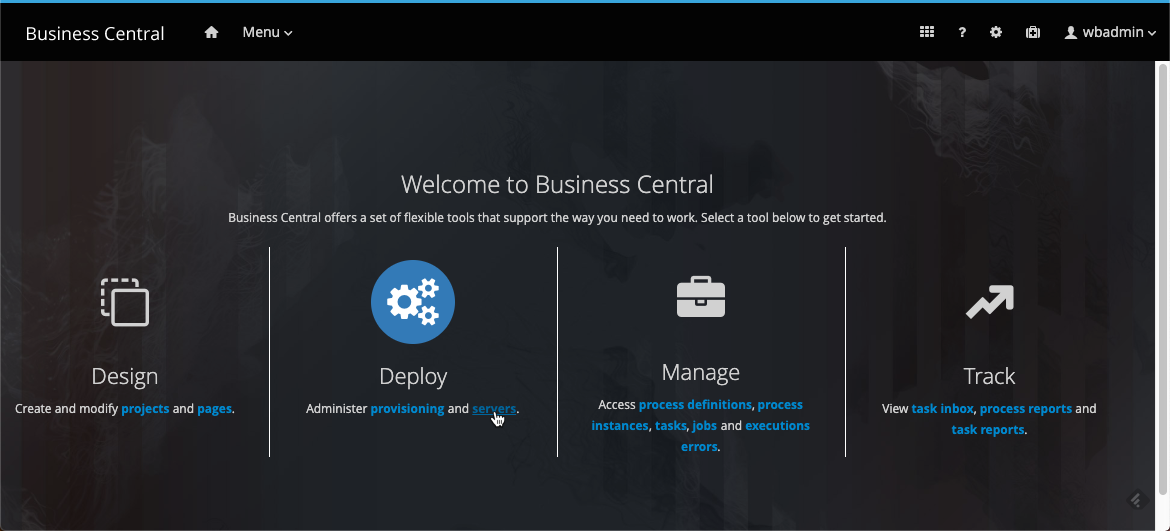
In Business Central (Figure 1), find the Design section and click the projects link. This is where processes are designed and implemented.
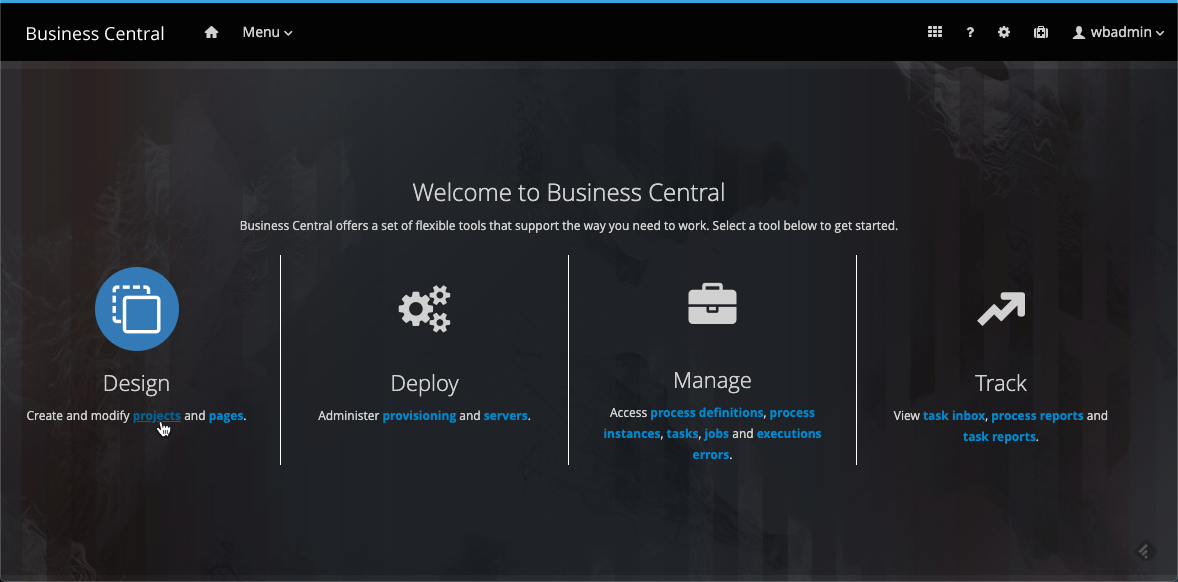
You will find yourself at the spaces level of the Design section. Design artifacts are organized in projects which are found in spaces. It's a basic organizational hierarchy where selective permissions can be applied both at the space and project levels. You need to create a new space named Health-Insurance and then enter this space, so the top path of any design artifacts in the projects within will be com/health_insurance.
Add the sample projects
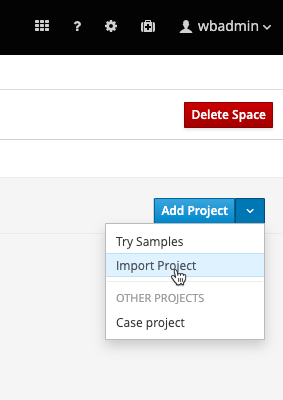
In the space Health-Insurance, click the Add Project drop-down list and select Import Project as shown in Figure 2.
Then, enter the GitHub link to the Git project repository containing the data model as shown in Figure 3.

Click Import to continue. Now, repeat the project import this time with the Git repository containing the business process and subprocesses.
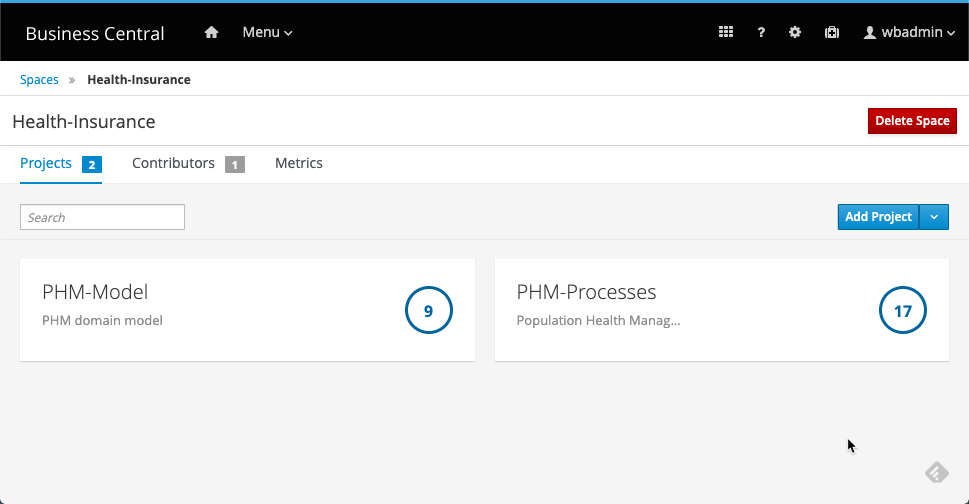
You now have two projects in the Health-Insurance space (Figure 4).
Deploy the projects and servers
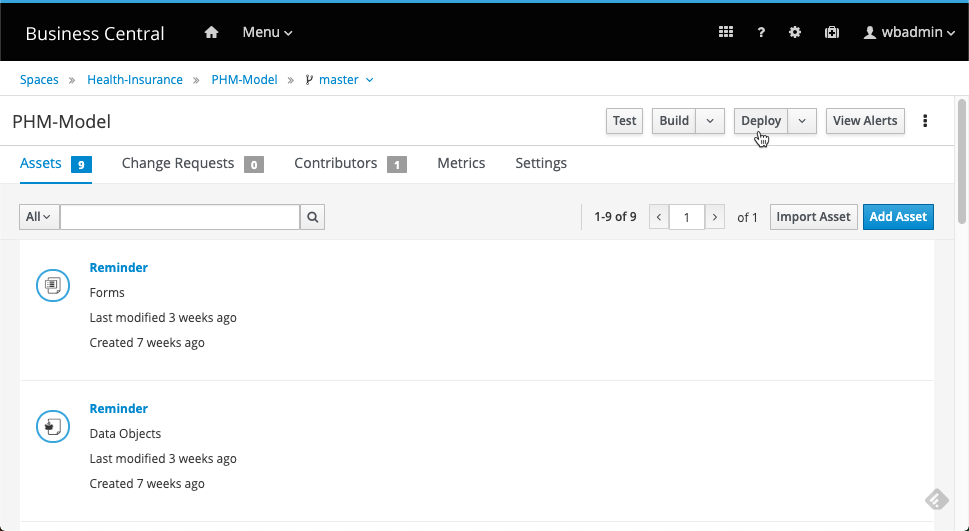
Go into the PHM-Model project, wait for indexing to complete, and then click the Deploy button as shown in Figure 5.
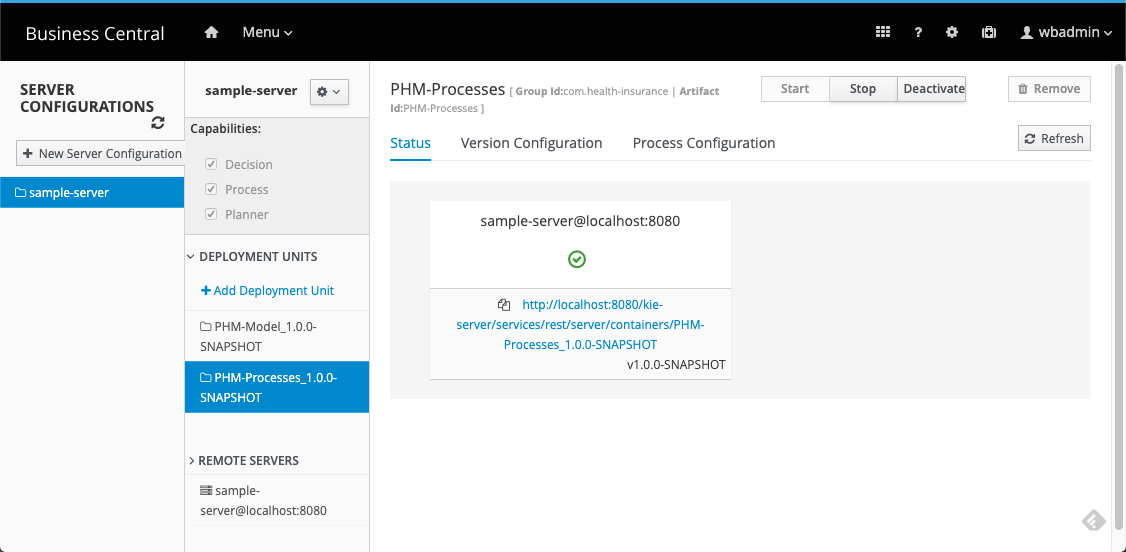
Deploy the PHM-Processes project in the same manner. Then, go to Business Central's, find the Deploy section, and click servers (Figure 6).
You should see the two deployment units shown in Figure 7. These are custom jar files (kjar files) containing the executable artifacts of each project deployed to the process server (or KIE server).
Clone the Get the Data repository
You are almost done with setting everything up. You just need to clone the Get the Data service REST API's Git repository (described in the previous series), install the dependencies, and start the service on Node.js:
4> git clone https://github.com/mauriziocarioli/PHM-API.git
Cloning into 'PHM-API'...
remote: Enumerating objects: 17, done.
remote: Counting objects: 100% (17/17), done.
remote: Compressing objects: 100% (13/13), done.
remote: Total 17 (delta 6), reused 15 (delta 4), pack-reused 0
Unpacking objects: 100% (17/17), done.
[ec2-user@ip-172-31-33-184.ec2.internal/~/Demos]
5> cd PHM-API
[ec2-user@ip-172-31-33-184.ec2.internal/~/Demos/PHM-API]
6> ls -al
total 44
drwxrwxr-x.  3 ec2-user ec2-user   127 Feb  5 15:23 .
drwxrwxr-x. 10 ec2-user ec2-user   236 Feb  5 15:23 ..
-rw-rw-r--.  1 ec2-user ec2-user  3636 Feb  5 15:23 app.js
drwxrwxr-x.  8 ec2-user ec2-user   163 Feb  5 15:23 .git
-rw-rw-r--.  1 ec2-user ec2-user   256 Feb  5 15:23 .gitignore
-rw-rw-r--.  1 ec2-user ec2-user 11357 Feb  5 15:23 LICENSE
-rw-rw-r--.  1 ec2-user ec2-user   360 Feb  5 15:23 package.json
-rw-rw-r--.  1 ec2-user ec2-user 14282 Feb  5 15:23 package-lock.json
-rw-rw-r--.  1 ec2-user ec2-user   595 Feb  5 15:23 README.md
[ec2-user@ip-172-31-33-184.ec2.internal/~/Demos/PHM-API]
7> npm install
npm WARN phmapi@1.0.0 No repository field.

added 50 packages from 37 contributors and audited 158 packages in 0.781s
found 0 vulnerabilities

[ec2-user@ip-172-31-33-184.ec2.internal/~/Demos/PHM-API]
8> npm start

> phmapi@1.0.0 start /home/ec2-user/Demos/PHM-API
> node app.js

running at port 3200
Conclusions
Before you could run some scenarios of this Population Health Management application you needed to install and configure several components.
- The event listeners, which are very important to monitor as well as react to the activities in the process.
- The jBPM projects themselves.
- The Node.js REST service that is used to provide the data needed by the jBPM processes to execute.
Now you are ready to go through the scenarios in the next post.
Last updated: February 6, 2024
