AI
  • Get started with AI

    • Red Hat AI

      Accelerate the development and deployment of enterprise AI solutions.

    • AI learning hub

      Explore learning materials and tools, organized by task.

    • AI interactive demos

      Click through scenarios with Red Hat AI, including training LLMs and more.

    • AI/ML learning paths

      Expand your Red Hat OpenShift AI knowledge using these learning resources.

    • AI quickstarts

      Focused AI use cases designed for fast deployment on Red Hat AI platforms.

    • No-cost AI training

      Foundational Red Hat AI training.

  • Featured resources

    • Red Hat OpenShift AI
    • Open source AI for developers
    • AI product application development
    • Open source-powered AI/ML for hybrid cloud
    • AI and Node.js cheat sheet

Red Hat AI Factory with NVIDIA

Red Hat AI Factory with NVIDIA is a co-engineered, enterprise-grade AI solution for building, deploying, and managing AI at scale across hybrid cloud environments.

Learn
  • Self-guided

    • Documentation

      Find answers, get step-by-step guidance, and learn how to use Red Hat products.

    • Learning paths

      Explore curated walkthroughs for common development tasks.

    • Guided learning

      Receive custom learning paths powered by our AI assistant.

    • See all learning
  • Hands-on

    • Developer Sandbox

      Spin up Red Hat's products and technologies without setup or configuration.

    • Interactive labs

      Learn by doing in these hands-on, browser-based experiences.

    • Interactive demos

      Click through product features in these guided tours.

  • Browse by topic

    • AI/ML
    • Automation
    • Java
    • Kubernetes
    • Linux
    • See all topics
  • Training & certifications

    • Courses and exams
    • Certifications
    • Skills assessments
    • Red Hat Academy
    • Learning subscription
    • Explore training
Build
  • Get started

    • Red Hat build of Podman Desktop

      A downloadable, local development hub to experiment with our products and builds.

    • Developer Sandbox

      Spin up Red Hat's products and technologies without setup or configuration.

  • Download products

    • Red Hat Enterprise Linux
    • Red Hat AI
    • Red Hat OpenShift
    • Red Hat Ansible Automation Platform
    • See all products
  • Featured

    • Red Hat build of OpenJDK
    • Red Hat JBoss Enterprise Application Platform
    • Red Hat OpenShift Dev Spaces
    • Red Hat Developer Toolset
  • References

    • E-books
    • Documentation
    • Cheat sheets
    • Architecture center
Community
  • Get involved

    • Events
    • Live AI events
    • Red Hat Summit
    • Red Hat Accelerators
    • Community discussions
  • Follow along

    • Articles & blogs
    • Developer newsletter
    • Videos
    • Github
  • Get help

    • Customer service
    • Customer support
    • Regional contacts
    • Find a partner

Join the Red Hat Developer program

Download Red Hat products and project builds, access support documentation, learning content, and more.

ConsoleDocsSupport Search
New For you

Recommended

We'll recommend resources you may like as you browse. Try these suggestions for now.

  • Product downloads
  • Cheat sheets
  • Red Hat Developer learning portal
  • Developer blog
  • E-books
  • Developer Sandbox
Log in

Get more with a Red Hat Developer account

  • Product downloads
  • Console access
  • Event registration
  • Training & trials
Explore more account benefitsLog in or register

A subscription may be required for some services.

Contact us

OpenShift.io Developer Tools Overview - Summit 2017 - The Power of Cloud Workspaces - Part 2

May 3, 2017
Brian Atkisson
Related topics:
Artificial intelligenceCI/CDDeveloper toolsKubernetes
Related products:
Developer ToolsetRed Hat OpenShift Container Platform

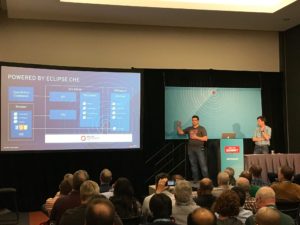
    Part II of the OpenShift.io Developer Tools overview follows on the heels of the introduction session, this time presented by Pete Muir and Gorkem Ercan. In this session, we are taken through the integrated OpenShift.io Eclipse Che IDE.

    What is a Cloud Workspace?

    One of the fundamental problems with today's development methodology is that development happens on your laptop-- in a completely different environment from production.  This is one of the major sources of bugs as your software is migrated through the release pipeline.  To help address this issue, OpenShift.io includes the full Eclipse Che IDE. Development actually happens in an environment exactly matching production.  This includes integrated compilers, build agents, diagnostics, context analysis, debuggers and test runners.

    Each Cloud Workspace is its own container, completely isolated from your operating system and even your laptop.  Moreover, a Cloud Workspace is assigned a unique ID and URL, which can be shared with others (think Google Docs).  In fact, the IDE session is exactly preserved, down to attached debuggers and even cursor location.  You can easily switch between workspace sessions by URL.  Being able to rapidly switch between different code repos as life happens is tremendously useful.

    Speaking of code repos, a Cloud Workspace includes an SCM in the form of Git.  Currently, OpenShift.io includes GitHub integration.  OpenShift.io prompts you to grant GitHub access to your repos for this native integration.  Other Git providers are currently being developed as well.

    Eclipse Che is Eclipse after all...

    As you would expect with Eclipse or really and IDE, Eclipse Che gives you the standard development and testing experience.  It is amazing that the full experience now runs in a browser with your code being executed in a container on OpenShift.  If you want to pull up a terminal and execute maven directly, that is also an option.

    Behind the screen, OpenShift runs Che pods (collections of containers) backed by persistent storage within the service.  OpenShift routes are automatically created to allow your workspace to access whatever ports your application may require.  This gives you all the benefits of testing within the cloud, in an environment matching your production environment.

    If you have not had a chance to check out Eclipse Che, it is well worth a look.  The integration with OpenShift.io brings the concept to an entirely new level, realizing the vision of a fully integrated development experience.


    Head over to openshift.io to start trying these and many more features today!

    Last updated: October 31, 2023

    Recent Posts

    • A day in the life of an NVIDIA H100 on Red Hat OpenShift 5

    • Migrate BuildConfigs to builds for Red Hat OpenShift with one plug-in install

    • Run Red Hat Enterprise Linux CoreOS on NVIDIA BlueField DPUs

    • Agent harness engineering: Separating model capabilities from enforcement

    • What's new for developers in Red Hat Enterprise Linux 10.3 and 9.9

    Red Hat Developers logo

    Platforms

    • Red Hat AI
    • Red Hat Enterprise Linux
    • Red Hat OpenShift
    • Red Hat Ansible Automation Platform
    • See all products

    Build

    • Developer Sandbox
    • Developer tools
    • Interactive tutorials
    • API catalog

    Quicklinks

    • Learning resources
    • E-books
    • Cheat sheets
    • Blog
    • Events
    • Newsletter

    Communicate

    • About us
    • Contact sales
    • Find a partner
    • Report a website issue
    • Site status dashboard
    • Report a security problem

    Red Hat Developer

    Build here. Go anywhere.

    We serve the builders. The problem solvers who create careers with code.

    Join us if you’re a developer, software engineer, web designer, front-end designer, UX designer, computer scientist, architect, tester, product manager, project manager or team lead.

    Sign me up

    Red Hat legal and privacy links

    • About Red Hat
    • Jobs
    • Events
    • Locations
    • Contact Red Hat
    • Red Hat Blog
    • Inclusion at Red Hat
    • Cool Stuff Store
    • Red Hat Summit
    © 2026 Red Hat

    Red Hat legal and privacy links

    • Privacy statement
    • Terms of use
    • All policies and guidelines
    • Digital accessibility
    Ask AI